The 101 Construction Calculator helps you transfer measurements into a report on completed work. Open the calculator from a report line item, add the measurements in the appropriate units and save the resulting quantity. Before saving the report, check the line item quantity and its total amount if that amount is visible to you.
Contents:
How to take measurements
Start by checking the unit used for the work. Wall plastering is usually measured by area in square metres. Installing corner profile is measured by length in linear metres.
If all the walls are the same height, add their lengths and multiply the sum by the height. If the heights differ, calculate the area of each wall separately and add the results. Subtract the area of door and window openings if those openings are excluded from the work quantity. Count each opening once.
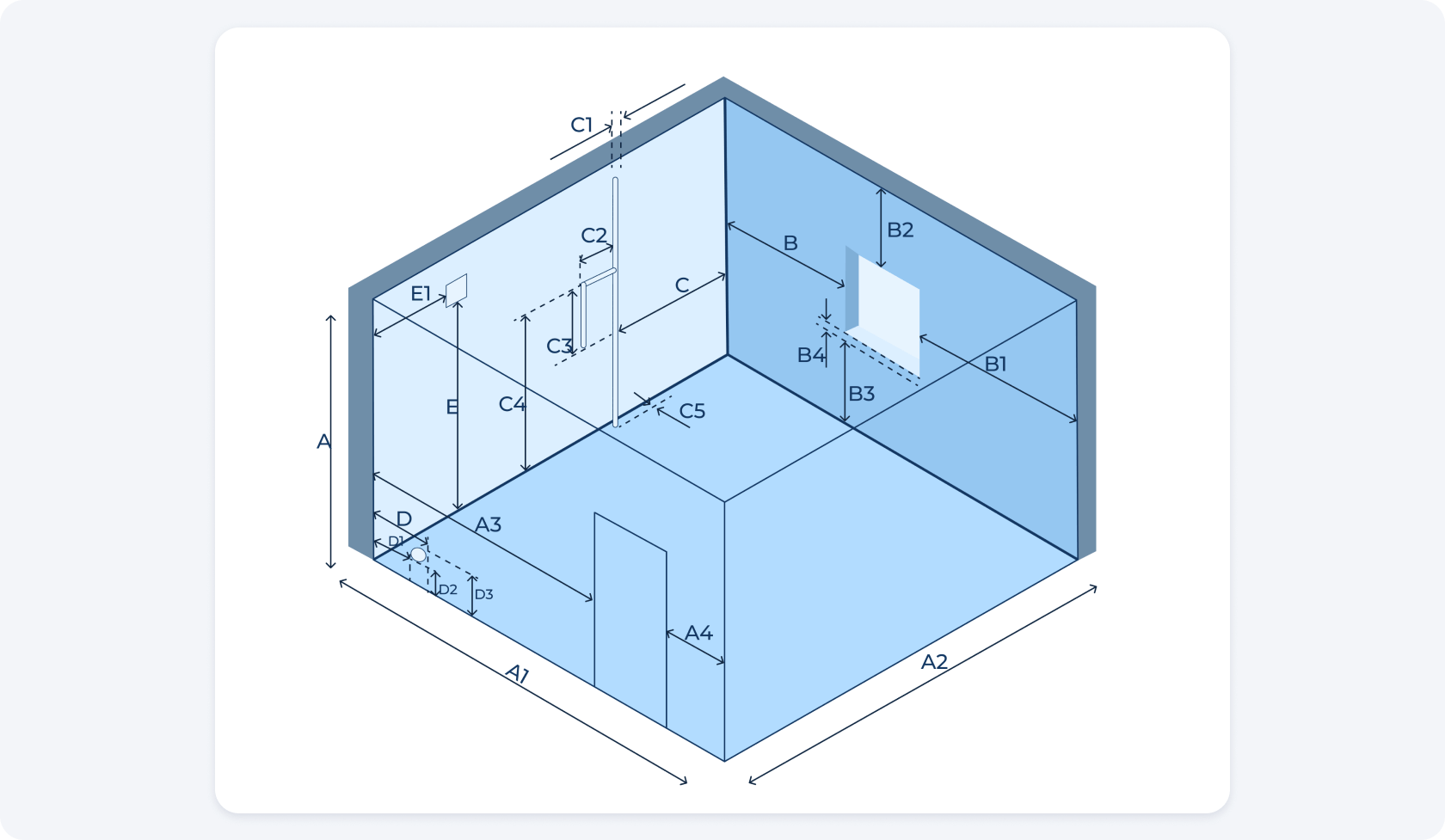
Use a tape measure or a suitable laser distance meter. Readings from the Measure app on iPhone are approximate. Double-check any dimensions that affect the amount of material or the cost of work with a measuring instrument. For compatible iPhone models equipped with LiDAR, see the guide to 3D measurements in 101 (in Russian).
How to calculate a quantity for a report in 101
The mobile screenshots show how to enter the length of corner profile for two rooms. This work is measured in linear metres.
1. Open the report and add an item from the price list
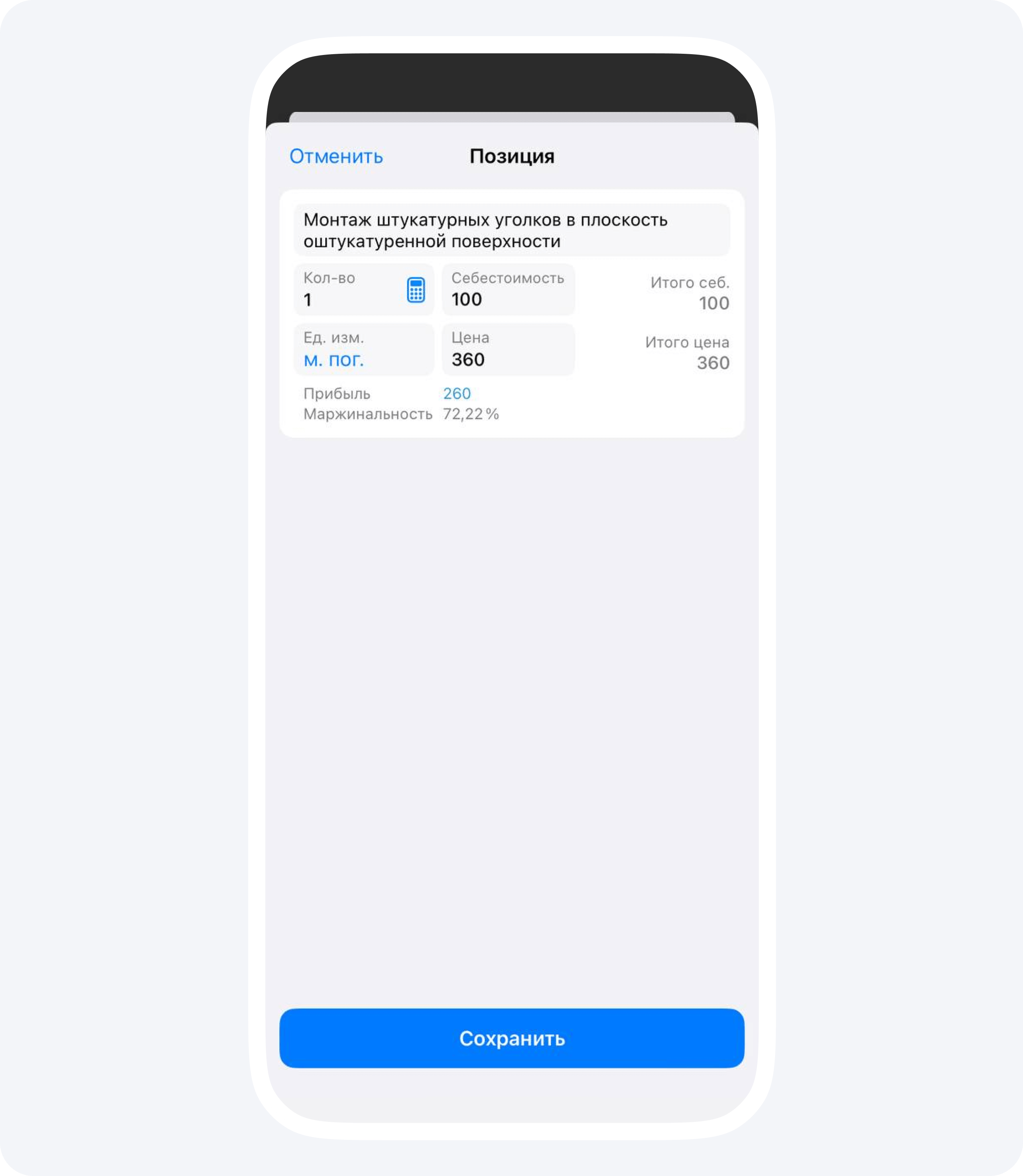
In the relevant project, create or open a report on completed work (in Russian). Add the relevant item from the price list and check its unit of measurement.
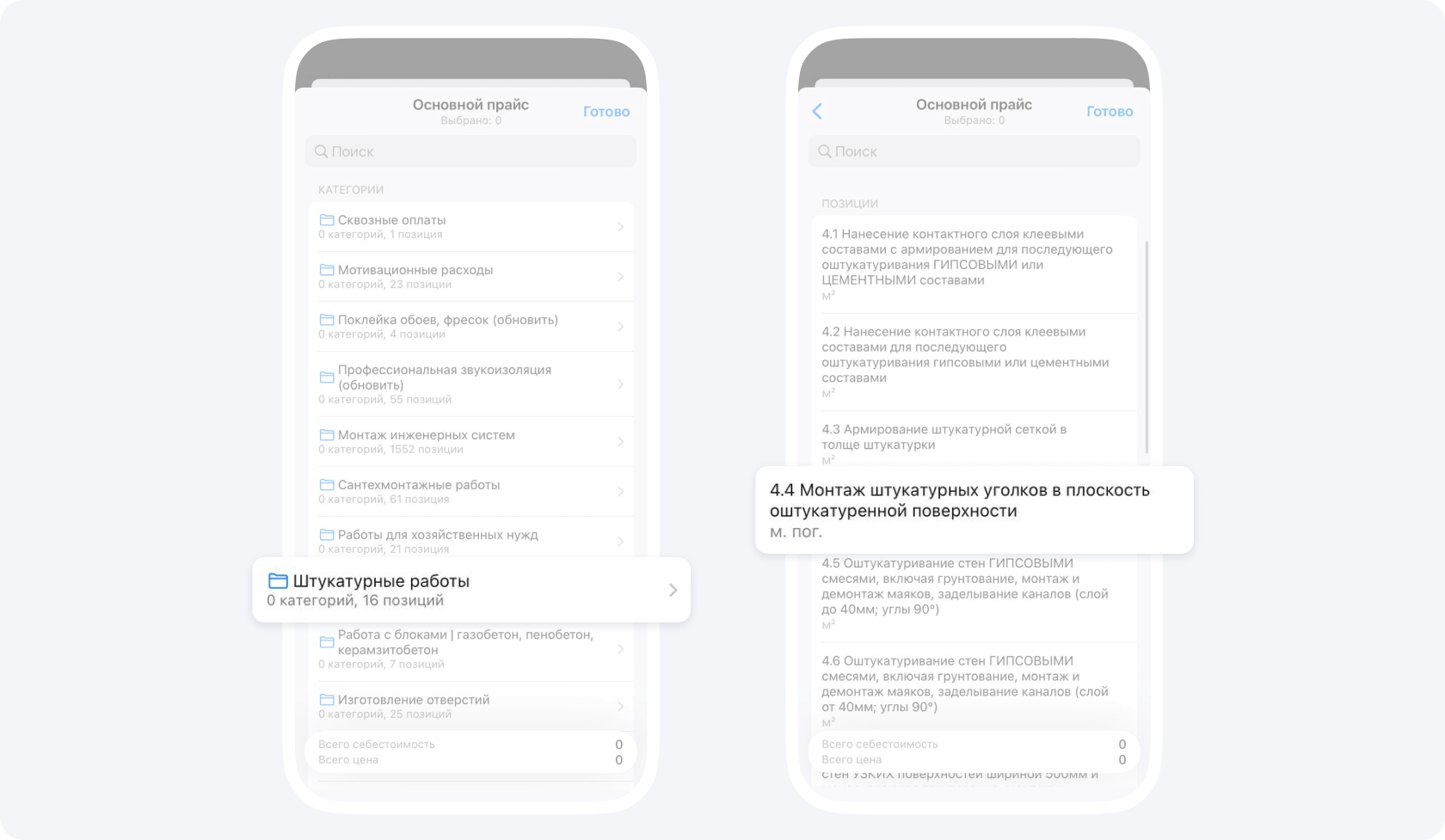
2. Open the calculator and select the measurement unit
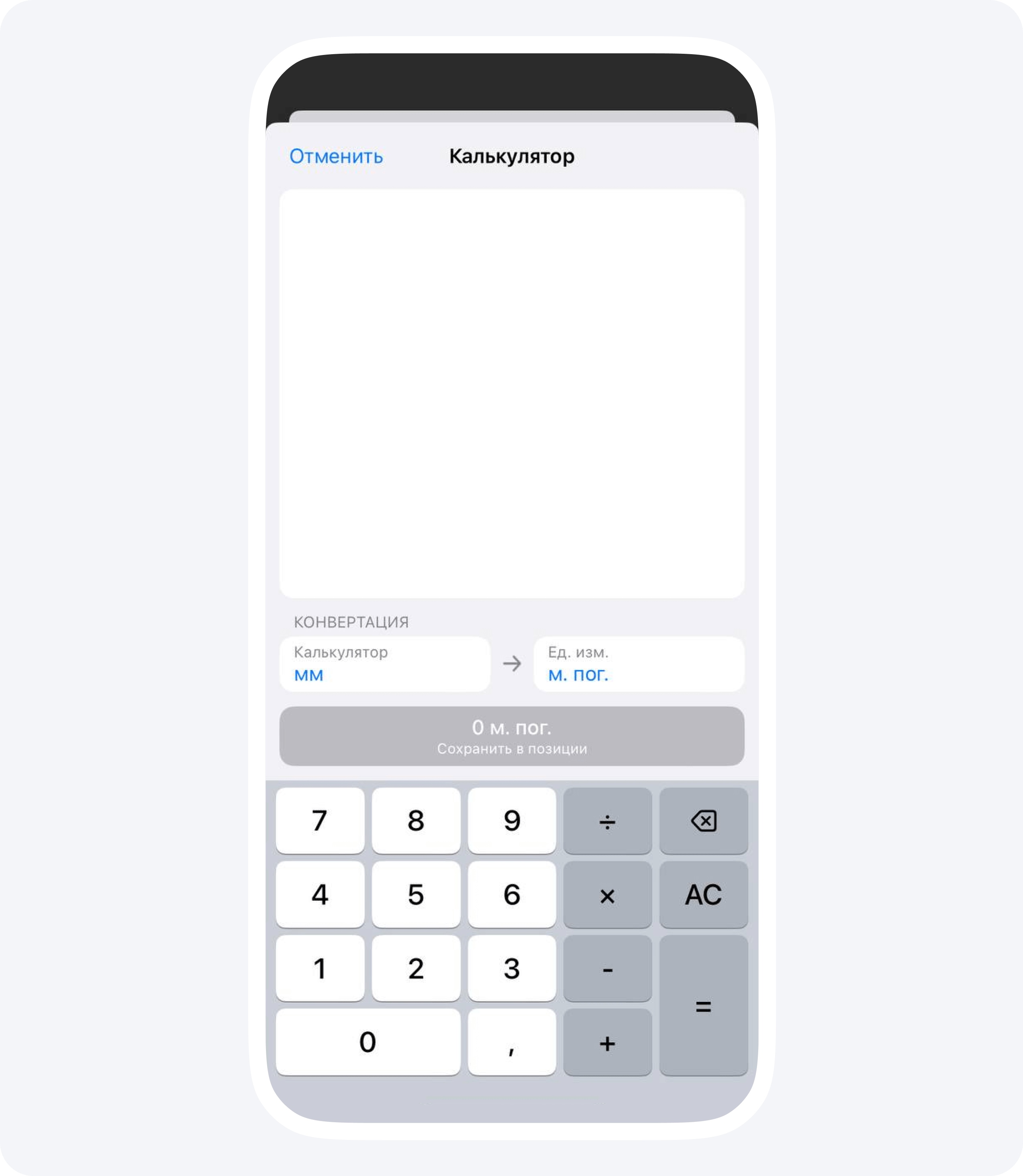
In the line item, tap the calculator icon next to the quantity field. Select millimetres in the calculator for entering your measurements. Check that the line item uses linear metres.
3. Enter the measurements and add the results
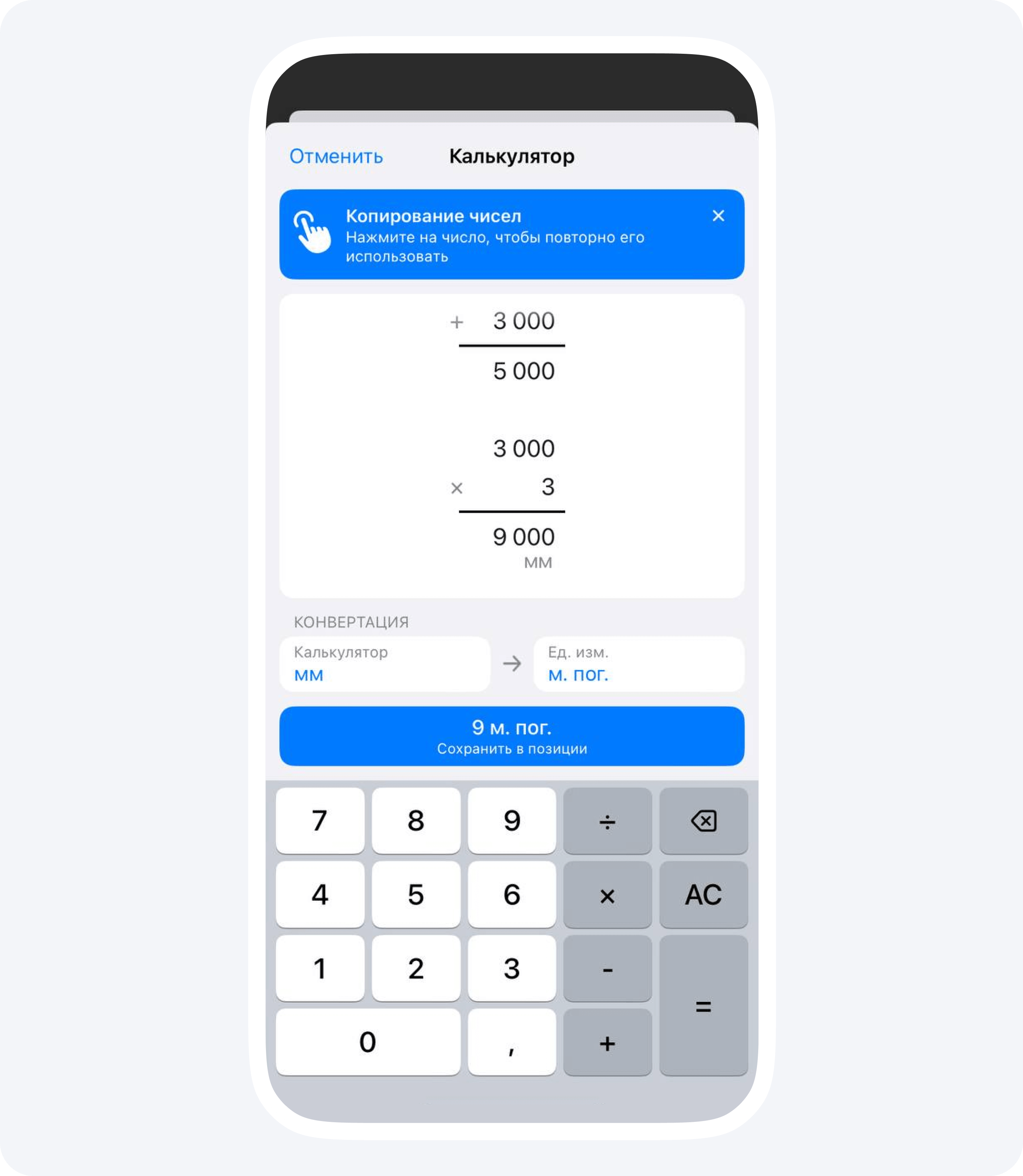
Use a separate column for each room. In this example, the first room comes to 5,000 mm and the second to 9,000 mm. Check both intermediate results and add them together.
4. Save the calculated quantity in the line item
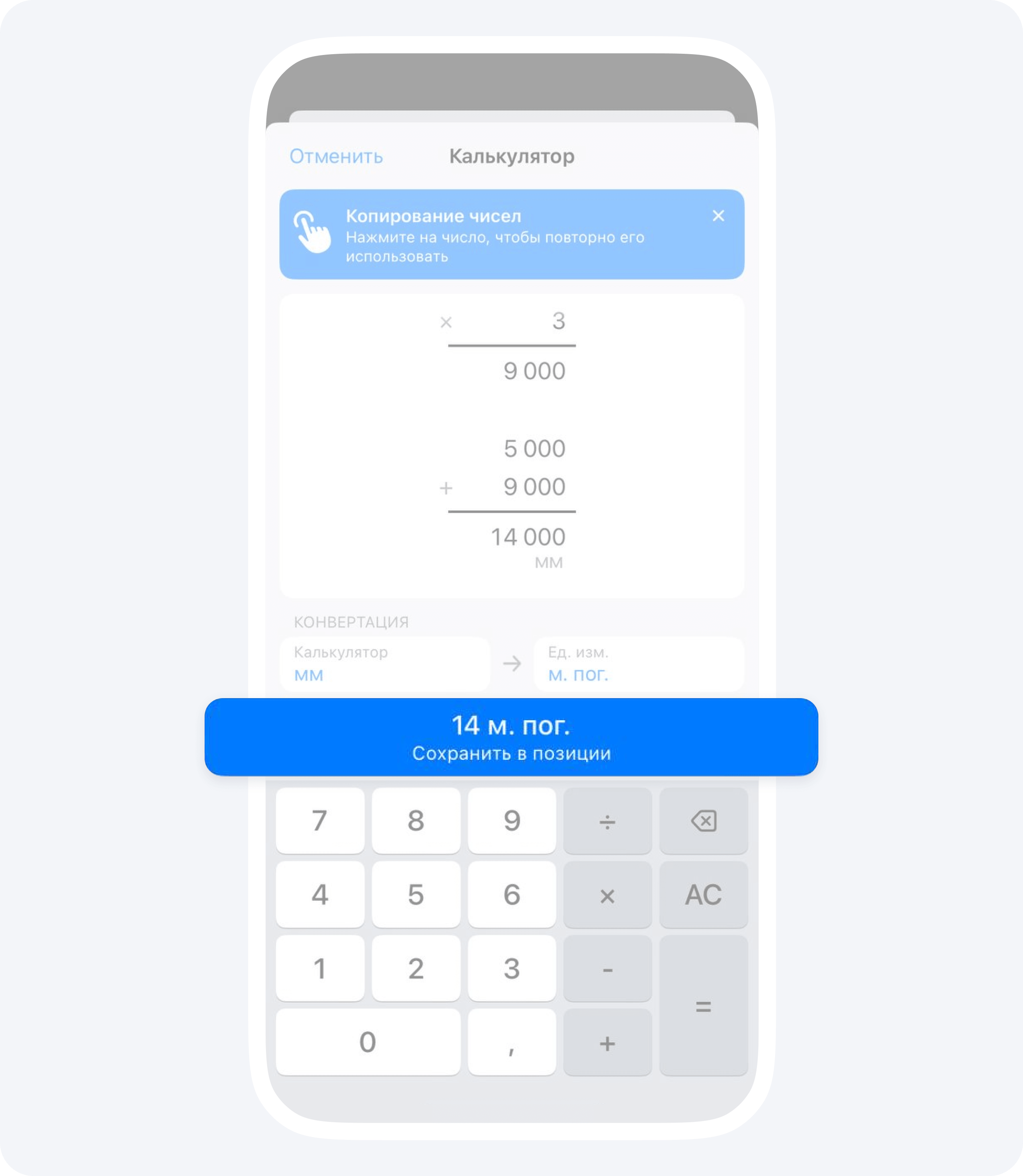
The two measurements add up to 14,000 mm. The calculator converts that total to the line item’s unit, giving 14 linear metres. Tap the save button in the calculator to transfer this quantity to the report line item.
How to check the result
Return to the report line item. Check that 14 linear metres were saved, and check the unit rate and line total where visible. Check the unit separately for other work. Wall area in m² and profile length in metres belong to different line items.
Save the line item. Tap Done («Готово» in the Russian interface) to finish selecting line items, then save the report. The report records the quantity of work actually completed. Record payment separately.