
Contents:
A mobile app for working on site
A smartphone lets you enter data while on site. Let us look at how a construction app helps organise financial tracking, planning and reporting.
Common ways to track receipts and spending of customer funds include:
- a notebook;
- messenger chats;
- an Excel spreadsheet.
If payments to tradespeople are recorded only in photographs of notes, you need to transfer them into your records separately and reconcile them with supporting documents.
Adding up amounts and reconciling chat messages with receipts supplied by a site supervisor or project manager can take evenings and weekends. Assess how much time you spend gathering and checking this data.
When choosing an app for planning and financial tracking in a construction business, check which tasks it covers and how convenient it is to enter data on site.
In 101, you can track income and expenses by project. A unified system helps bring together records from chats and receipts when your team enters data regularly and accurately; installing the app alone does not guarantee company growth or the elimination of losses.
How to choose a construction app
When comparing apps, check:
- whether their functions fit your workflows;
- whether the app is convenient to use on a construction site;
- whether it covers the financial tracking and planning tasks you need, alongside tasks for architects, designers or building design specialists.
For planning and financial tracking in a construction business, you can explore 101. The app is available on iPhone and Android; the website also presents a web version.
Features of the 101 construction app
101 offers tools for financial tracking and planning in a construction business.
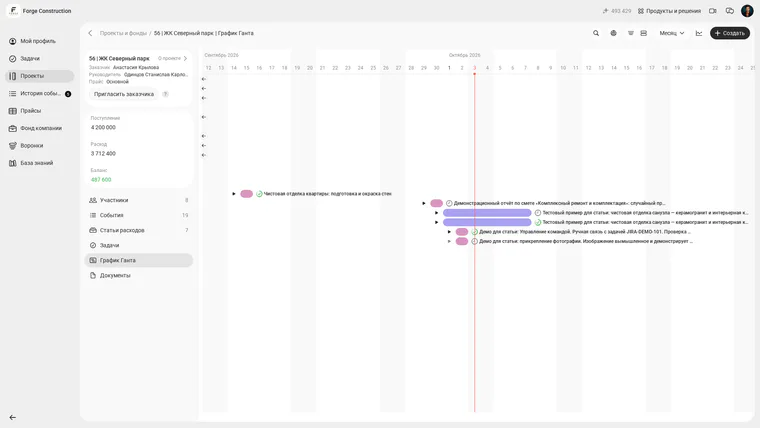
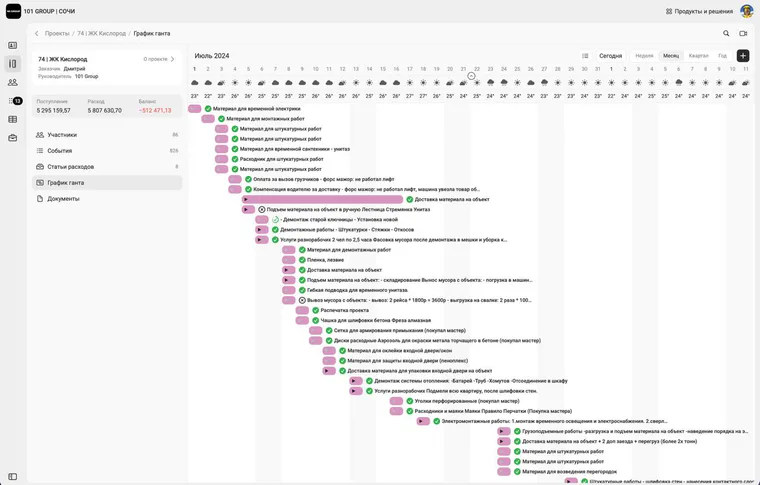
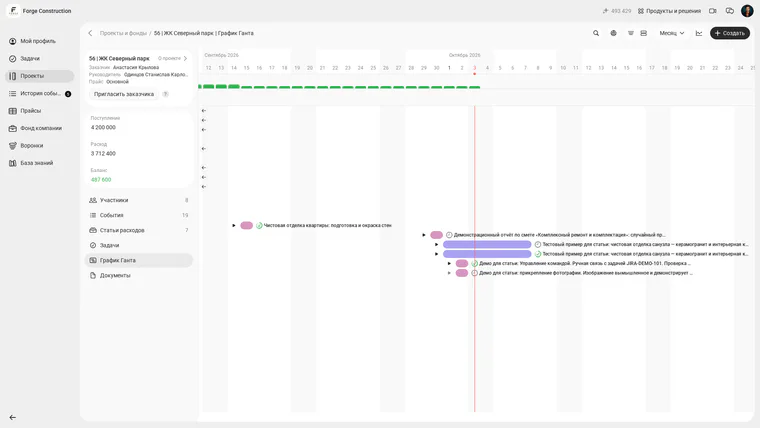
For scheduling, there is a Gantt chart in the web version of 101: work items are added from a price list or reports and placed on a timeline.
The timeline shows the order of work, dates and nested project tasks. Below is the current chart for a Forge Construction demonstration project in the company owner’s account. The interface is in Russian; names, people and amounts are fictional. Access for other roles depends on permissions.
The original Gantt chart example with a July 2024 calendar is retained below. This is a historical illustration of another company’s Russian interface. Current screens and access permissions need to be checked separately.
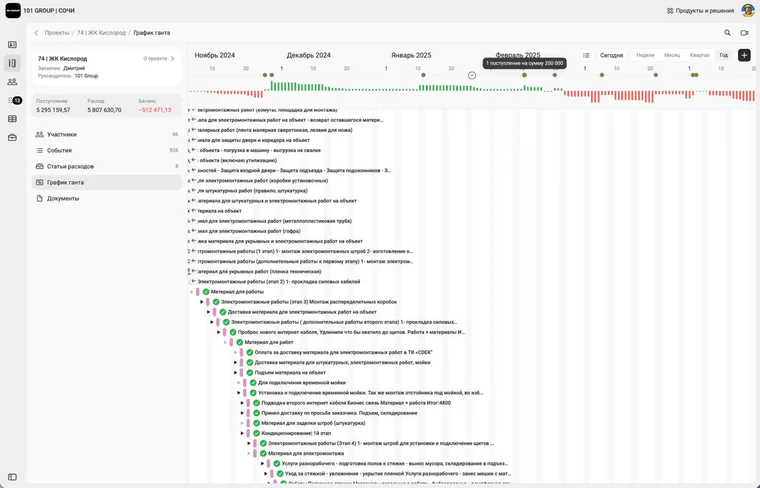
The balance chart helps you see project cash movements alongside the work schedule. The next image shows the same Forge Construction demonstration project with the balance chart enabled. The interface is in Russian; the data is fictional and access depends on permissions.
The original balance chart example with a 2024–2025 calendar is retained below. This is a historical illustration of another company’s Russian interface. Current screens and access permissions need to be checked separately.
- a history of the company’s cash movements;
- price lists for construction work and estimates: team and customer access depends on the permissions and settings provided;
- reports and documents for customers: check the current plan terms for document generation and sending availability.
If your team keeps records regularly, a unified system can reduce manual reconciliation. The time saved can be spent on business development, family and other matters; results depend on how work is organised.
101 has a free plan. The website lists estimates, tasks, chats, the Gantt chart, documents and price lists among its features. Check the current pricing table for the feature set and limits, including event handling and advanced analytics. This lets you explore the capabilities and decide whether you need a subscription.
To explore the app for free, find the smartphone download links on the 101 website or book a free online presentation with an expert there. The meeting description gives a duration of 30–60 minutes.
Platform updates and material for entrepreneurs are published in the 101 channel (in Russian). Explore these along with the app’s capabilities and plan terms to assess whether it suits your business.