Small businesses face a familiar problem: there is more work than people to do it. The owner handles sales, negotiates, supervises contractors, keeps track of money, and resolves disputes with clients. AI-powered tools (AI assistants) offer small and medium-sized businesses (SMEs) an unusual advantage: they speed up routine work without requiring another hire.
It is important to understand the boundary: AI does not take over responsibility. It helps you draft faster, spot connections in data, improve the wording of a text, and explore options. Decisions and checks remain your responsibility.
Below, we look at where AI tools make a difference, how to introduce them without creating chaos, and how to connect AI with management accounting to achieve measurable results.
Contents:
What Counts as an AI Tool for SMEs?
AI tools usually mean AI-based services that take on some routine mental work: writing, organizing information, checking, searching, summarizing, and initial analysis. In everyday business, their value lies in the minutes and hours they free up during the week, rather than a “wow” effect.
The types of tools that tend to become part of everyday work in SMEs include:
- Writing and communication: emails, client messages, explanations of disputed issues, and checklists.
- Documents and structure: technical specifications, procedures, templates, the structure of an estimate, and work plans.
- Data and interpretation: summaries of spreadsheets, anomaly detection, and questions to ask about the figures.
In construction and renovation, businesses often start using AI for communication, technical specifications, working with design plans, and data analysis. These use cases deliver quick benefits because they recur on every project.
Why Do Small Businesses Need AI?
The first reason is rarely described as “digitalization.” More often, it is fatigue with repetition: the same explanations to clients, similar emails, similar calculations, and the same questions for the team. AI helps streamline this part of the work.
The second reason is speed. Clients need quick answers about timelines, estimates, the sequence of work, and payment. A same-day response improves your chances of closing the deal and maintaining trust.
The third reason is better control. Small businesses often depend on what the owner keeps in their head. AI tools help capture some of that thinking in a template, a set of instructions, or a report format. The team works more consistently, even while the owner is busy negotiating.
Where Should You Use AI, and Where Should You Avoid It?
Client communication. A familiar situation: a site supervisor sends a voice message, the client misunderstands, and a dispute begins. AI helps turn rough text into a clear message: what has been done, what has been agreed, what happens next, and what the risks are.
Technical specifications and procedures. As a crew grows, verbal instructions alone stop being enough. AI can quickly draft a technical specification, a work acceptance checklist, a purchasing procedure, or a weekly report template. You then need to adapt the text to your own processes and establish who is responsible for carrying it out.
Sales and scripts. In SMEs, the business leader often handles sales first, a sales representative then gets involved, and the leader returns to resolve difficult questions. A script helps keep the approach consistent: the team uses the same language, records important terms, and avoids losing clients during clarification. It is useful to keep the sales structure in a separate document and refine it based on calls; the 101 blog offers a detailed guide to sales scripts for renovation and construction.
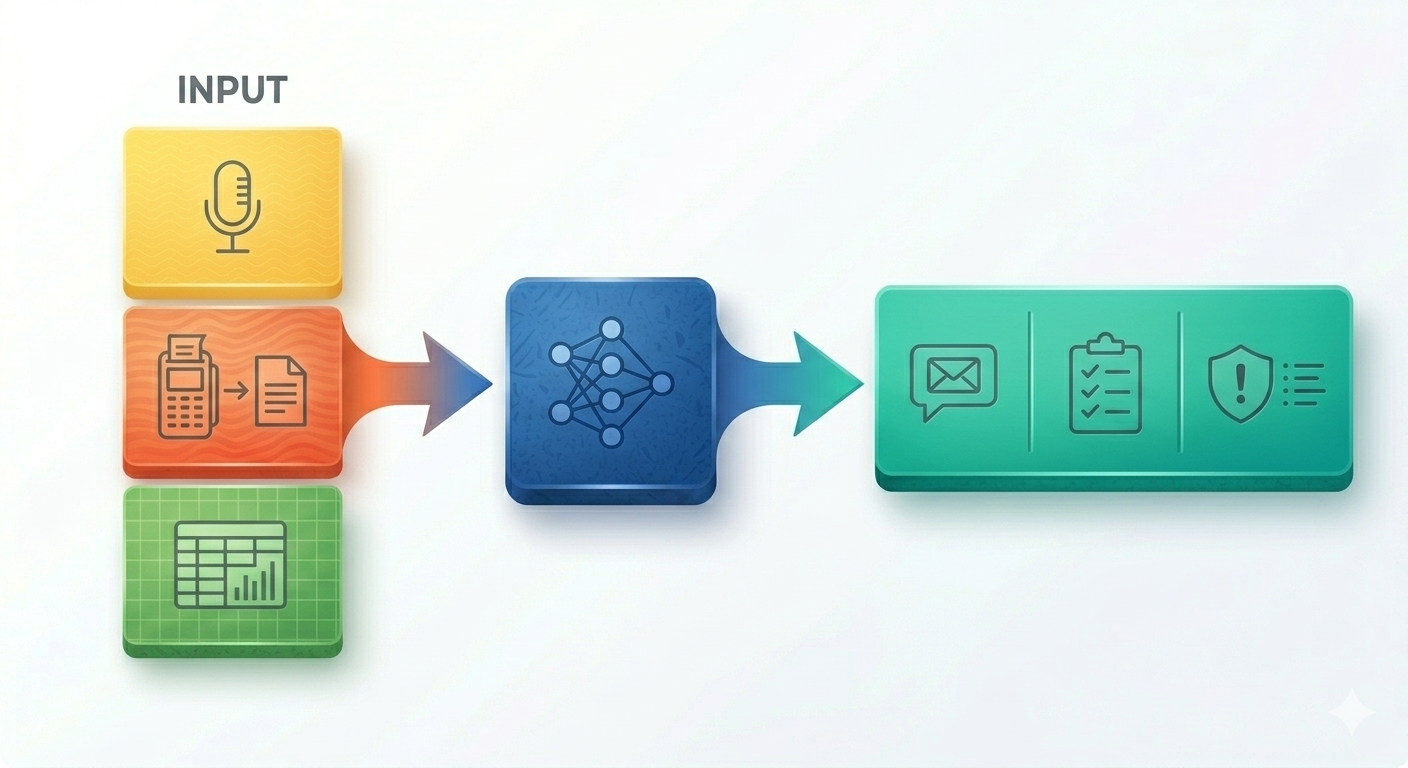
Finance and management accounting. AI can help you “talk” to your figures: explain what is happening to margins, identify an expense that looks unusual, and suggest questions about payments and advances. But it becomes truly useful when the data is in order: expenses are recorded, expense categories are clear, and payments are linked to projects. To understand the basics, it helps to clarify what management accounting is and how it supports decisions within a company.
Where AI Should Not Make Decisions on Its Own
- Sharing personal or confidential information without preparing the data and checking permitted access. Use anonymized details for a practice prompt.
- Approving an estimate, a contract, a payment, or a change to obligations without a responsible person. AI output remains a draft until it has been checked and approved.
- Publishing unchecked amounts, deadlines, or conclusions. First compare them with the source documents and correct any errors.
How Do You Introduce AI into an SME?
The main mistake when introducing AI into an SME is treating it as a toy: “We tried it, had a laugh, and forgot about it.” A workable approach is to choose one routine task, define quality criteria, assign responsibility, and measure the time saved.
A practical adoption process:
- Choose 1 process that repeats every week: client messages, technical specifications, estimates, or project reports.
- Describe what counts as a “good result”: length, tone, structure, deadlines, and restrictions.
- Collect 3–5 examples from your own experience, including both successes and failures.
- Create an AI prompt template: input data + response format + criteria for checking the result.
- Assign the role of “editor”: who checks and approves the text or spreadsheet before it is sent to the client.
- Decide where to store the result: where the final version is kept and how the team can find it.
- Once a week, record what to improve in the prompt template and the input data.
How to Measure the Benefits of a Weekly Summary
Complete the template for one repeatable process, such as preparing a weekly project summary. Compare periods that cover the same types of work and a comparable number of summaries. This is a template for recording your observations, rather than a measured result or a promise of savings.
| What to Record | Before AI | With AI and Human Review |
|---|---|---|
| Period and number of summaries | Fill in | Fill in |
| Total time spent preparing, checking, and correcting summaries, in minutes | Fill in | Fill in |
| Average time per summary: total time / number of summaries | Calculate | Calculate |
| Number of summaries checked and number corrected by a person | Enter both figures | Enter both figures |
| Percentage of summaries needing corrections: corrected / checked × 100% | Calculate | Calculate |
| Errors found: incorrect deadlines, incorrect amounts, or missed changes | Record the number and types of errors | Record the number and types of errors |
| Person responsible for review and approval | Specify a role or team member | Specify a role or team member |
If no summaries were produced or no checks were carried out, do not calculate the corresponding average or percentage; record that there were no observations. Assess time savings alongside quality: rechecking and corrections also count toward the time spent. After taking the measurements, decide what to change in the input data, the prompt, and the review process.
Security needs separate attention. Do not send AI a client’s personal data, passport details, card numbers, or information that must remain confidential. For most tasks, anonymized input is enough: “a 70 m² apartment,” “a finishing work contract,” or “payment for a project stage.”
Mistakes That Undermine the Benefits
AI is adopted faster than new habits are formed. This creates mistakes that reduce its benefits:
- Trusting an answer without checking it. AI can make confident errors in text, figures, and conclusions. A person needs to check the result.
- Making vague requests. “Make it good” does not work. You need input data and a clear output format.
- Failing to save templates. If every prompt is written from scratch, the team will soon abandon the tool.
- Trying to automate chaos. Without accounting and structure, AI will not create order out of thin air. It speeds up what has already been defined.
A useful habit is to give AI a role and context. For example: “You are a renovation project manager. Draft a letter to the client covering the status of the work, what has been accepted, what needs approval, and the risks to the schedule.” This makes the answer more relevant to the real situation.
How Can You Bring AI Together with Accounting and the 101 App?
The most practical approach for SMEs is to connect AI with management accounting. AI tools then become useful for profit, cash, margins, and predictability as well as text.
When accounting records are kept in a system, it is easier to answer business questions: where money is tied up, where spending is over budget, how working capital is changing, and whether there is enough of a financial cushion. The 101 blog has a useful guide to working capital and an article on setting up a business analytics system (in Russian) to manage the week as well as close the month.
The 101 app also uses AI within the product. One straightforward use case is importing estimates and lists of line items from Excel with the built-in AI: spreadsheets remain the data source, while accounting records are kept within the project. This eases some of the frustration for teams that are tired of fixing formulas and sending files back and forth.
To see how this fits your own process, the easiest option is to attend a demo: an expert shows the settings using a real scenario, without unnecessary theory.
Once accounting is up and running and the first reports are available, the next step is training the team. AI is easier to introduce when the company has consistent rules: how expense categories are named, how project stages are closed out, who sends reports, and where the final version of a document is stored. Training in management accounting and the 101 app makes these practices easier to establish.