A practical approach for a construction company is to delegate some operations to AI while leaving accounting policies, decisions and quality control with the accountant. With a structured process, the accountant spends less time retyping and more time checking. That changes the economics of accounting.
Contents:
What does “replace an accountant” mean?
Breaking an accountant’s work down into areas reveals three different types of task. AI handles each of them differently.
The first area is routine work: entering source documents, allocating payments, reconciling records, preparing standard documents and collecting supporting paperwork from site supervisors and procurement teams.
The second area is methodology and control: deciding which accounting categories to use, resolving disputed expenses, demonstrating the business purpose of a transaction and preparing for an inspection or dispute.
The third area is responsibility: decisions, signatures and communication with tax authorities, banks, customers and management. A person is always needed here, even with powerful automation alongside them.
Which tasks can AI handle?
In construction and fit-out work, the routine is almost always the same: employee advances, receipts, purchases, advance payments and documents confirming completion of each stage. AI is useful where there are many repetitive tasks and a mistake in a single digit can be costly.
These are the areas where the effect becomes apparent fastest:
- Collecting source data. In 101, a purchase can be recorded in an expense report: the receipt’s QR code is used to retrieve purchase data, while a receipt photo or delivery note is attached to the report. Check the retrieved list of goods, quantities, amounts and supplier. Retrieving item data depends on external data from Russia’s Federal Tax Service; neither a fixed processing time nor recognition of any photograph is guaranteed. For details, see how to report a materials purchase with or without a receipt (in Russian).
- Categorizing expenses. Your chosen AI tool can be asked to make a preliminary allocation of prepared records to expense categories and projects. The accountant checks the result against the documents and accounting policies. The capabilities depend on the particular tool.
- Drafting documents. An AI tool can help prepare text and fill standard fields using the data supplied to it. A person checks the details, amounts and completeness.
- Finding inconsistencies. A prepared data export can be checked for potential duplicates, unusual amounts, payments without supporting documents and expenses that have not been assigned to a project. The accountant investigates the cases identified.
The screenshot below shows an example of the items section of an expense report in 101. Check the line item, quantity, prices, amounts and payment recipient against the purchase documents. In this demonstration report, the item was added from an estimate.
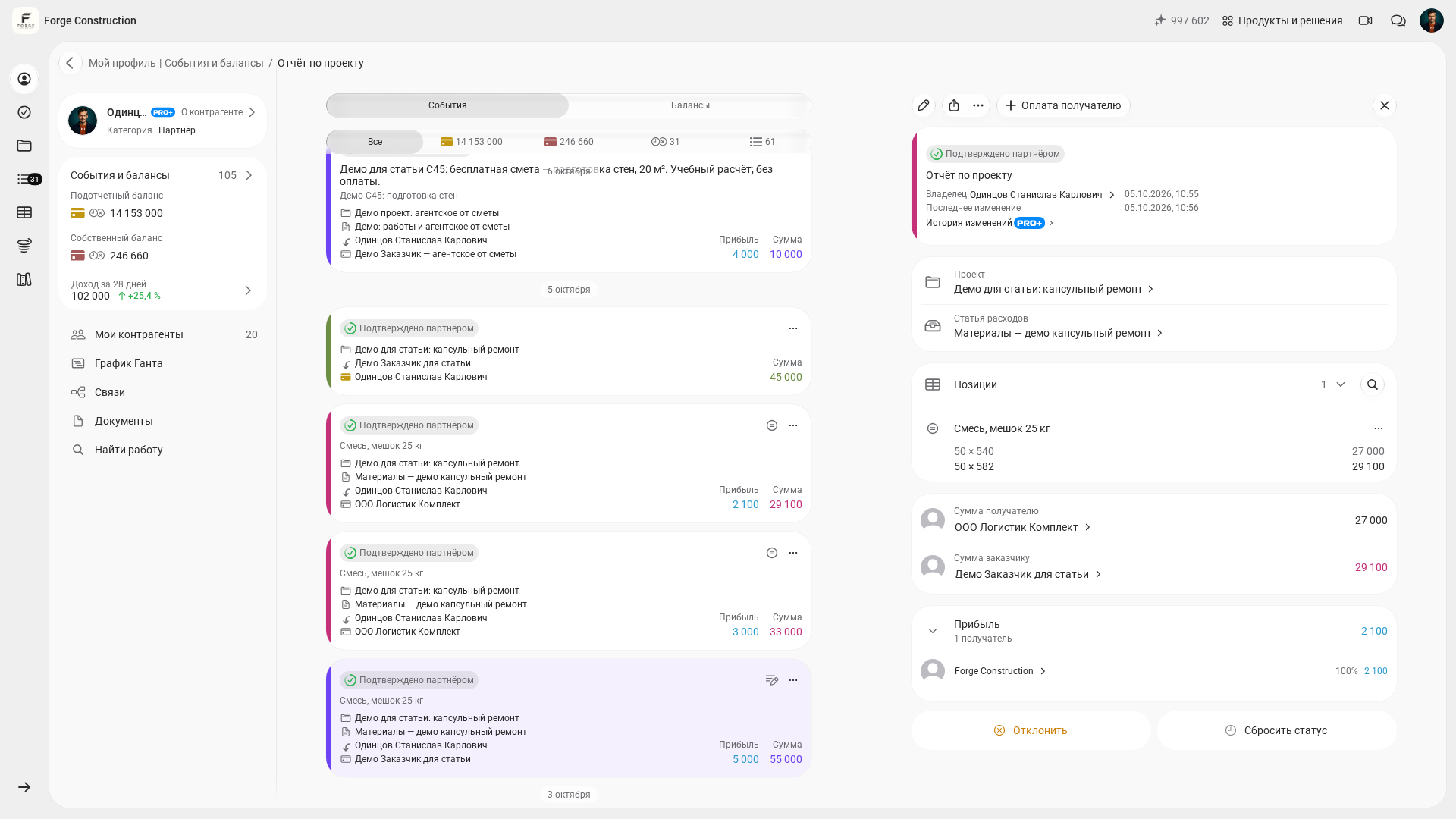
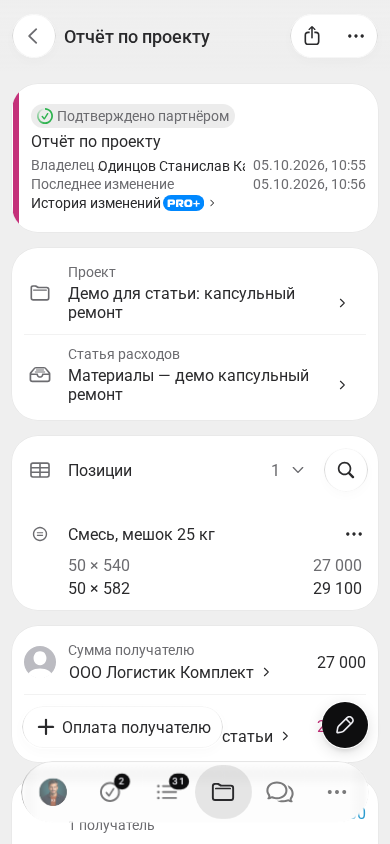
The categorization, drafting and inconsistency checks described above are general use cases for your chosen AI tool. They require suitable input data and verification of the result. The capabilities of 101 are described separately below.
An important point: AI almost always needs reliable source data. When accounting lives in chats and spreadsheets, even a powerful model will have to guess which project a payment belongs to and what was actually purchased. The first step is therefore to organize the source accounting records. The 101 blog explains when chats and Excel can no longer cope with the workload: when it is time to move beyond chats and Excel (in Russian).
Where does accounting break down without a person?
There are areas where AI provides suggestions, assembles a draft or retrieves documents. The accountant or manager still makes the decision.
The first is disputed transactions. Construction has many grey areas: materials purchased using employee advances, mixed payments, returns, offsets and expenses attributed to the project as a whole. AI can suggest an accounting entry or category; responsibility remains with a person.
The second is management decisions based on accounting data. Context matters: why costs have risen, where a site supervisor is spending faster than the estimate allows and when supplier terms need to change.
The third is communication. An accountant often acts as an interpreter between the site and the office: requesting completion documents, explaining why a receipt without the required details is insufficient and agreeing on the timing and format of acceptance certificates.
The fourth is managing funds advanced to employees as a process. A typical problem is that money has already been issued, but supporting documents take weeks to collect. Procedures, roles and control are therefore needed. If employee advances are relevant to your business, the following 101 article will help: how to account for settlements with employees entrusted with company funds (in Russian).
How can you introduce AI into accounting while keeping risks under control?
A common mistake is to give AI access to fragmented data and expect accuracy. Accounting requires discipline first; automation comes afterwards.
A practical implementation plan looks like this:
- Step 1. Choose a single source of accounting records organized by project, containing payments, receipts, advance payments and outstanding employee-advance balances.
- Step 2. Define the rules: expense categories, who approves transactions, which documents are required and deadlines for closing out outstanding items.
- Step 3. Introduce AI as an assistant for recognition, category suggestions, error detection and document drafts.
- Step 4. Establish control: the accountant approves, the manager sees reports and site supervisors see the funds for which they are accountable.
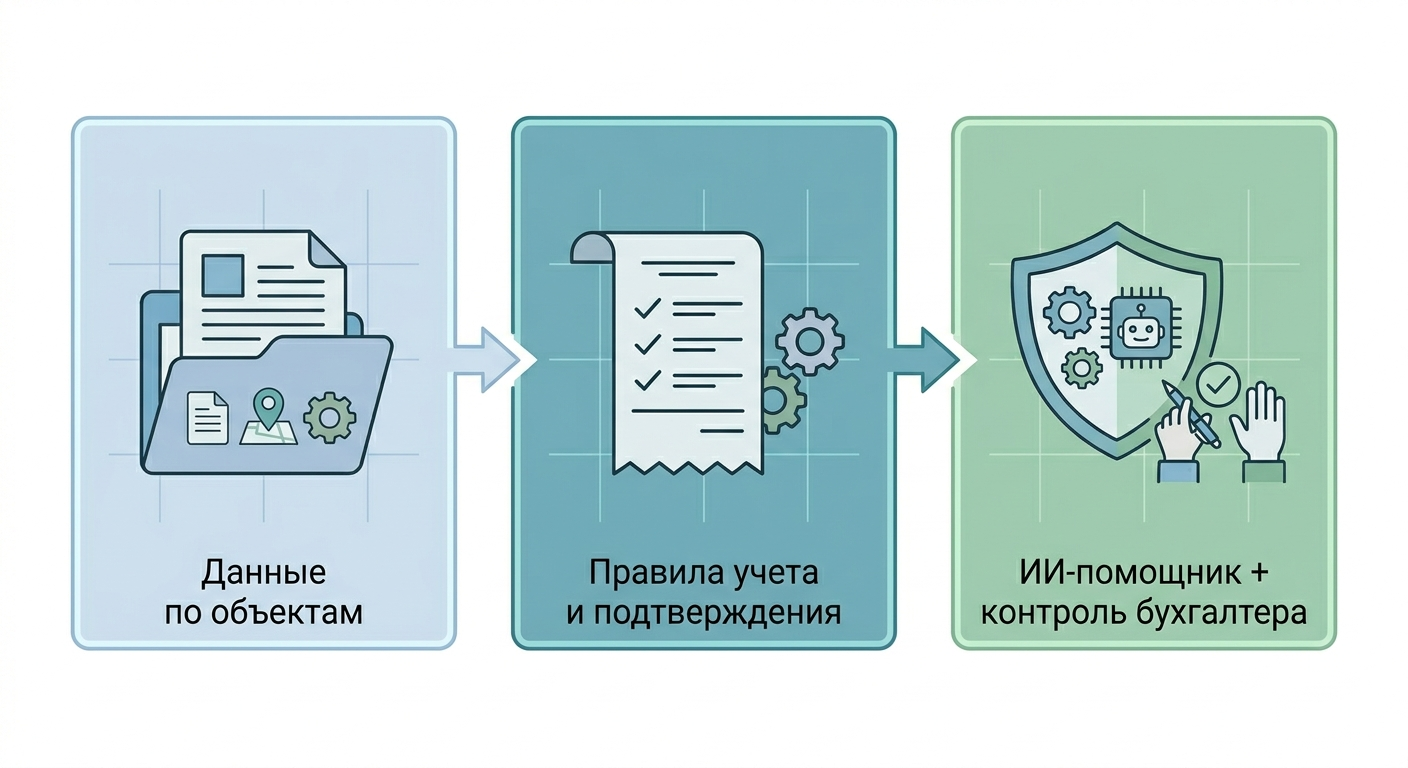
With this approach, AI becomes part of a workflow. It speeds up document processing and reduces manual actions. A person retains control of the rules and responsibility.
How does the 101 App help accountants and business owners?
For AI to be useful, accounting records must be organized by project and understandable to everyone involved: the site supervisor, procurement team, manager and accountant. In 101, this is handled through events, roles and documents.
A common arrangement is that an accountant, either in-house or outsourced, handles all settlements with counterparties while a site supervisor spends the money on site. To work with employee advances in 101, the employee needs the “Partner” category and the appropriate permissions, and must be added to the relevant project. The accountant records transactions against the balance of the person who actually received the money. Recording a transaction in 101 updates the accounting records; the actual transfer of money is performed separately.
This makes several things possible that directly reduce manual work:
- Accounting by project. The manager can see money movements and balances without waiting for a monthly summary.
- Employee advances under control. It is clear who received money, who has submitted an expense report and whose advance is still outstanding.
- Project documents. When data is collected as work progresses, documents are generated from the accounting records without retyping.
Acceptance certificates deserve separate attention. In renovation and construction, preparing them often means manually combining estimates, correspondence and photographs. In the Russian construction context, KS-2 is a certificate of acceptance of completed work. In 101, it can be prepared as a PDF from project reports; its contents and amounts must be checked before it is sent for signature. Preparing the document and signing it are separate stages. For details, see the 101 article on preparing KS-2: generating KS-2 in the 101 App (in Russian).
When business owners need greater oversight, the discussion usually turns to analytics: margin by project, expense trends, careful reserve management and document branding. PRO+ covers these needs.
If you would like to see how this fits your processes, including your team size, number of projects and arrangements for employee advances, the easiest approach is to work through an example. A product demonstration is useful here: it shows reports and documents through real cases, without abstract theory.
What is a realistic scenario?
In 2026, a realistic scenario is that AI does not replace the accountant. It replaces some of the operations that used to take hours and create errors. The accountant continues to set the rules, make decisions and take responsibility for quality.
To quickly assess whether your business is ready for accounting with AI, look for three signs:
- payments, receipts and employee advances are brought together in one place, organized by project;
- there are rules for substantiating expenses and deadlines for closing out outstanding items;
- management can see reports without manually compiling a summary at the end of the month.
Once these foundations are in place, AI can reduce retyping and searching through chats. Evaluate the result by measuring the actual time spent preparing and checking the selected process.