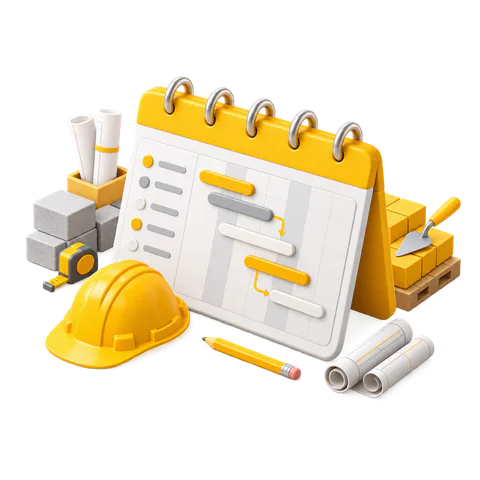

A construction work schedule connects the project scope with dates, crews, materials and milestones. It shows what starts first, which activities depend on earlier work, and where a delay can affect handover.
The same schedule can support internal site coordination, client updates and formal progress reporting. A bar chart or Gantt chart makes milestones, targeted tasks and actual progress visible throughout the project.
Contents:
What a construction schedule contains
A useful schedule has enough detail to coordinate work without turning every small action into a separate line. Each activity needs a clear name, planned start, planned finish, duration, predecessor, responsible crew and measurable result.
- Activities describe the work packages.
- Dependencies show the required order.
- Milestones mark contract or management checkpoints.
- Resources identify the crew, equipment or specialist needed.
- Baseline dates preserve the approved plan.
- Actual dates and progress show current performance.
Information to collect first
Start with the scope of work, drawings, bill of quantities, contract dates, site constraints and procurement lead times. Speak with the people who will execute the work. A realistic duration depends on crew size, productivity, access, curing time, inspections and material availability.
Separate assumptions from confirmed facts. If the delivery date for a lift, window system or specialist item is uncertain, add a procurement activity and a decision deadline. This makes the risk visible before it reaches the site.
How to build the schedule
- Break the project into phases such as mobilisation, structure, services, finishes, testing and handover.
- Split every phase into work packages that one responsible crew can manage.
- Estimate duration from quantity, productivity and available crew size.
- Link dependencies. Foundation work precedes the structure; concealed services precede closing walls; testing precedes handover.
- Add procurement activities for items with lead time.
- Mark milestones for client approvals, inspections, major payments and handover.
- Check the critical path and remove impossible overlaps.
- Save the approved version as the baseline.
Calendar settings matter. Include working days, public holidays and project-specific restrictions. Weather allowances should be treated as explicit planning assumptions when they can affect the location or phase.
Simple residential example
| Activity | Duration | Depends on |
|---|---|---|
| Site mobilisation | 3 days | Project start |
| Layout and excavation | 5 days | Mobilisation |
| Foundation work | 12 days | Excavation |
| Structural frame | 30 days | Foundation |
| MEP rough-in | 15 days | Relevant structural areas |
| Plaster and screed | 14 days | Rough-in inspection |
| Finishes | 24 days | Dry surfaces and approved samples |
| Testing and handover | 7 days | Finishes |
This example is a planning frame. Real durations must come from the project quantities, crew productivity, contract requirements and site conditions.
How to update and control progress
Set a regular update cycle. A small active project may need a weekly review, while a fast-moving phase may need daily progress input and a weekly formal update.
- Record actual start and finish dates.
- Update remaining duration instead of reporting a vague percentage.
- Compare planned and achieved quantities.
- Write the reason for every material deviation.
- Assign a recovery action, owner and due date.
- Reforecast the completion date without erasing the baseline.
A two-week or three-week look-ahead schedule helps supervisors convert the master programme into immediate actions: drawings to approve, materials to order, areas to release and crews to confirm.
Using a Gantt chart in 101
A digital schedule is easier to maintain when it sits next to the project estimate and actual events. In 101, estimate events can feed project planning, while the Gantt view keeps stages and deadlines visible to the team.
The English 101 platform presents estimate management, Gantt charts, tasks and reports at 101-app.com/en. Keeping the schedule and financial plan in the same workspace helps the team compare planned stages with actual project events.
The schedule still requires site judgement. Software keeps dependencies, dates and updates visible; the project team remains responsible for realistic productivity, safety, quality and contractual decisions.