
AI in construction works as a second layer of oversight: it helps managers spot overdue tasks, cost overruns, unverified expenses, or falling margins and make decisions sooner. The 101 app stores projects, tasks, estimates, and financial events, while AI helps you ask questions about them in plain language.
Tracking tasks, deadlines, and contractors
Imagine a site with 46 tasks: 8 are overdue, yet the contractor's report sounds reassuring. Ask: “Review active projects over the past 14 days. Show open tasks due by today, tasks without an owner, and tasks on which other work depends. Suggest the next step for each one.”
Instead of a vague sense that “everything is delayed again,” the manager gets a list of actions: contact the contractor, request a photo report, reschedule dependent work, or verify the status. For visual tracking, use a Gantt chart (in Russian).
Reviewing estimates against actual costs
An estimate can drift through dozens of small changes: a different material, extra quantities, delivery, or rework. Ask: “Compare planned and actual costs for the active site this month. Show categories where actual costs exceed the plan by more than 10 percent. Give the variance amount and the data that needs checking.”
A concrete result might be: materials are 18,000 RUB over budget, two similar entries appear in one category, a delivery has no site assigned, and extra work has no supporting basis. See our guides to estimating software (in Russian) and calculating an estimate with AI (in Russian).
Expenses and margins
Ask: “Show expenses for active sites over the past 30 days. Flag transactions without supporting evidence, unusually large expenses, and categories where spending grew faster than revenue. Give me five questions to investigate.”
For margins, ask: “Compare margins by site for this month and last month. Show the three sites with the biggest declines and break down each change into revenue, direct costs, and overhead. If data is missing, list the gaps.” AI should not invent a cause; it should show the underlying amounts and formula.
Example prompt for portfolio analytics
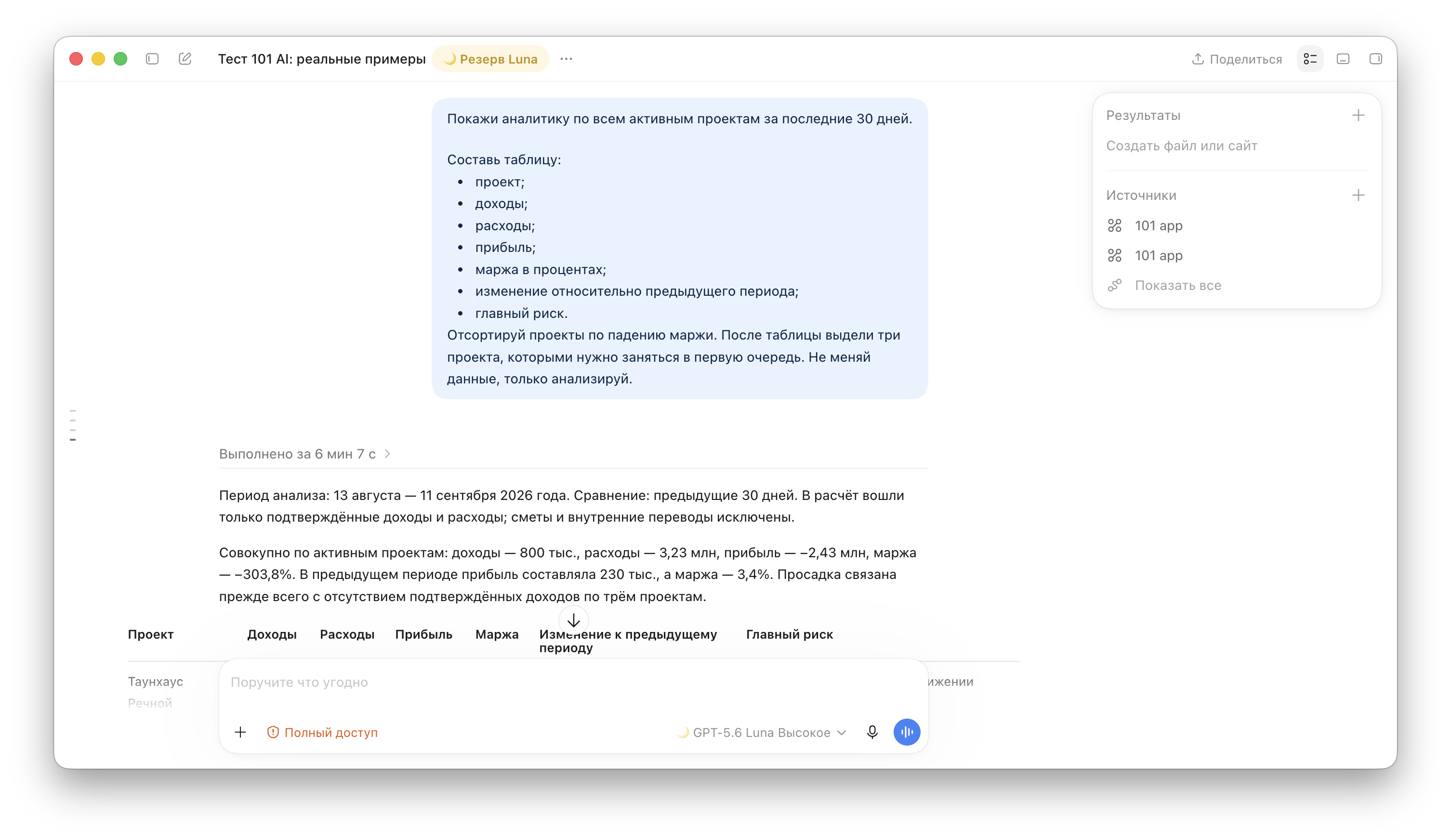
To see quickly which sites need attention, start with a portfolio overview. This prompt gathers metrics across all active projects and sets priorities:
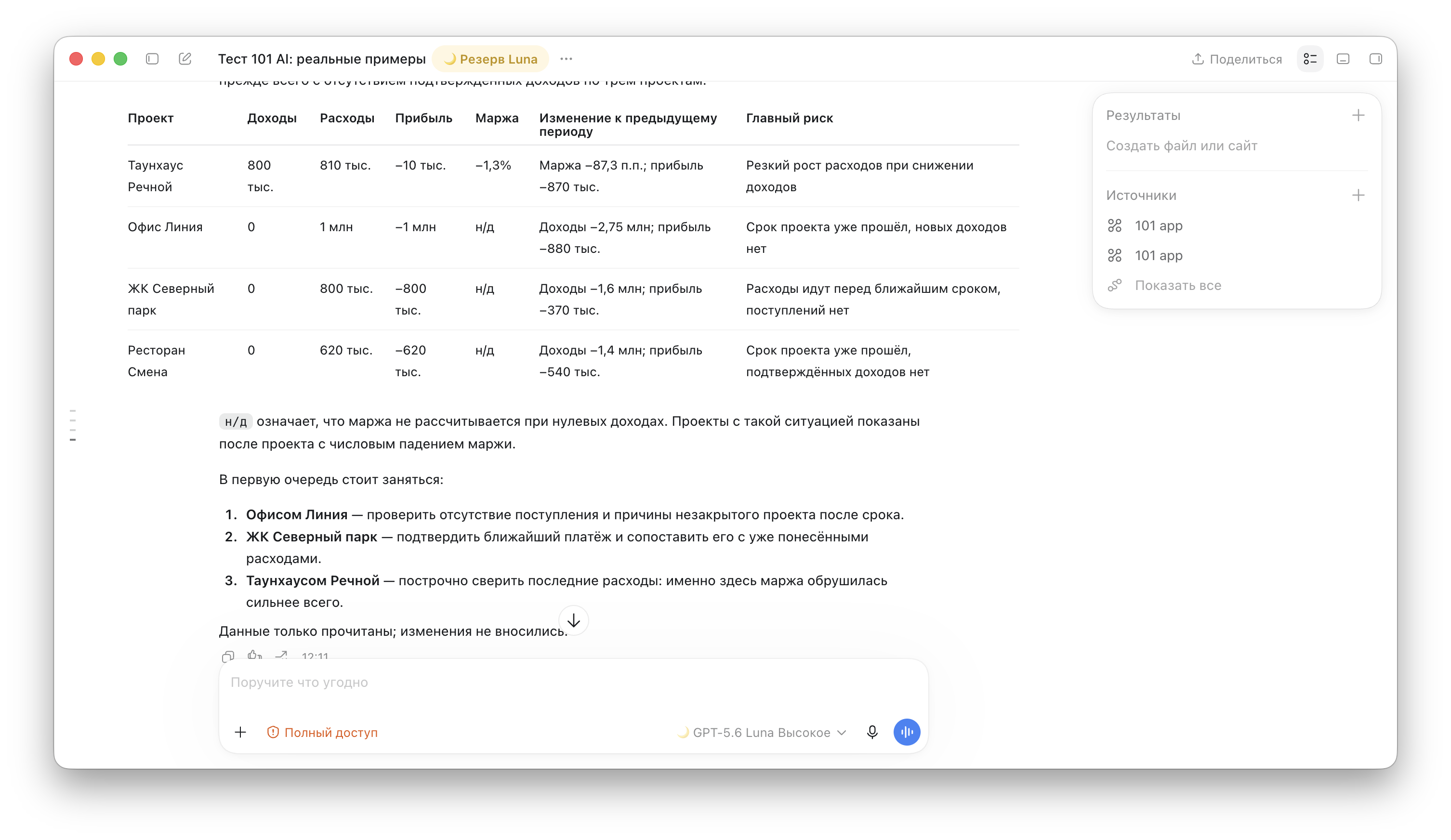
In response, AI first establishes the period and calculation rules, then shows the overall picture, a project table, and the first actions to take. The screenshots below retain the original Russian interface and show an example of this working dialogue: first the overall result and the start of the table, then the rest of the table and its priorities.
AI with the 101 app
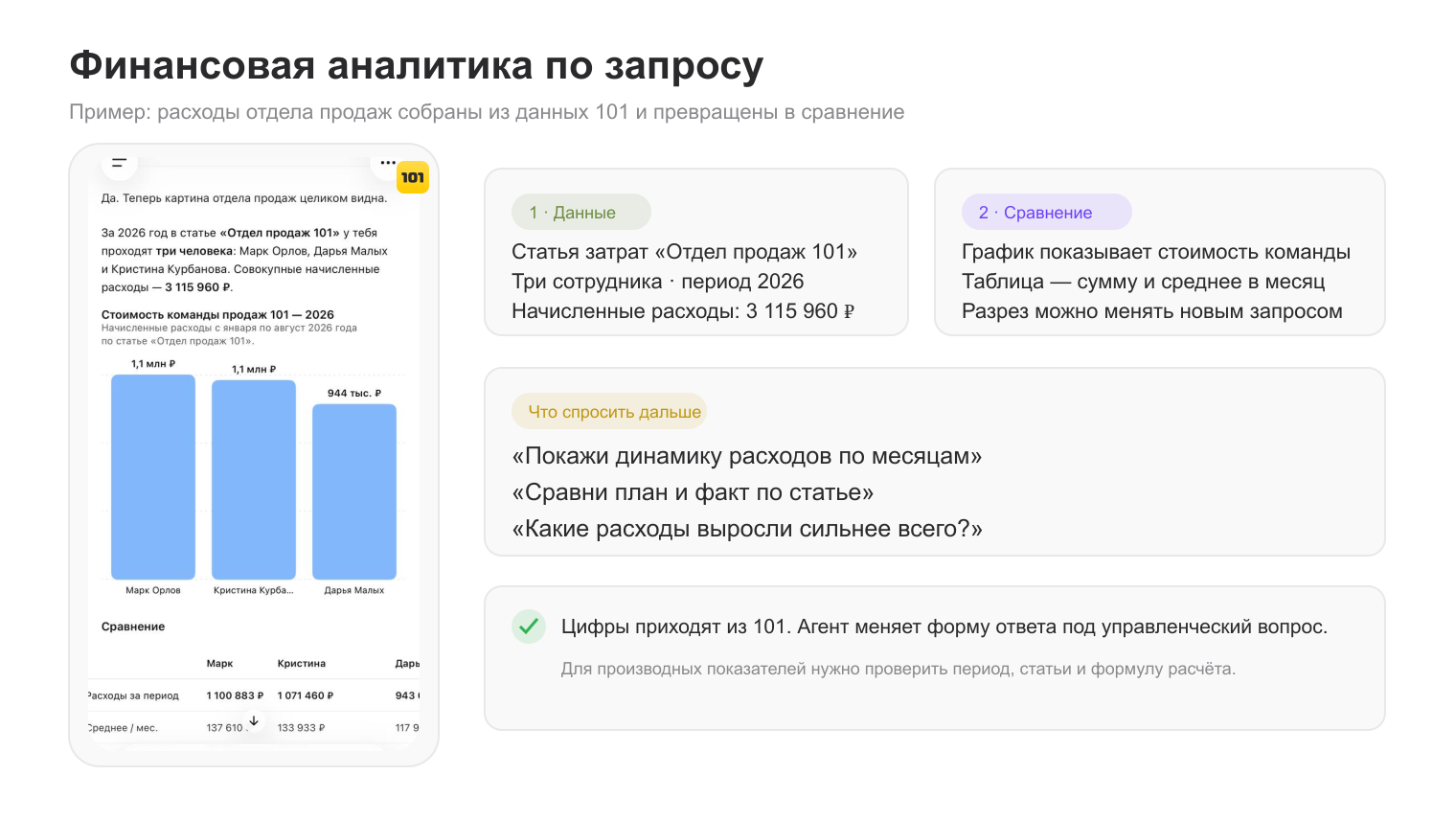
101 stores the operating facts; AI pulls together an overview and explains variances. When asked “What changed at this site over the week?”, it checks expenses, receipts, overdue tasks, and unverified events.
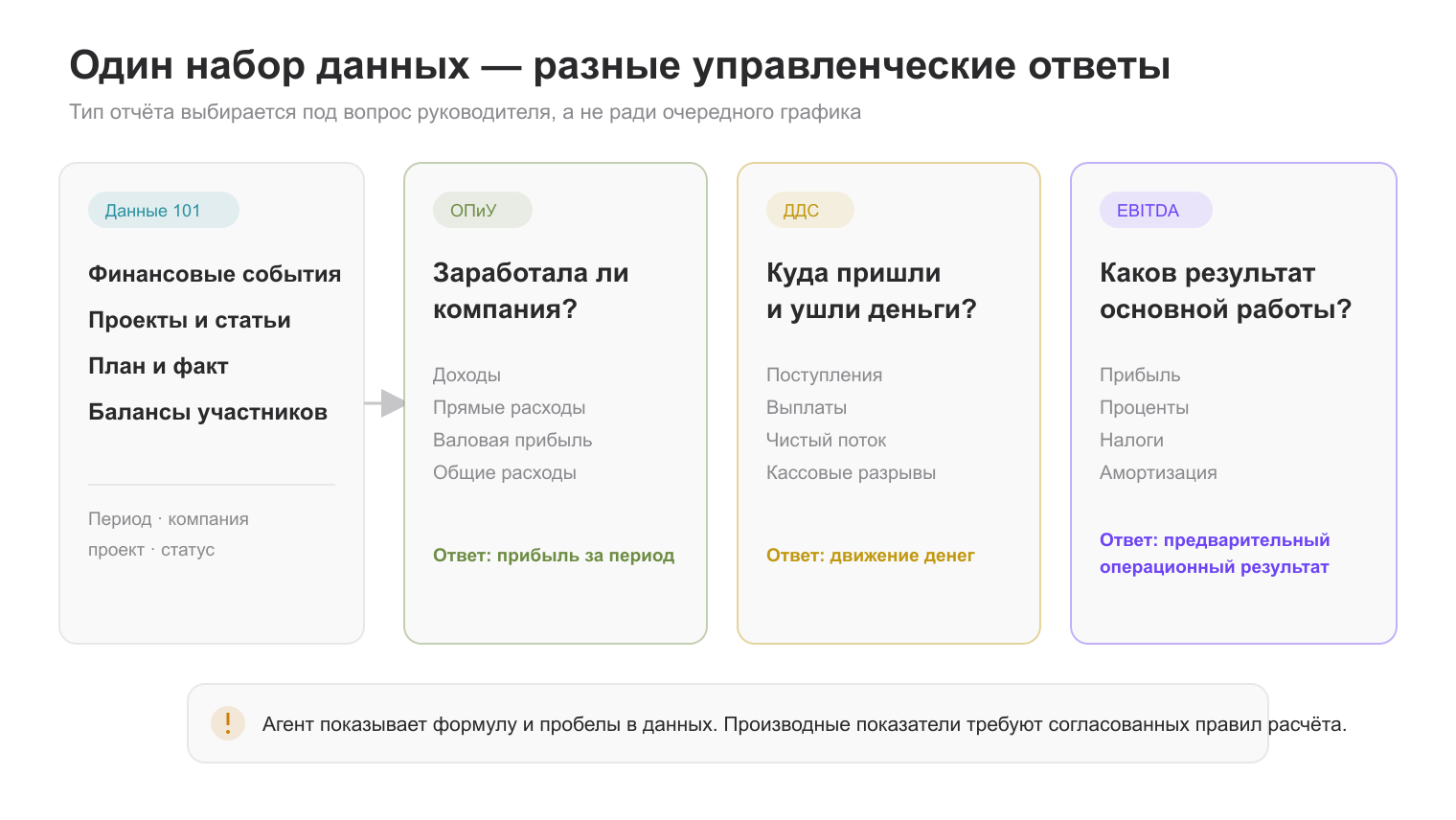
Keep the types of answers distinct: a profit and loss statement shows profit; a cash flow statement shows money moving in and out; EBITDA is earnings before interest, taxes, depreciation, and amortization. Agree on the calculation method.
How to get started without chaos
- Choose one site and one use case.
- Standardize project and category names.
- Ask a question with a defined period and breakdown.
- Check the answer against the original events in 101.
- Save the formula and a useful prompt.
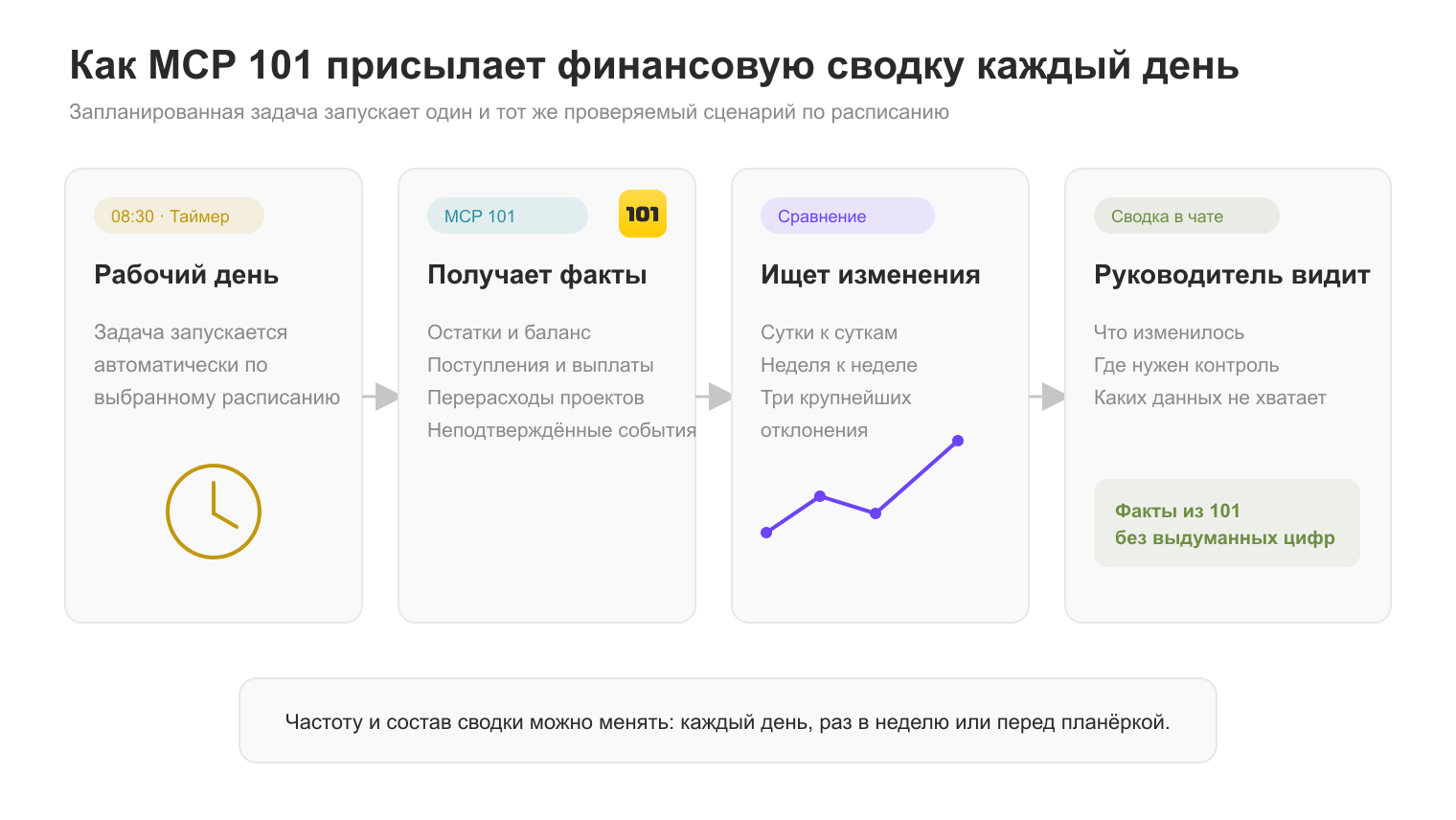
To review a daily summary manually, ask: “Show new expenses, overdue tasks, planned-versus-actual variances, and the three largest changes from the last working day. If data is insufficient, list the gaps.”
Limits of use
- Do not approve a payment without checking it;
- Do not replace a contract or completion certificate;
- Show the formula and underlying amounts;
- Flag missing data;
- Do not treat a forecast as a fact.
AI is useful in construction when data is recorded in 101, the question is specific, a person verifies the answer, and the decision feeds back into the project.