
Contents:
What does financial accounting mean here?
In this article, financial accounting means collecting and analysing data on a company's income, expenses, cash movements, assets and liabilities for management purposes. These figures help managers understand the business's position and make project decisions. A customer's payment is not automatically profit: the costs and obligations associated with the work must also be considered.
In Russia, statutory bookkeeping is governed by Federal Law No. 402-FZ (in Russian). Organisations must keep accounts under its rules; sole proprietors may be exempt under the conditions in Article 6. Tax accounting and internal management reports serve different purposes. The 101 App helps organise data for project management; it does not replace statutory bookkeeping or tax accounting. Requirements differ in other countries.
For a construction or renovation company, it is especially important to assign receipts and expenses to the right project. An estimate can change: the customer adjusts the scope, material prices rise or the schedule shifts. When information exists only in messages, it is harder to reconcile advance payments, employee expense advances and costs for each project.
Why track income and expenses by project?
Separate records help compare project income and expenses, find differences from the estimate and plan payments. They do not guarantee a profit, but they provide a basis for deciding whether to revise a purchase, agree on extra work or change a payment schedule.
One question is which project generates a positive result after its related costs are accounted for. The Analytics screen below shows total profit by project. It is an interface example, not evidence of a particular company's results.
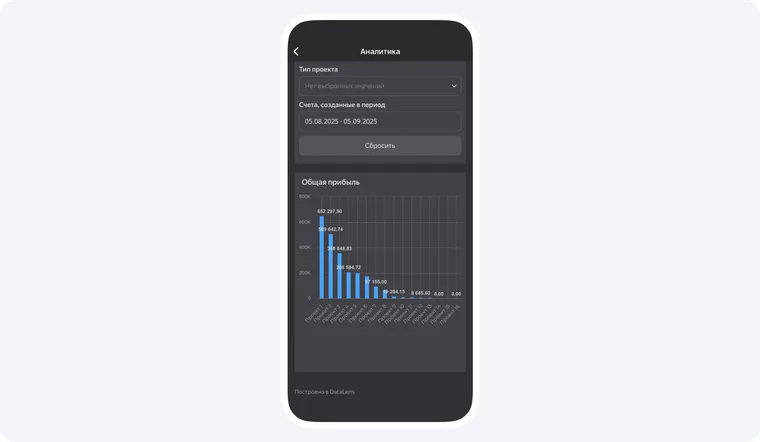
Example of the 101 interface in Russian: total profit by project.
Another question is whether there will be enough cash for upcoming payments. The “Projects with a possible cash flow gap” screen flags a risk using sample data. It does not establish that a shortfall will occur or that the app will prevent one without decisions and action by the team.
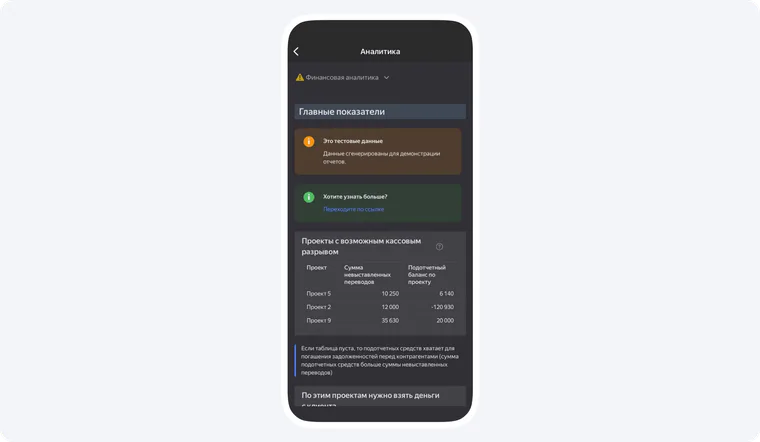
Example of the 101 interface in Russian, using sample data: a possible cash flow gap by project.
Consider a hypothetical company renovating an apartment, building a house and refitting an office. One customer pays on time, another is late, and the third project needs additional materials. Without separate project records, the overall bank balance does not show which obligations must be paid for each project.
Which reports do managers need?
For internal management, three related views are useful: the result for a period, cash movements, and assets and liabilities at a point in time. Their internal format and contents should not be confused with mandatory statutory financial statements, which follow separate rules.
Profit and loss statement
An internal profit and loss statement (P&L) matches income with the expenses related to it over a period. It can cover the company and individual projects if the data is sufficiently complete. Revenue, cash receipts and profit are different measures. The 101 screenshot shows separate revenue, expense and profit figures; it is not a statutory P&L form.
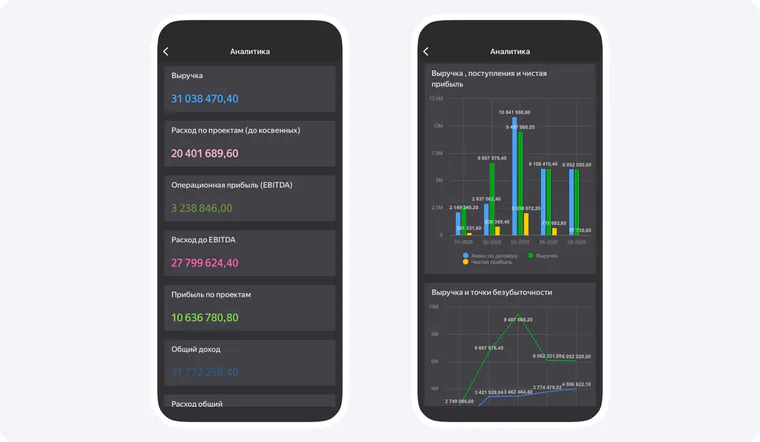
Example of the 101 interface in Russian: revenue, expense and profit figures, not a statutory financial statement.
Cash flow report
A cash flow report shows actual receipts and payments over time. Comparing them with upcoming payments helps identify a possible cash flow gap. Even a project that appears profitable can be short of cash on a particular day if the customer's payment arrives after a contractor's bill falls due.
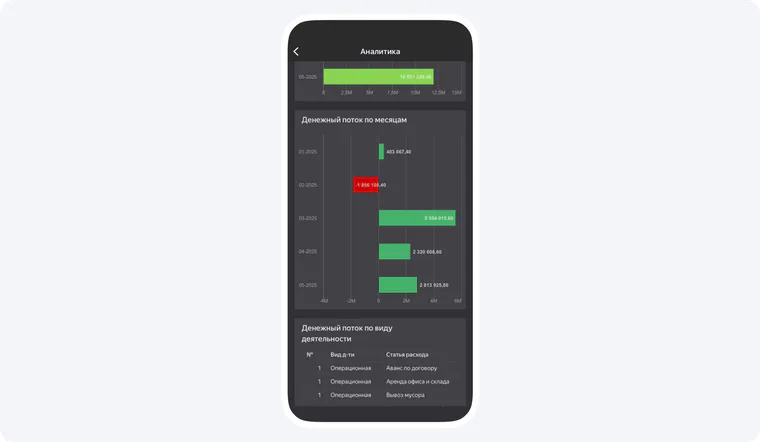
Example of the 101 interface in Russian: cash flow by month.
Balance sheet
A balance sheet shows assets and liabilities at a particular date. For management purposes, it helps to know what cash and other resources the company has and which payments it already owes. A chart of customer approvals of work reports does not show a balance sheet, so it has not been included here.
Which tools can you use?
A small team can begin with a spreadsheet that consistently records income and expense categories, dates, projects and responsible people. As the number of projects grows, records need to be entered regularly and supported by documents. Assess bookkeeping software separately: internal project records do not replace statutory accounting or tax obligations.
In 101, you can associate records with projects and analyse the figures entered. The images below show the Projects list, a project screen and expense categories in a desktop collage; the mobile image shows the Projects list with a profit figure. They are interface examples, not screenshots of the Analytics section.
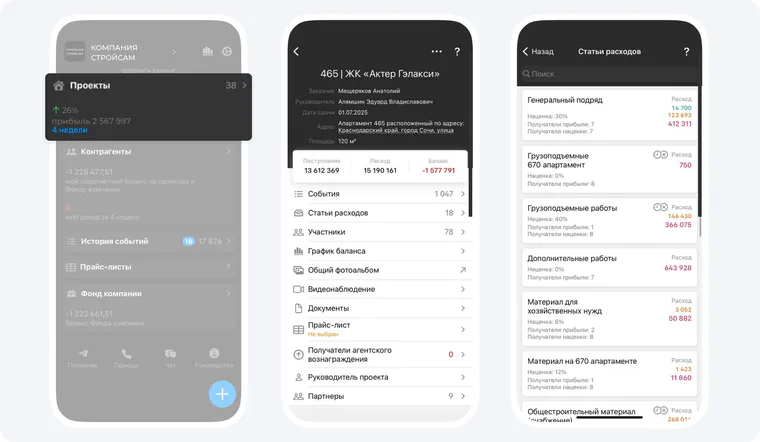
Example of the 101 interface in Russian: the desktop collage shows the Projects list, a project screen and expense categories; the mobile image shows a profit figure in the Projects list.
How do you organise data collection?
First define what counts as a project, which income and expense categories you need, and who records each event. Then agree on entry deadlines and a weekly reconciliation. If a receipt or payment has not been assigned to a project, clarify its purpose before calculating that project's result.
- Record planned receipts and payments for each project.
- Record actual transactions and attach supporting documents.
- Compare plan with actual results, check obligations and update the cash forecast.
For a materials purchase in 101, you can scan a receipt's QR code (Russian user guide), check the line items and assign the report to a project. If there is no QR code, enter the items manually and attach a photo of the receipt or delivery note. Record completed work in a separate work report (Russian user guide); after saving, check the event's confirmation status.
You can follow this process in a spreadsheet or a suitable system. To see how project events and analytics work in 101, book a demonstration of the app.
You can read other teams' experiences in the 101 user reviews channel (in Russian).