Contents:
- Strategy 1. Define the goal, scope and success criteria
- Strategy 2. Separate roles and responsibilities
- Strategy 3. Treat communication as a system
- Strategy 4. Establish a project rhythm and checkpoints
- Strategy 5. Make priorities visible
- Strategy 6. Manage workloads and set limits
- Strategy 7. Delegate with a clear result and completion criteria
- Strategy 8. Agree on motivation and what counts as fair
- Strategy 9. Monitor performance through metrics, not impressions
- Strategy 10. Plan ahead for changes and risks
- Where to start: a plan for the first two weeks
- How does the 101 app support project team management?
Strategy 1. Define the goal, scope and success criteria
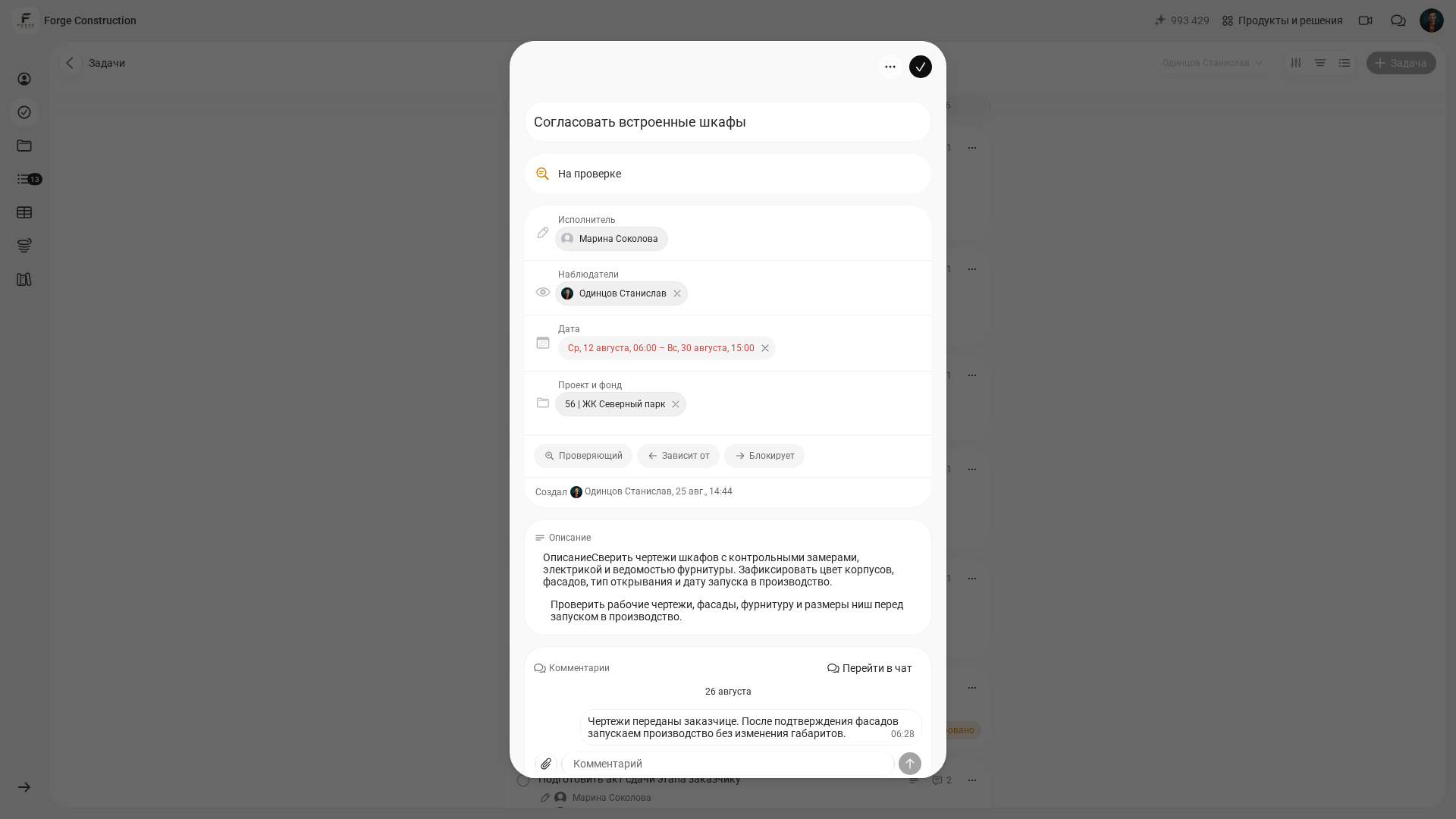
A team has fewer disagreements when it has a single source of truth: the project goal, what is included in the scope of work, what is explicitly excluded and what the finished result should look like. This is the foundation of project team management, even on a small project.
In practice, write down the goal and acceptance criteria once. Whenever a disagreement arises, return to that text: “What did we promise to deliver?” and “How will we know we have delivered it?”
A goal such as “do a good job” is too vague to guide the team. Make it verifiable: define the deliverable, deadline, budget range, quality requirements and handover format.
Strategy 2. Separate roles and responsibilities
Every project involves decisions that cannot be spread across several people. If no one owns a decision, the team can spend an indefinite amount of time seeking agreement while deadlines slip.
Draw up a simple outline: who assigns tasks, who carries them out, who checks the work, who approves it and who pays. This is especially apparent in construction, where roles often overlap and the site foreman frequently takes on project management.
It is also useful to understand how a project's organizational structure is designed and where gaps in responsibility tend to arise. The 101 blog explains this in “Project Management Organizational Structures: Types and Setup”.
Strategy 3. Treat communication as a system
Constant requests for clarification and lost agreements put extra pressure on the team. Project team management therefore starts with communication rules: where decisions are recorded, where questions are asked and how problems are escalated.
At a minimum, provide one channel for day-to-day questions, one place for tasks and one format for recording decisions: who made the decision, what was decided, the deadline and who owns the next action.
For a more detailed approach, consider stakeholders, meeting frequency, message templates and client reporting. These are covered in “Project Communications Management” (in Russian).
Strategy 4. Establish a project rhythm and checkpoints
The team needs a predictable rhythm: when to review status, when to revise the plan and when to show the client the result. This lets everyone know in advance when progress will be discussed and results presented.
The approach depends on the work. A stage-based waterfall approach suits some projects; kanban with limits on work in progress suits others; a hybrid can also help. The essential point is that each checkpoint must be tied to a verifiable result.
Agile ideas can work in construction when they are adapted to the site: short cycles, transparent statuses and early identification of problems. For more on this adaptation, see “Agile in Construction” (in Russian).
Strategy 5. Make priorities visible
When each person has a different list of what matters most, the team's priorities diverge. Someone finishes an “urgent” task while the manager waits for an “important” one and the client asks for something else.
Use a single task list with priorities and completion criteria. When a priority changes, the team should learn about it in one place, at the same time, through a clear process.
One practical technique is to identify 3–5 tasks for the week that move the project towards its deadline or reduce risk. Everything else comes after them, including a “small five-minute job”.
Strategy 6. Manage workloads and set limits
Overload rarely announces itself as “we have too many tasks”. It shows up as declining quality, slipping deadlines and more rework. Managing a project team requires managing its workload.
Follow two simple rules: limit each person's work in progress and allow time for approvals and deliveries. A time buffer does not weaken the plan. It acknowledges the realities of the work.
If someone is constantly picking up unfinished work, find out why: a skills gap, conflicting priorities, a dependency on another participant or an unclear completion criterion. Then adjust the plan, roles or requirements.
Strategy 7. Delegate with a clear result and completion criteria
Delegation works when a task is described as a result that can be accepted. Otherwise, the manager remains the interpreter between expectations and what is actually delivered.
Before handing over a task, check four things: its objective, deadline, completion criterion and reporting format. Then define the person's decision-making authority: what they can decide independently and what requires approval.
A useful habit is to ask the assignee to explain the task in their own words and identify the first step. This can reveal a misunderstanding before work begins.
Strategy 8. Agree on motivation and what counts as fair
Motivation suffers when the rules for rewards and accountability are left unstated. This is particularly noticeable on projects, where people have different roles, levels of influence and access to resources.
At a minimum, agree on what counts as a result, how each person's contribution is assessed, who verifies it, how disputes are resolved and what happens when deadlines slip because of the team or external factors.
When a project involves contractors and crews, keep the agreements in one place: stage payments, photo-report requirements, the procedure for signing off work acceptance documents and the process for handling changes.
Strategy 9. Monitor performance through metrics, not impressions
Managing a project team becomes less stressful when regular figures and facts are available. Discussions can then focus on work status and the reasons for deviations, without guesswork.
The choice of metrics depends on the project. Three groups work for most projects: schedule, comparing planned and actual progress by stage; quality, tracking rework, complaints and issues; and money, tracking payments, overspending and the project balance.
Money often becomes the main source of risk in a project-based business, so financial transparency is part of managing people. For a closer look at budgeting and spending control, see “Project financial management: budgeting and controlling money in the 101 app”.
Strategy 10. Plan ahead for changes and risks
Changes are inevitable: new requirements, material substitutions, delayed deliveries and client clarifications. What matters is how the team handles them: through confusion or through a clear process.
Establish a change request process: who can initiate a change, how its impact on the schedule and budget is assessed, who approves it and where the decision is recorded. Keep a separate risk list: what could happen, the first warning sign and what you can do in advance.
When a project involves many changes, the team can quickly lose sight of the overall picture. Return to Strategy 1: clear scope and success criteria help filter out unnecessary work without conflict.
Where to start: a plan for the first two weeks
Strategies work when they become team habits. Introduce them one at a time to avoid overloading people, and check whether managing the project team has become easier. A two-week plan and a choice of 3–5 priorities are an example of how to organize an initial trial cycle. Adjust the duration and number of priorities to suit the team and project: this example does not guarantee that every strategy will be implemented or that all teams will achieve the same result in two weeks.
- Step 1. Put the goal, project scope and completion criteria for the result on one page.
- Step 2. Define the roles: who makes decisions, who is accountable for the result and who gives approval.
- Step 3. Decide where tasks, decisions, documents and reports will be recorded.
- Step 4. Establish a rhythm: a short status call, a weekly plan review and a scheduled client update.
- Step 5. Introduce weekly priorities and a limit on work in progress.
- Step 6. Set up schedule, quality and financial metrics. Assign an owner to each metric.
- Step 7. Agree on the change process: who initiates, who assesses and who approves.
After two weeks, hold a retrospective: what has become clearer, where gaps remain and which rules the team actually follows.
Hypothetical example: renovating one property. The project manager agrees on scope and priorities with the client, while the site supervisor organizes the crew's work. To prepare a room for finishing, the supervisor records the task, the assignee and a checkpoint: check the result against the agreed criteria and attach photographs. If the finishing material delivery is delayed, the supervisor identifies the affected work. The project manager decides how to change the sequence and agrees with the client on the implications for the schedule. The client assesses and accepts the result under the procedure agreed by the parties. This illustrates how people share decisions and record changes; it does not describe automatic actions performed by the application.
How does the 101 app support project team management?
In project work, managing the team depends on transparency: who spent money, who submitted a report, what has been approved and which documents are current. When the facts are scattered across chats, the manager has to piece the project together manually.
The 101 app helps make projects manageable through financial control and defined roles: each project is treated as a separate accounting unit, participants have clear areas of responsibility and reporting follows agreed rules. We explain this management approach in “Managing a Project-Based Business” (in Russian).
When choosing a combination of services to manage tasks and deadlines, consider the whole setup: a task tracker, a knowledge base and financial accounting. We bring together approaches and tools in “Project Management Tools” (in Russian).
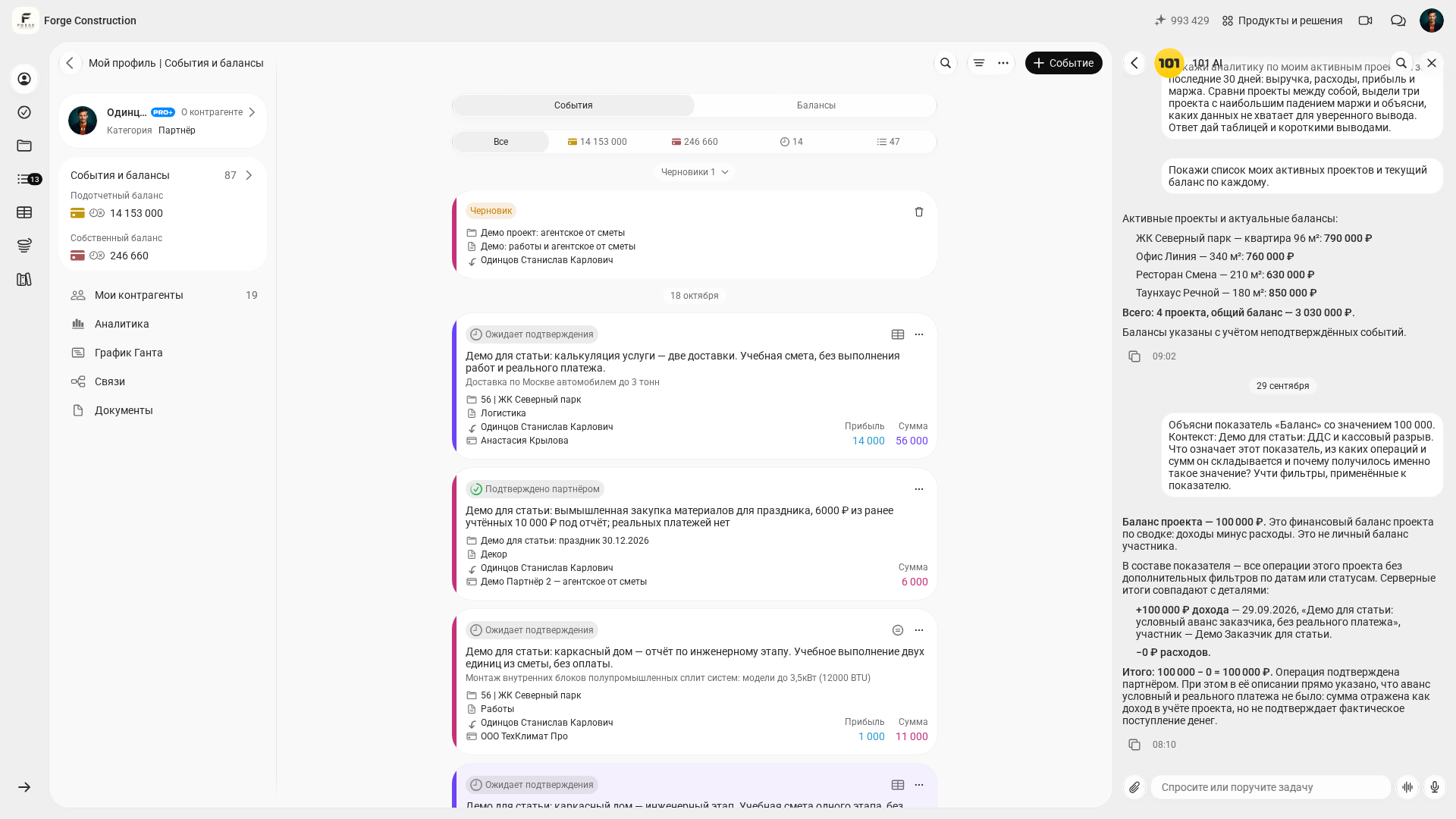
Explore 101 for yourself: open 101, sign in to the web version and select a company. In the “101 AI” chat, you can ask about features and a suitable workflow. The assistant requires a supply of AI tokens; your permissions determine which data and actions you can access. How to use the AI assistant (in Russian). The screenshot below shows the Russian interface.
Project team management rests on clarity: the goal and scope, roles and decisions, communication rules, a regular review rhythm, metrics and a process for changes. These strategies do not require a perfect process. They require agreements to be recorded and revisited every day.
Choose two strategies to try on your next project. After the first working cycle, discuss with the team what has become clearer, what needs to change and which practices to introduce next.