Contents:
- Why do you need a construction workforce schedule?
- Why do construction companies work without a schedule?
- Example of a construction workforce schedule
- How do you create a construction workforce schedule?
- Which program is best for creating schedules?
- How do you create a construction workforce schedule in Notion?
Why do you need a construction workforce schedule?
Effective workforce management on a construction site is an important part of any building or renovation project. If you do not plan the work of your people, delays, a shortage of specialists, and unnecessary expenses may follow. To prevent this, large companies working on multiple projects in parallel create a construction workforce schedule.
It helps coordinate everyone involved in the construction process, ensure that tasks are completed on time, and reduce the risk of downtime. In this article, we will explain why you need a construction workforce schedule, how to create one, and which tools can help.
A schedule helps distribute workers properly and organize the construction process:
- give workers a manageable workload without long breaks or working without days off;
- avoid downtime and delays caused by a shortage of people, because planning helps you agree with contractors in advance on when they will come to the site;
- control payroll costs and reduce budget overruns (when you work with contractors on a long-term basis, you can offer cooperation at a better price than a one-off job);
- optimize the delivery of materials and equipment to avoid delays;
- meet work deadlines and the deadline for putting the site into operation.
Why do construction companies work without a schedule?
Many businesses continue to operate without tools for process digitalization, internal control, or preventing emergencies (everyone focuses exclusively on putting out fires). Sometimes this happens because work with project managers or site supervisors has been organized incorrectly.
Most often, a company relies on the motivation and expertise of its site supervisors: they monitor deadlines, workers, deliveries of construction materials, and purchasing. An order from "above" to keep some kind of schedule sounds like noise to them—they manage their personal chaos of endless calls, profanity replacing clear task setting, and various jobs on the construction site.
If this sounds like your way of running a business, we want to warn you: while project managers call the shots and are not accountable to anyone, they do not feel connected to your company. This creates staff turnover. When site supervisors leave, they may take most of their contractors or even clients with them.
How can schedules prevent this? With high-quality schedules, you can track work progress at a particular site and, most importantly, take some responsibilities away from the site supervisor by making them part of the company's workflow. Clear schedule templates will help them distribute workers across work stages faster, making their work more transparent.
Example of a construction workforce schedule
A schedule can be presented as a table containing different types of data. Some people divide tasks exclusively by stages and dates, while others build tables based on the workload of different specialists. More modern tools make it possible to combine different parameters.
As an example, we will use a basic table that anyone can create in any editor. It is an initial stage-by-stage table for one project. To estimate workforce needs by period, take working days, shifts, and overlapping stages into account; the numbers in this example are illustrative. But if you plan to scale, tables alone will soon no longer be enough.
Example of a construction workforce schedule in table form:
| Work stage | Start date | End date | Number of workers | Specialization |
|---|---|---|---|---|
| Demolition | 01.04.2025 | 10.04.2025 | 4 | General laborers |
| Electrical installation | 11.04.2025 | 10.05.2025 | 3 | Electricians |
| Wall leveling | 11.05.2025 | 28.05.2025 | 5 | Plasterers |
| Tile installation | 29.05.2025 | 28.06.2025 | 3 | Tile setters |
| Painting | 29.06.2025 | 05.07.2025 | 4 | Painters |
| Final cleanup | 06.07.2025 | 08.07.2025 | 2 | General laborers |
How do you create a construction workforce schedule?
The table above is, of course, too simple, basic, and general. You will need much more data for a more detailed and functional schedule:
1. Project information
In some cases, demolition will take a very long time (for example, in an older building or when redoing work completed long ago), while in others the developer has done a good job and the screed will not need to be replaced.
2. The number of contractors required
Calculate how many specialists and which professions will be needed at each stage. This will help you find workers and agree with them in advance (sign a contract), so you do not have to worry about everything falling through at the last minute.
3. Calendar plan
Distribute workers across stages while taking the start and end dates of the work and possible overlaps into account. For example, some work may proceed in parallel—while demolition is under way, a designer can make changes to the project.
4. Construction material deliveries
For work to continue and for all the employees you have assigned in the schedule to be able to come to the site, you need to purchase materials on time.
In addition, the schedule needs to be updated constantly! Account for possible delays and changes in workers' workload, and adjust the plan when necessary. Also monitor the actual progress of the work and update the schedule if deadlines or worker availability change.
Where can you create a construction workforce schedule?
Let's look at several planning services:
1. Specialized construction software
Primavera P6
A powerful tool for planning construction projects that can also account for workforce planning.
1C: Construction Organization Management
A Russian program that includes modules for workforce planning.
2. Universal spreadsheets and planners
Excel / Google Sheets
If you need a simple schedule, you can create one in a spreadsheet with formulas for calculating workforce needs.
Notion
A convenient planning service that lets you create schedules and work with them as a team.
Yonote
An alternative to Notion with an interface that is very similar to its "inspiration".
3. Online services and CRM systems
Bitrix24, amoCRM
In Bitrix24, you can configure shift-based work schedules. In amoCRM, you can assign tasks to responsible people and set deadlines; for shift planning, you should separately check the appropriate setup method or integration.
PlanRadar
It lets you assign tasks to employees or groups and monitor their deadlines.
How do you create a construction workforce schedule in Notion?
Notion is a convenient planning service that lets you create schedules and work with them as a team. You can use it to:
- create tables and calendars for clear visual planning;
- add tasks, delegate them to employees, and track completion;
- see tasks assigned to employees by date; to assess workload, also account for headcount, labor intensity, and available working time;
- edit the schedule online and make changes easily.
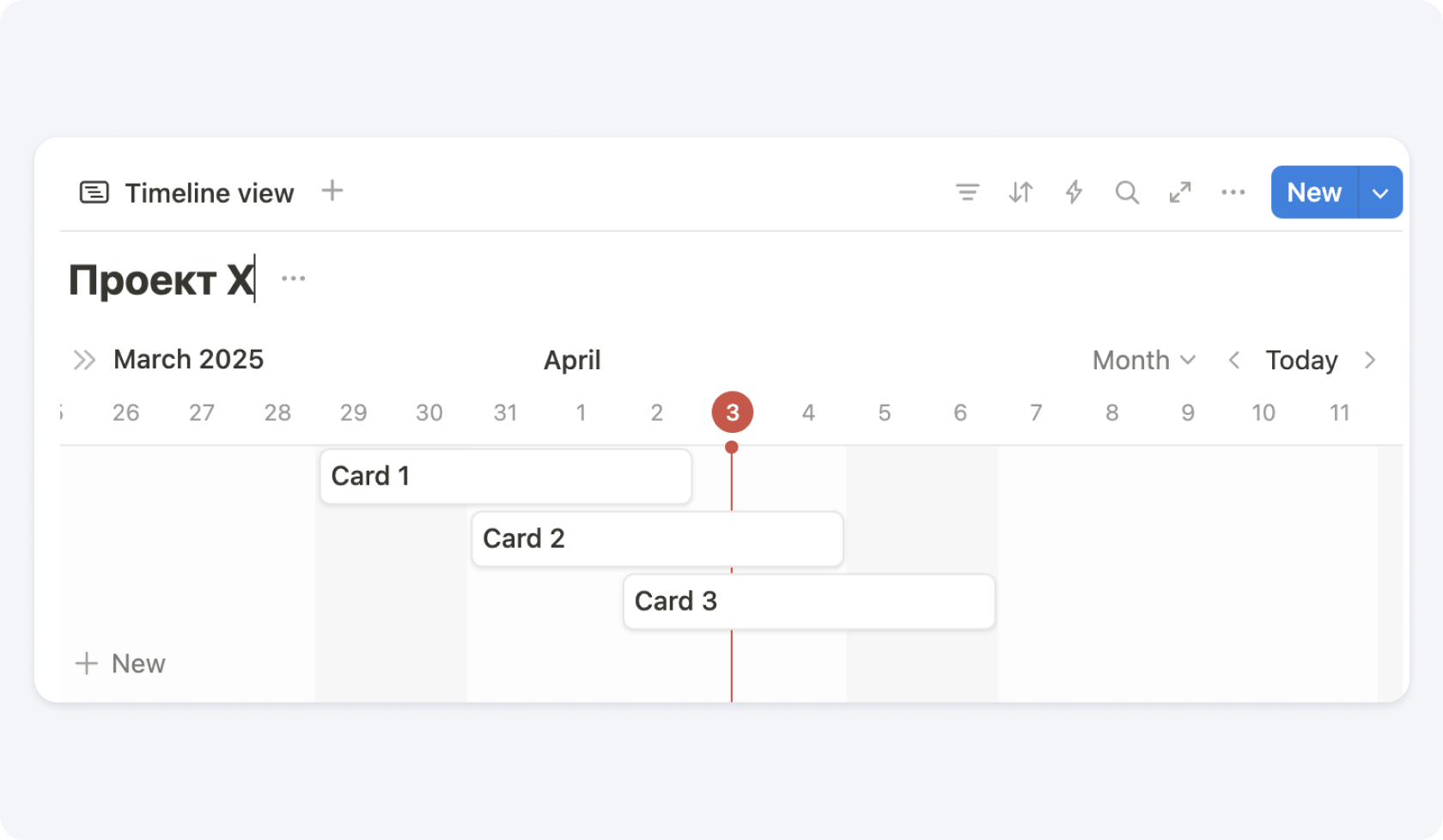
In Notion, you can create a calendar work plan in the Timeline view. The Gantt chart shows task deadlines and sequence. For a construction workforce schedule, also specify headcount by stage and add up workforce needs by day or week while accounting for overlaps. The result can be shown as a table or a chart; assigning a responsible person does not by itself define the crew size.
Brief algorithm for creating a schedule in Notion:
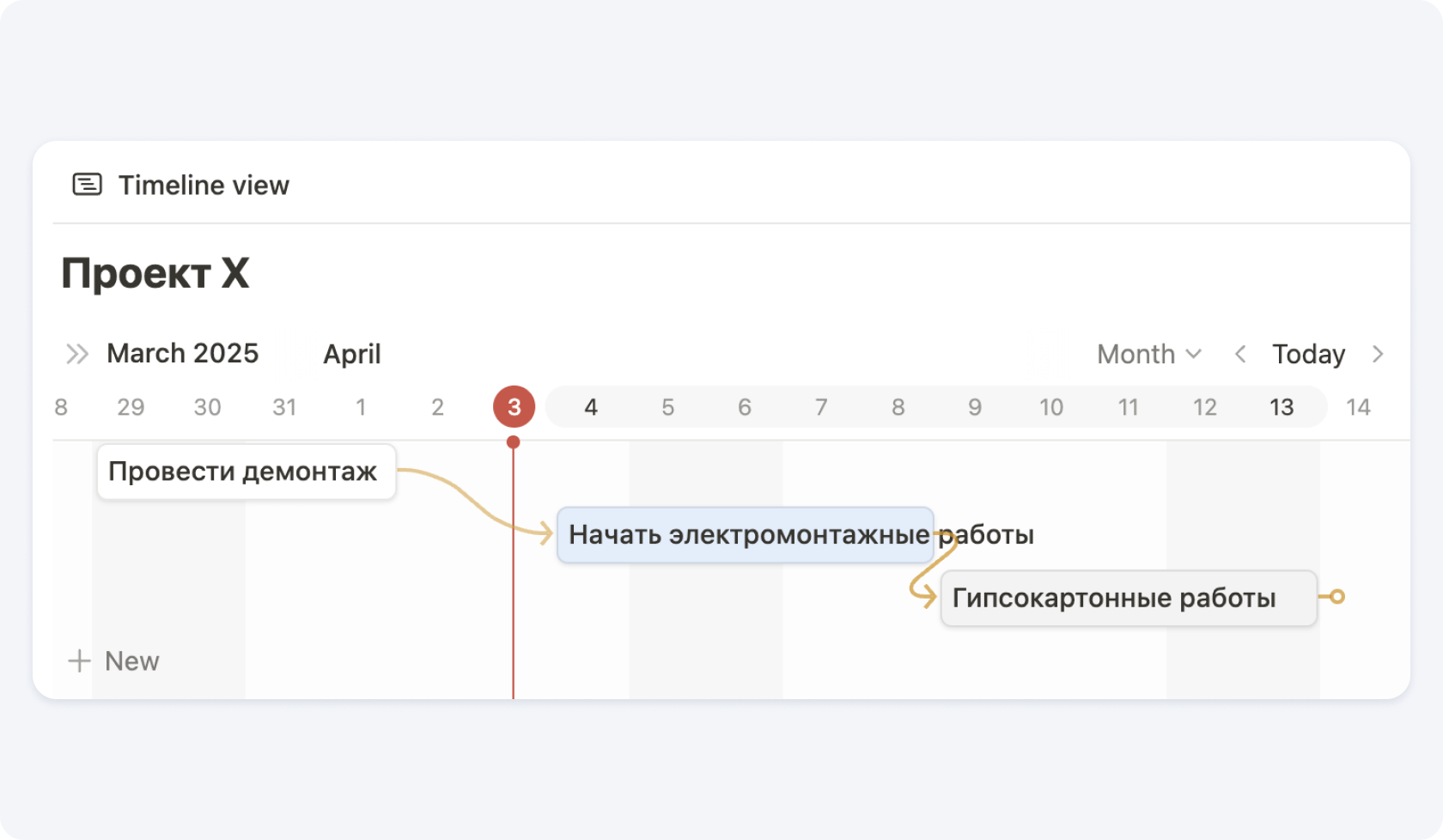
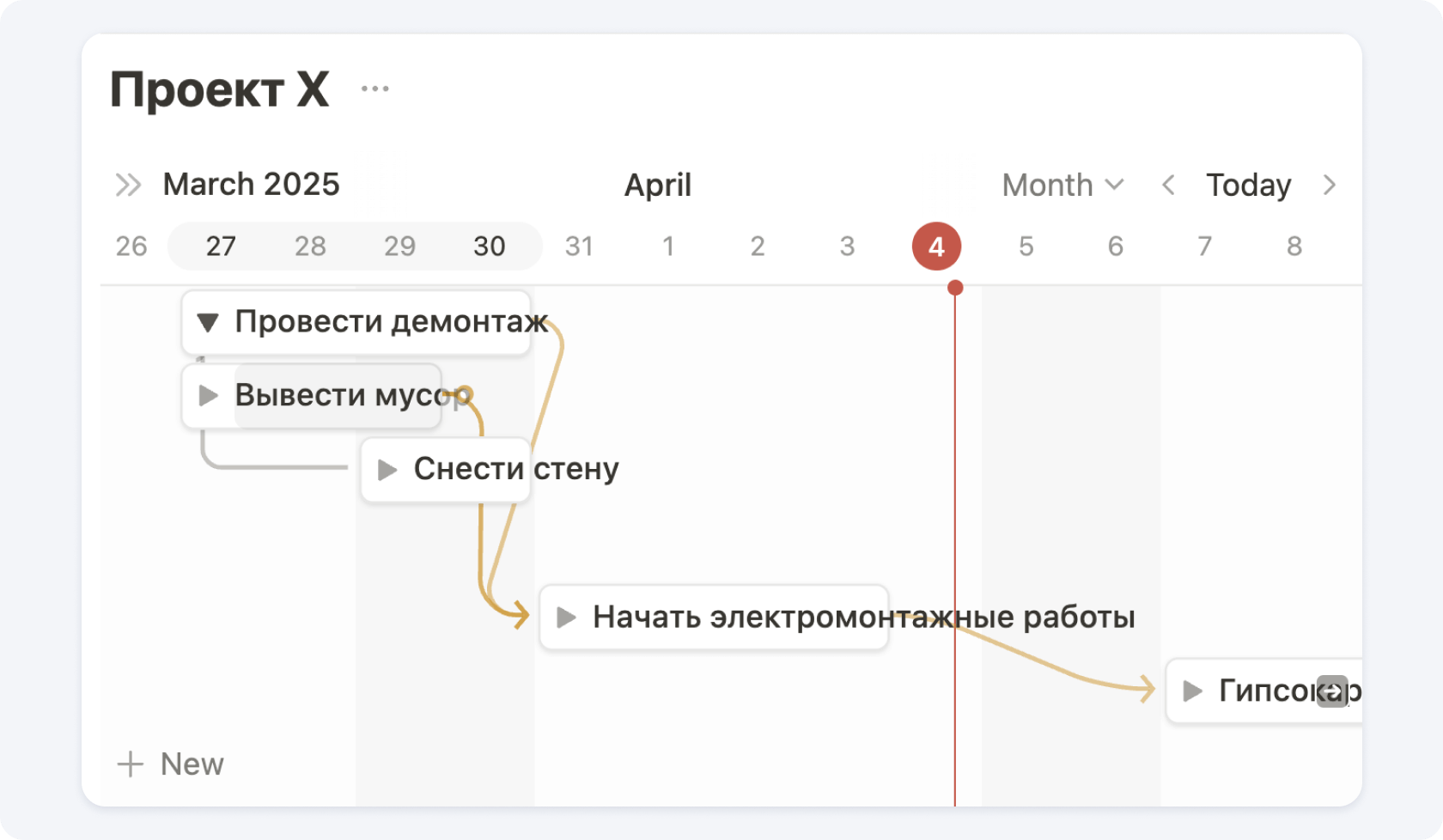
The original instructional screenshots below show Notion's English interface with Russian project and task names. They demonstrate the setup principle; the appearance of elements may differ in the current version. Current instructions: timelines and tasks and dependencies (in English).
1. Create a database and add a Timeline view. Specify the property with the start and end dates of the work.
2. Add work stages and distribute them across dates
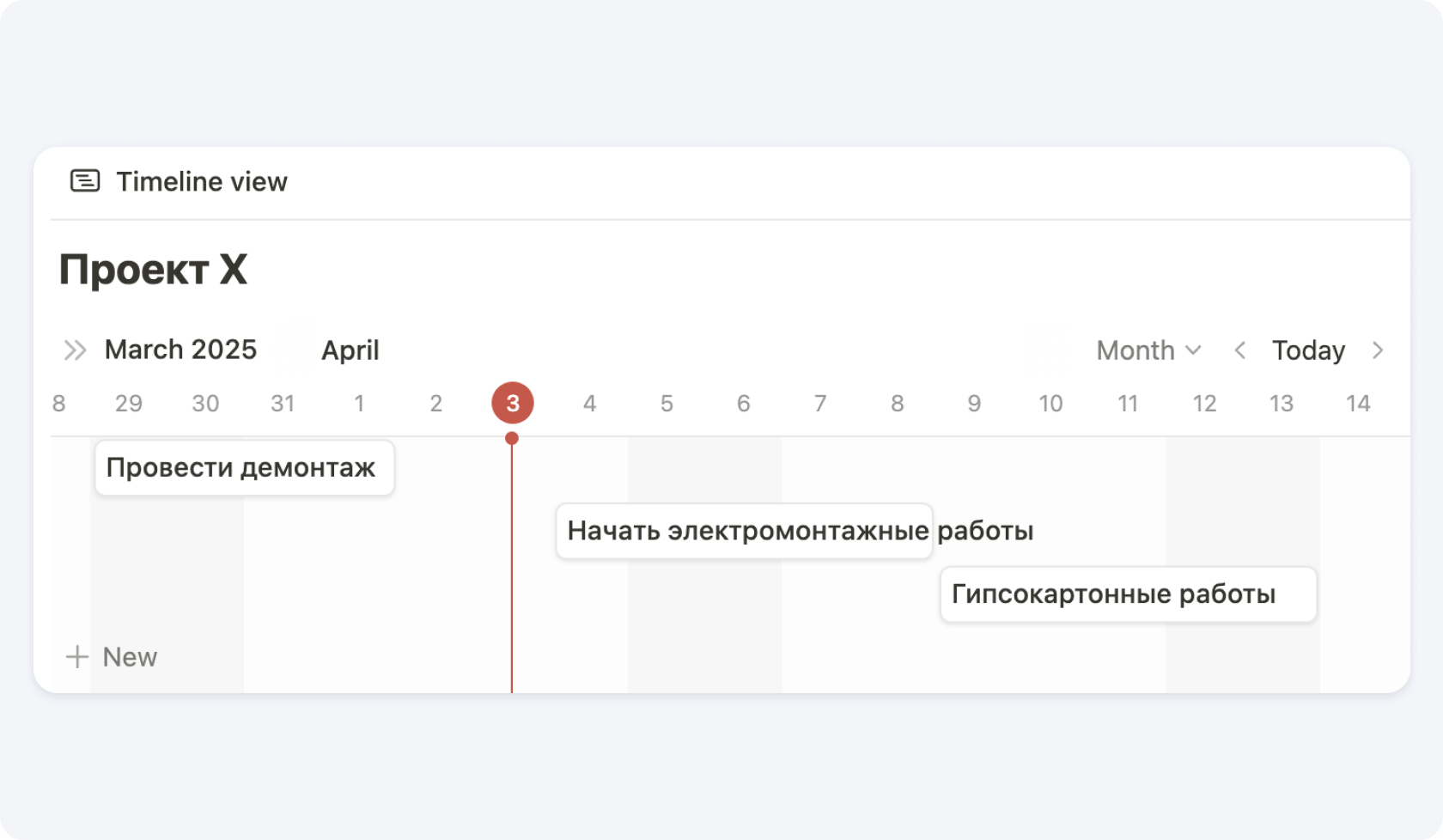
3. You can assign responsible people to each stage
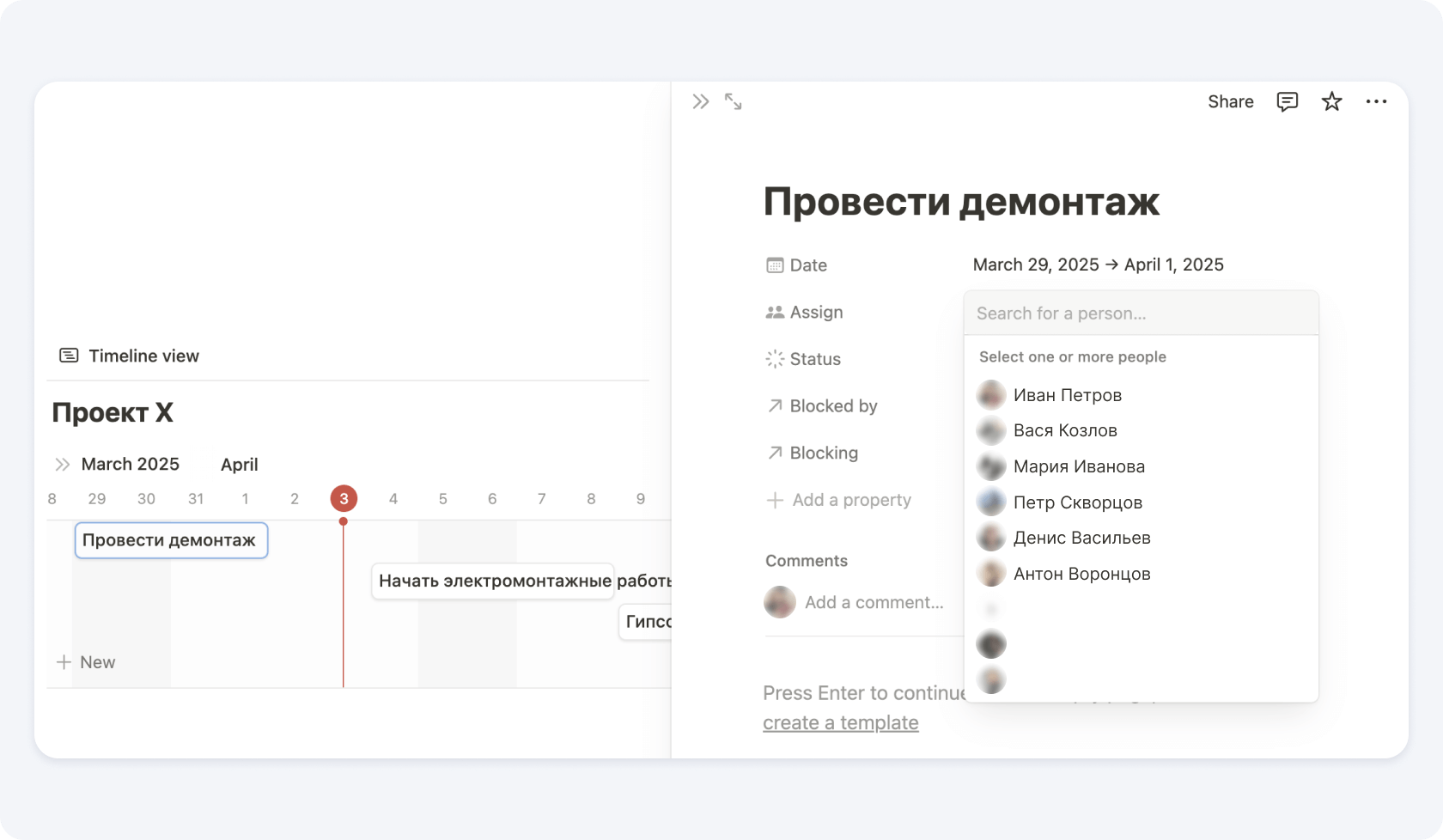
4. Turn on Dependencies in the database settings and link predecessor and successor tasks. Choose a date-shifting mode: on overlap, while preserving the interval, or without automatic shifting.
5. Ask the people responsible for each stage to break it down into subtasks (you need to allow subtasks to be created in this table)
A well-designed schedule will help you avoid problems during a renovation, improve work organization, and speed up completion. Using tools such as Notion makes this process even easier, allowing you to manage workforce resources in real time and respond quickly to changes in the project.
Would you like to learn more about working with a construction workforce schedule in Notion or any other planner? Join the private PRO+ channel, where we have posted project management training in Notion for all subscribers. If you have wanted to understand Gantt charts, create a project management work schedule, and learn more about task planners for a long time, we are waiting for you in the private chat.
How can users of the 101 App access the private channel? You need to subscribe to the PRO+ plan. The easiest way is through the support chatbot; then find the "Private channel" section in the menu. If you have an active subscription, you will automatically receive a link to access the channel.