An estimate for renovation or construction is like a route map. It shows where the money will go, the order of the stages and where the budget could easily overrun. The problem is that estimate errors are often small: units of measurement, duplicate items, forgotten consumables and incorrectly added totals. Money is lost a little at a time, and the resulting dispute can be much bigger.
Below is a practical guide to checking an estimate as a client, and to reviewing one before sending it as a contractor. It focuses on the checks that help protect schedules and working relationships, without the theory of “perfect documents”.
Contents:
- Why check an estimate if the contractor has “already calculated everything”?
- What a sound estimate looks like: a structure that is easy to check
- Checking an estimate as a client: a quick process and red flags
- Checking an estimate as a contractor: catching errors before sending it
- How to agree changes and extra work without turning the estimate into a dispute
- How the 101 App helps avoid small errors in an estimate
Why check an estimate if the contractor has “already calculated everything”?
A common situation: an estimate arrives as a single file in a messaging app, with a total at the bottom and “turnkey” at the top. It is easy to agree at this point and move on to choosing tiles. Then reality catches up: waste removal turns out to be “separate”, consumables are charged “against receipts”, wall chases are priced “as measured”, and the schedule slips because some tasks were missing from the list.
Checking an estimate serves two purposes. The first is to understand the scope of work and the limits of responsibility: what is included, what is charged separately and what depends on the actual quantities. The second is to remove arithmetic and logical errors before signing the contract, while disagreements can still be resolved without financial loss.
Contractors benefit from reviewing estimates too. An estimate that overlooks small details almost always leads to one of two outcomes: the company breaks even, or it tries to make up the shortfall through extra work and loses the client’s trust.
What a sound estimate looks like: a structure that is easy to check
A good estimate is easy to read. Length is optional; clarity is essential. If the document looks like an assortment of unrelated rows, checking it becomes a guessing game.
A structure that usually makes an estimate easy to check in one pass starts with a header listing the project, parties, date and version. Next come blocks for each stage, with line items showing quantity, unit of measurement, price and total. There is a separate 101 article on working with estimates: a detailed guide to creating an estimate (in Russian).
Another sign of a sound structure is its connection to the contract. The estimate works alongside the contract, making it easier to set out the scope of work, payment arrangements and rules for price changes. If you have yet to discuss the contract, the 101 article on renovation and construction contracts may help: types of construction contracts (Russian law; in Russian).
Checking an estimate as a client: a quick process and red flags
Imagine this situation. The contractor sends over an estimate and asks for a reply “by this evening; we will take on the project tomorrow”. Time is short, and you have little energy left for spreadsheets. This is when you need a process that catches most problems without requiring extensive knowledge of finishing work.
The following sequence is a practical way to check a renovation or construction estimate.
- Step 1. Check the header: address, area, list of rooms, date and version. If the areas and rooms do not match the actual property, the rest of the document is already on shaky ground.
- Step 2. Compare the stages. The estimate should have separate blocks for preparatory work, building services, finish work and other costs, such as delivery, waste removal and tool hire.
- Step 3. Review the units of measurement. A common error is to calculate plastering in m², hide corners and reveals in linear metres, and then duplicate them elsewhere as separate items.
- Step 4. Ask for the quantity calculations for the 10–15 most expensive line items. These usually give you an indication of the quality of the measurements.
- Step 5. Look at vaguely defined items such as “work package”, “turnkey” and “on-site installation”. Ask the contractor to explain what they include. Without a breakdown, you have no basis for comparison.
- Step 6. Check where materials appear in the estimate. If they are charged “against receipts”, ask about the rules: which items require advance approval, how purchases are documented and what percentage of wastage is allowed for.
- Step 7. Find the items that are often forgotten: consumables, fixings, protective sheeting, bags, primers, delivery, carrying materials upstairs and waste removal. If they appear nowhere in the estimate, the budget will almost certainly change.
- Step 8. Check whether the schedule makes sense. If the estimate promises a large amount of work in a short time, there is a risk to quality or a need for additional crews, which also cost money.
- Step 9. Record the rules for changes before signing: what counts as extra work, how the price is agreed and how the results are documented at each stage.
Red flags that almost always lead to a dispute include:
- no versions or dates, with changes made “in the same file” without a record;
- many line items labelled “work package”, “turnkey” or “on-site” without a breakdown;
- “service” used throughout instead of measurable units, with no measurements to support the quantities;
- materials charged “against receipts”, without written rules for approval;
- a single total at the bottom with no stage totals, leaving it unclear how the budget develops as work proceeds.
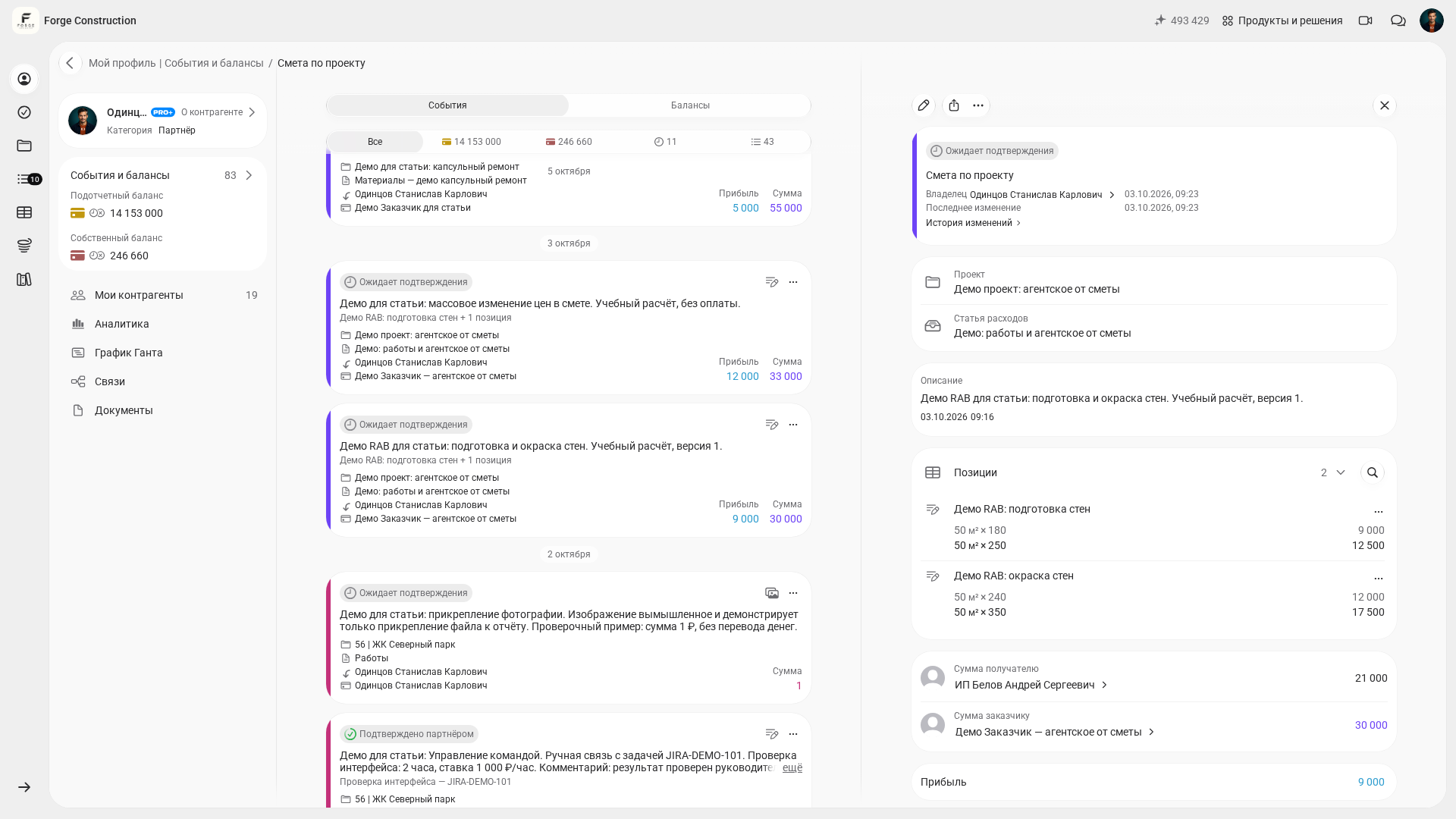
If the contractor shows you estimates from the 101 App, check that a separate estimate has been prepared for each stage. Within each one, check the line items, units of measurement, quantities and prices. Totals are calculated automatically, but you still need to check that the list is complete and contains no duplicates.
Checking an estimate as a contractor: catching errors before sending it
Estimates are often calculated in a rush: measurements are taken in the evening, and the client wants a price by morning. This is when small errors appear, later turning into questions about why the contract shows one amount and the actual bill shows another.
An internal estimate review before sending it is useful here. The principle is simple: the document should stand up to the client’s questions while keeping the project financially viable.
What a contractor should check:
- Quantities against measurements. If a tradesperson took the measurements, the manager should check at least the major items: wall, floor and ceiling areas, and the lengths of service runs.
- Consistent rates. When different tradespeople add items “the way they are used to”, duplicates and inconsistent pricing appear. A single price list helps address this. There is a separate article on the topic: online rates in the 101 App (in Russian).
- The scope of work in tricky areas: junctions, reveals, corners, service enclosures, wall chases and embedded fixings. These items often lead to extra charges during the work.
- Consumables and logistics. Even if the estimate lists labour only, money will still be spent on delivery, carrying materials upstairs, fixings, protective sheeting, bags and waste removal. You can group these into a separate block so the client can understand the breakdown.
- Margin by stage. If the margin on preparatory work falls, check the stage’s profitability and the schedule of incoming and outgoing payments: the effect on cash depends on when payments are made and received.
- Rules for price changes. If some quantities are uncertain, it is better to list that portion separately and label it as work to be priced from actual measurements after demolition.
There is a second layer of review: how the document looks through the client’s eyes. The 101 team has examined why estimates take so much time and how to prepare calculations faster while keeping them clear: how to create an estimate quickly (in Russian).
How to agree changes and extra work without turning the estimate into a dispute
Changes will still arise even after a thorough estimate review. Renovation work almost always uncovers hidden tasks, decisions about building services change in construction projects, and finishing work brings new preferences for materials. The key question is how those changes are documented when they arise.
A workable process records every new task as a separate line item with a price and quantity. Each change has a date and version, and the client has a record of approval. If approval exists only in messages, the agreement is easy to lose.
To reduce friction, discuss three rules in advance:
- what counts as extra work and who initiates it;
- how the price and schedule are agreed, before the work is carried out and with a new version of the estimate;
- how each stage is handed over and how its results are documented.
It makes sense to address the legal arrangements in the contract. If the contract is still being prepared, the 101 guide may help: types of construction contracts (Russian law; in Russian). It explains why small issues can become disputes when responsibilities and acceptance procedures are left unwritten.
How the 101 App helps avoid small errors in an estimate
When an estimate is kept in spreadsheets and passed around as files, errors are almost inevitable: someone changes a price and forgets to update the amount, formulas go wrong, or a row is duplicated while copying. These mistakes are rarely obvious at first glance, but they can later cost both parties dearly.
Prepare a separate estimate for each stage in the 101 App, then check the line items, units of measurement, quantities and prices within it. Totals are calculated automatically. This reduces the risk of arithmetic errors; a person still needs to check that the list is complete and has no duplicates. There is a separate article on the builder and how estimates work: the online estimate builder (in Russian).
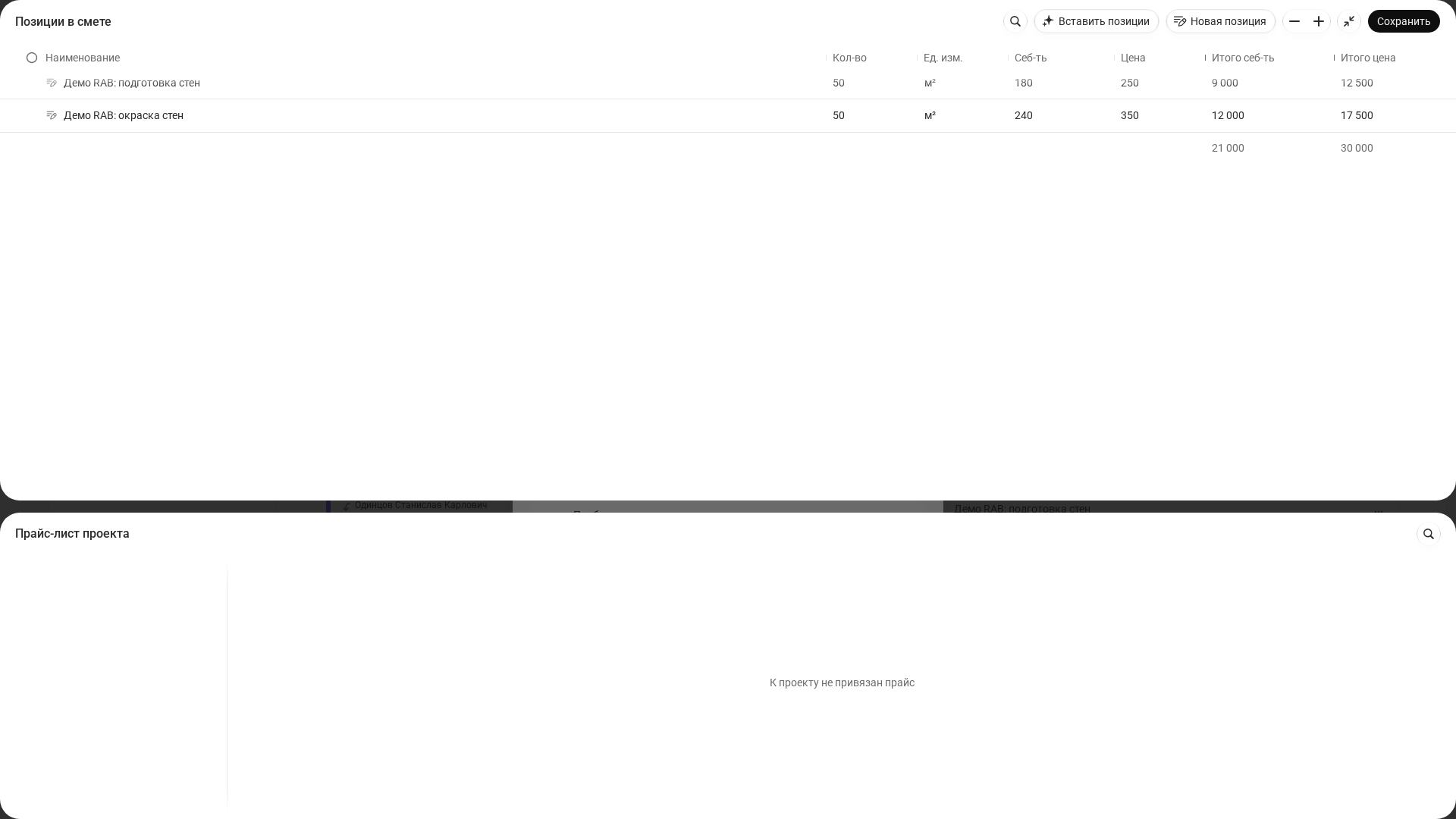
You can create estimates in 101 for free, without a subscription or linking a bank card, including from a smartphone. This is explained in the 101 article on estimate costs: how much an estimate costs in the 101 App. You can therefore take a real project, prepare a calculation and use it to discuss stages and quantities.
If you would like to see a demonstration and understand how estimate checking can become a clear process, a practical first step is to build an estimate in the system and review the stages with your client or team.