
Contents:
- Tip 1. Fast responses with an agreed response time (SLA)
- Tip 2. Scheduled status reports, even when everything is going to plan
- Tip 3. One communication channel and organized chats
- Tip 4. Transparent costs and payments
- Tip 5. Document changes before the work is carried out
- Tip 6. Photos, video and site visibility without chasing the supervisor
- Tip 7. Price lists and work rules that prevent disputes
- Tip 8. Complaints: an internal response time and an agreed correction deadline
- Tip 9. Service after handover: warranty, care instructions and a follow-up visit
- Tip 10. Make reviews and referrals a repeatable process
- How can you put these 10 tips into practice in 14 days?
Tip 1. Fast responses with an agreed response time (SLA)
While customers wait for a reply, they fill in the gaps themselves. The picture they imagine is usually worrying. That is why customer service starts with an agreement on response times: when you are available, what counts as urgent, and who covers for you.
A practical approach for small teams is to set rules for responding during working hours, with a separate procedure for emergencies.
Tip 2. Scheduled status reports, even when everything is going to plan
Customers interpret a lack of news as “they have forgotten about me.” Status reports are therefore useful even in uneventful weeks. Choose a clear schedule: once a week, on the same day and at the same time.
Keep the report template consistent: what has been done, what is planned for next week, which decisions you need from the customer, and which payments are due according to the schedule. If no decisions or payments are needed, say so too. One line is enough.
Tip 3. One communication channel and organized chats
When a customer has three chats and five people to contact, a message about changing the tiles can end up in the wrong place. A dispute follows: who made the promise, when was it agreed, and why were tiles of the wrong color purchased? One communication channel makes agreements easier to find and disputes easier to resolve.
One convenient option for renovation projects is to use Telegram as a single place with pinned rules, contacts, the work schedule, and photo reports. The 101 blog explains how to organize work chats and use Telegram for business. Telegram for business: features and guidelines (in Russian).
Tip 4. Transparent costs and payments
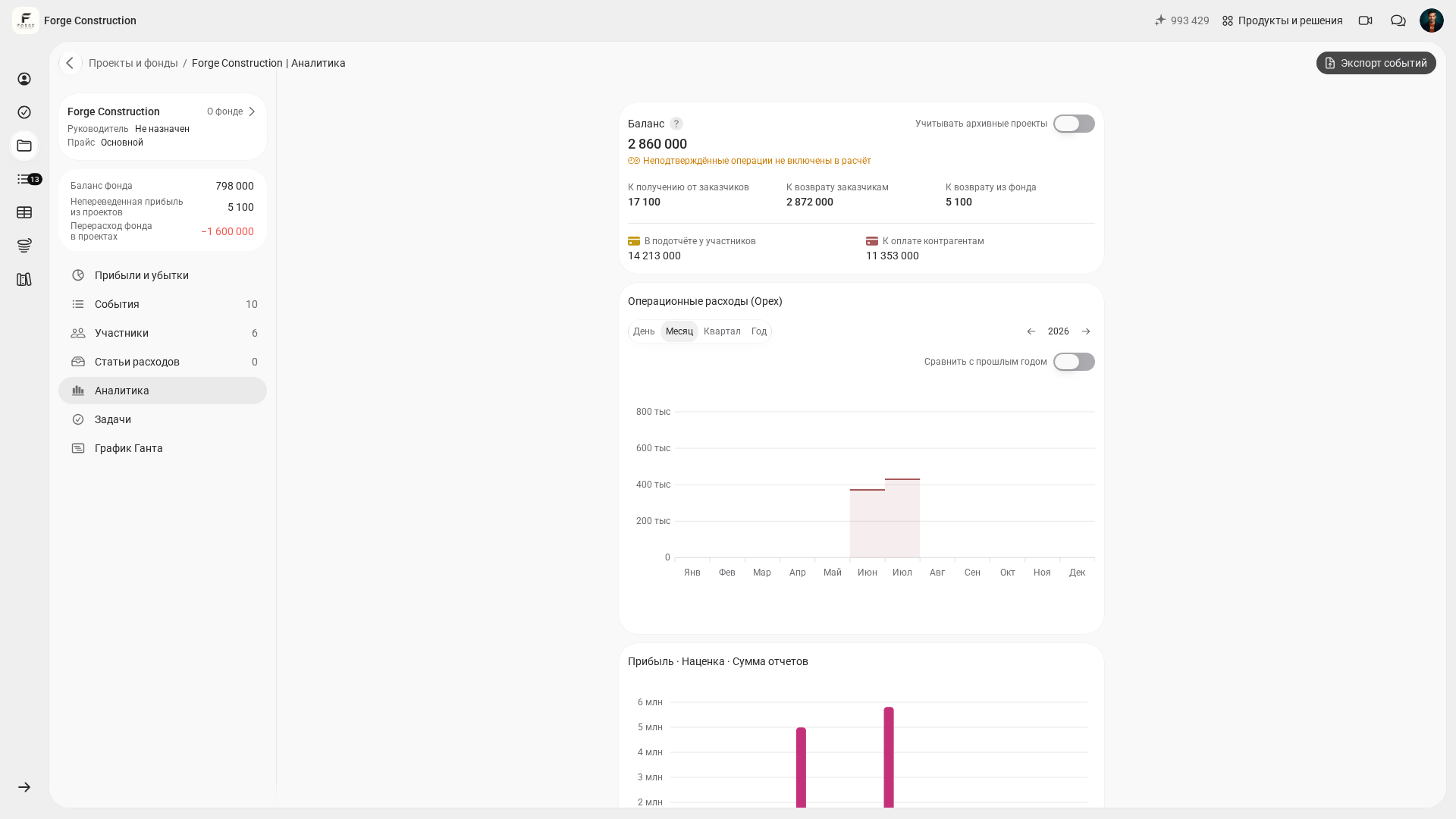
During a renovation, money can cause more anxiety than deadlines. Customers need to understand how much each stage costs, what has already been paid, which work has been completed, and why a variance has occurred. If all this information is in the site supervisor’s head, answers may depend on one person being available.
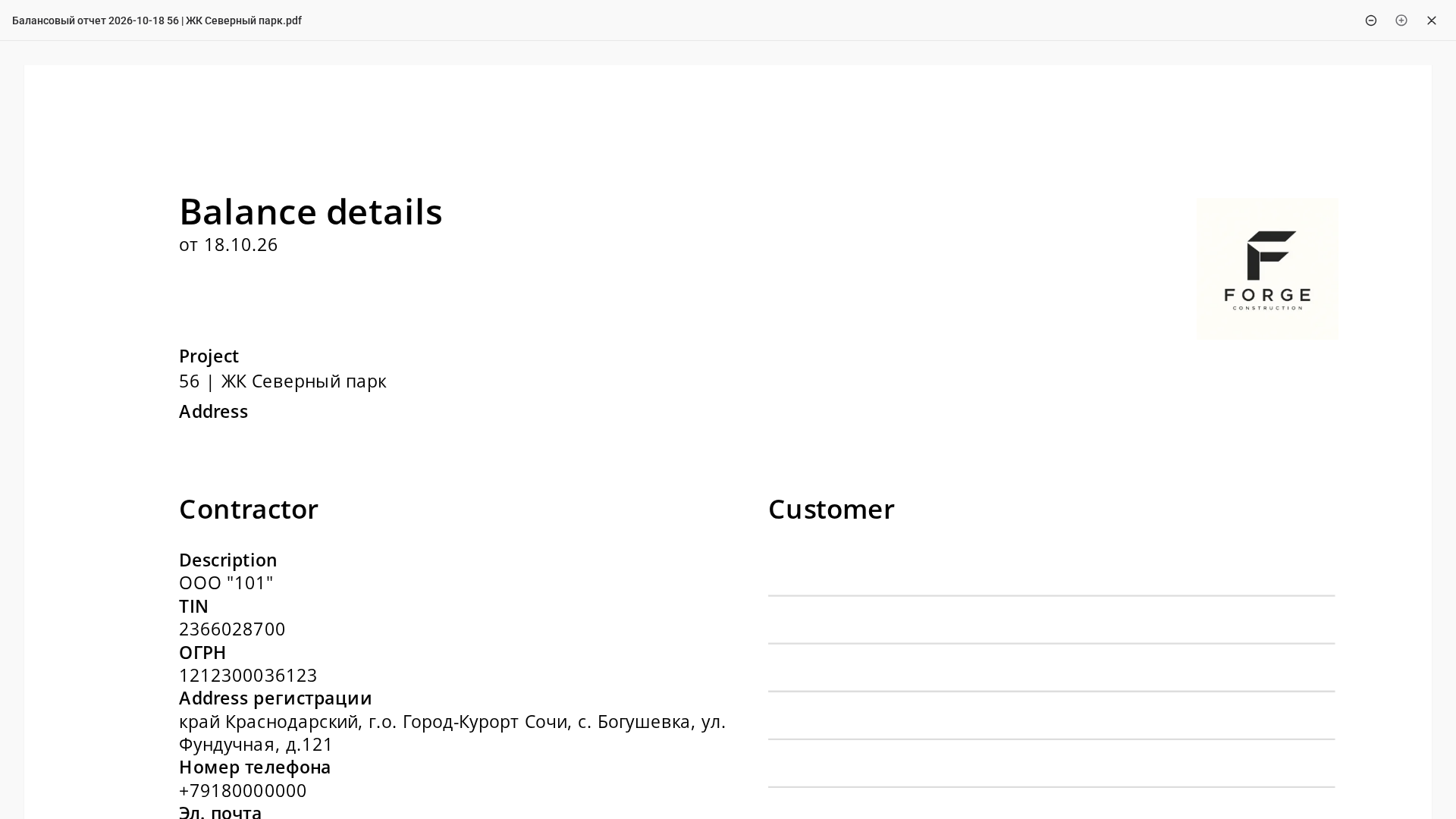
Figures are easier to share through an accounting system. In the 101 App, you can manage a project, record an event (an accounting record) and send documents; customers can accept or reject events available to them where the event type and their permissions allow it. PRO+ offers advanced analytics, export of accounting events, restoration of deleted events and documents with the company logo; access to particular data and actions also requires the appropriate permissions. This helps you keep finances organized and give customers answers backed by records.
Tip 5. Document changes before the work is carried out
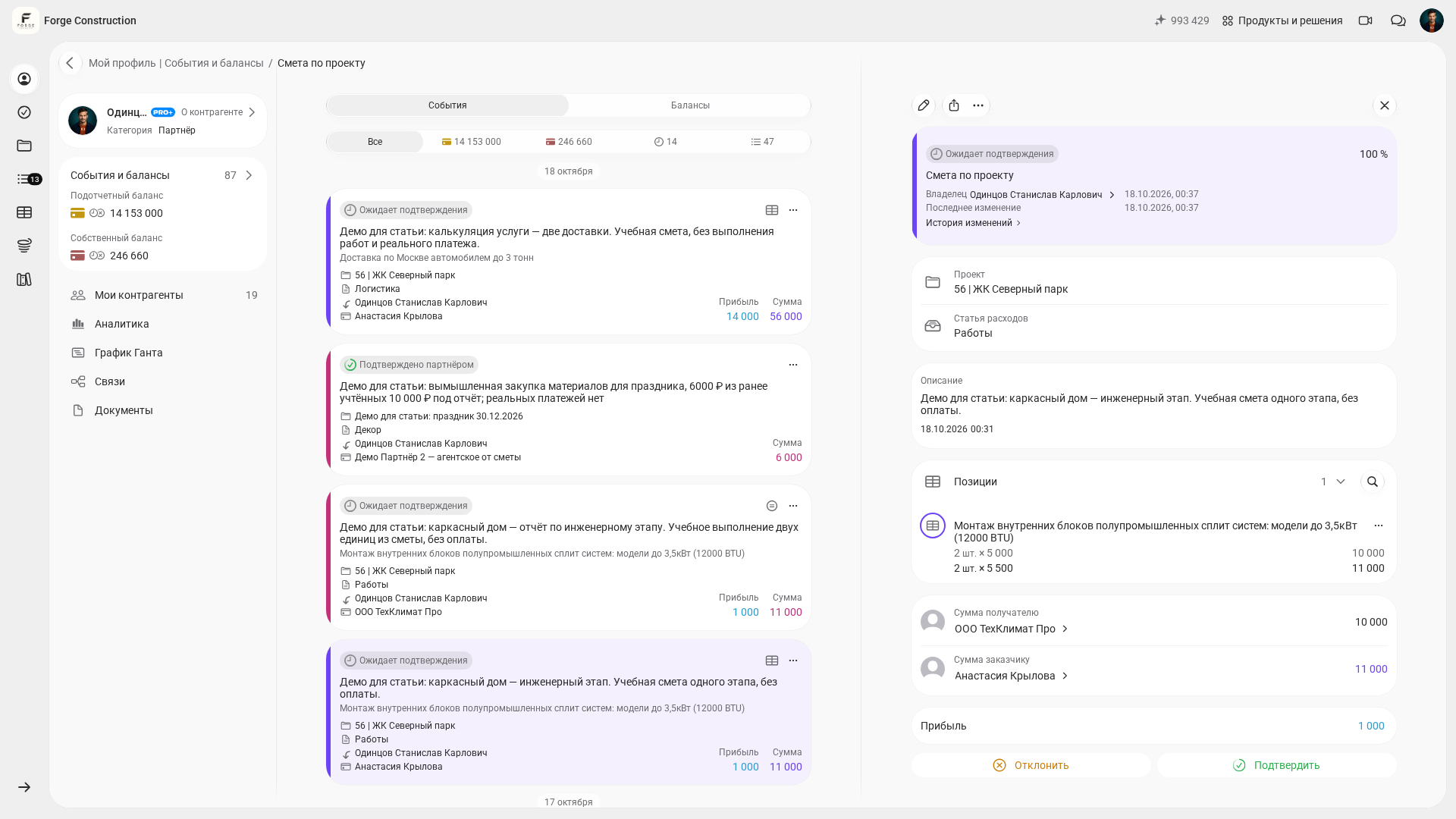
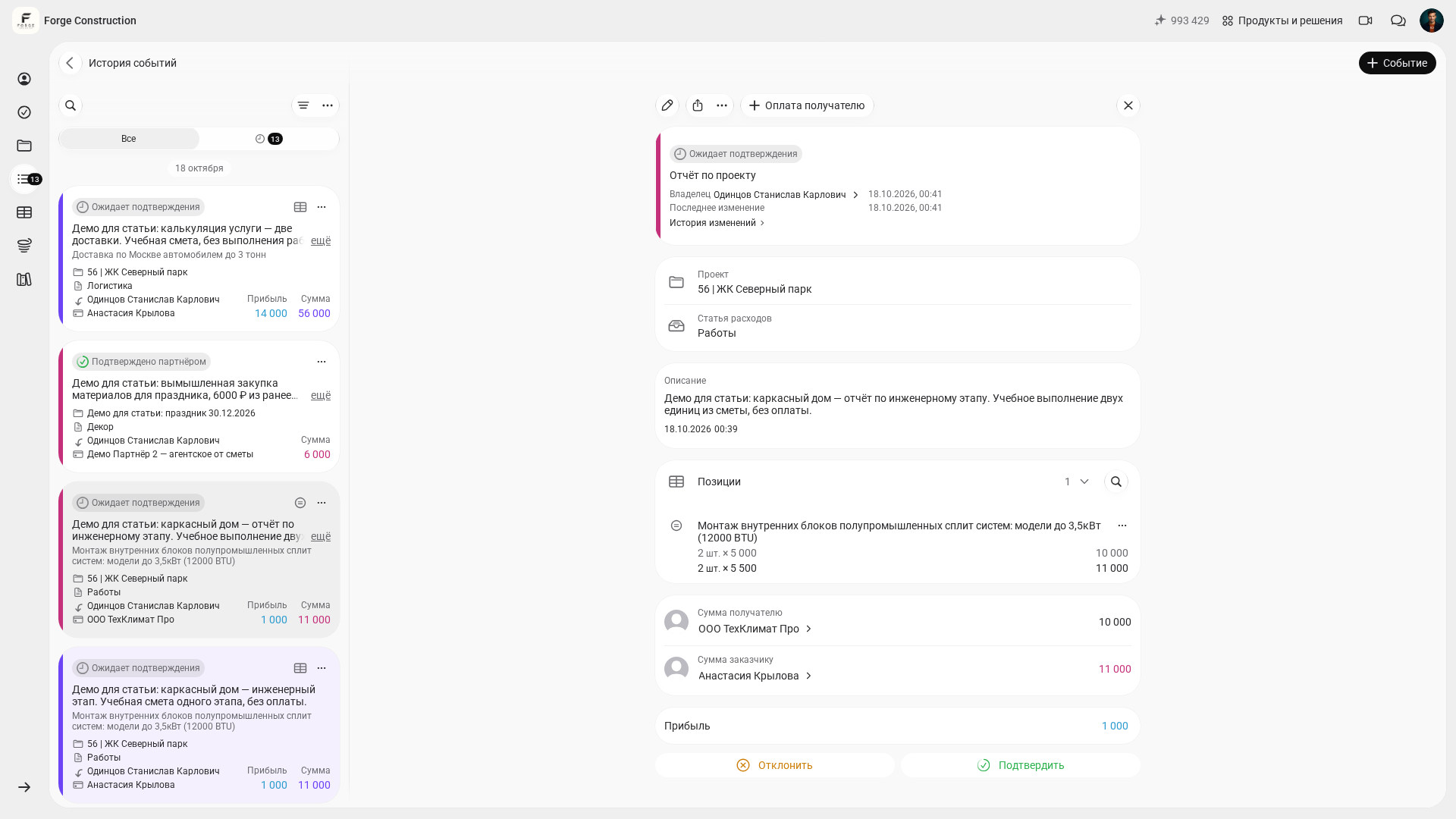
A typical service failure looks like this: a tradesperson has already done the work, the customer sees it and asks “who approved this?”, and the conversation becomes emotional. A straightforward way to prevent this is to put every change to work or materials through a short documentation process.
If your team manages the project in the 101 App, first agree any changes to future work, its cost and deadlines with the customer in the manner specified by the contract. Record estimates and transactions as events, and attach comments and supporting documents. Verification by the company and customer acceptance are separate actions that depend on the event type and the participants’ permissions; acceptance of a report may concern work already completed or expenses already incurred. The 101 blog has a separate article explaining why event confirmation matters. Why it matters to confirm events in the 101 App (in Russian).
Tip 6. Photos, video and site visibility without chasing the supervisor
Customers need a sense of being there. They should not have to visit the site during the working week just to see progress. Photo reports for each stage and short videos at the end of the day answer the question “what is happening on site?”

Video surveillance can help on some projects: customers can see that work is happening on site, while the team spends less time on repeated phone calls. If this is relevant to your project, the 101 blog has a guide to connecting a camera to a phone. How to connect a surveillance camera to your phone (in Russian).
Tip 7. Price lists and work rules that prevent disputes
Good service depends on clear boundaries. Customers feel more reassured when they can see what the estimate includes, how additional work is priced, which materials the team buys and which the customer buys, and how delivery and carrying materials upstairs are charged.
It is useful to keep the price list in one place and update it as circumstances change. The 101 App has a Price list section and help resources that make it easier to break prices down by line item and avoid disputes when issuing an invoice. If your team uses the app, you can start with this price list guide in the help section: How to create, copy and organize multiple price lists (in Russian).
Tip 8. Complaints: an internal response time and an agreed correction deadline
Even strong teams receive complaints. What distinguishes good customer service is how quickly a correction plan takes shape and how that plan is carried out. Customers may forgive a mistake. They rarely forgive silence.
A practical procedure for the site supervisor and manager:
- Step 1. Acknowledge the complaint without arguing and clarify the facts: where, when, and exactly what the customer is unhappy with.
- Step 2. Record everything in one place: photos, a description, the person responsible, and the response deadline.
- Step 3. A suggested internal response target is to provide a plan within 24 hours: what will be redone, what will be compensated for, and the proposed timeframe. Determine the specific correction date according to the nature of the defect, agree it with the customer, and take any mandatory deadlines into account.
- Step 4. Once the issue has been corrected, send supporting evidence: photos, a written completion record, or an entry in the report.
Tip 9. Service after handover: warranty, care instructions and a follow-up visit
Once the handover document has been signed, customers begin everyday life in the apartment. Questions then arise: how to maintain the ventilation, what to use to clean a surface, what to check with the filters, and what to do if a drain trap starts making noise. If the team disappears immediately after handover, customers are left to handle these everyday issues on their own.
Service after handover includes care instructions for materials and contact details for warranty requests. You can also voluntarily agree a follow-up visit with the customer, for example one month after move-in. Such a visit does not replace contractual warranty obligations or mandatory warranty requirements. It is a useful opportunity to resolve minor issues and ask for a positive review while the customer’s impressions are still fresh.
Tip 10. Make reviews and referrals a repeatable process
Reviews come in when asking for them becomes part of your routine. The best time is after a significant milestone: completing an important stage, resolving a difficult complaint, handing over the project without delays, or making reporting transparent.
To make referrals less dependent on how people happen to feel, establish a rule: at the end of every project, record three things—the customer’s agreement to provide a review, their preferred format (text, video or audio), and permission to use photos. Alongside this, a consistent process for leads and sales means fewer lost inquiries and more follow-up contacts. The 101 blog has a useful article on why leads are lost and how to address the problem. How to manage sales in construction (in Russian).
How can you put these 10 tips into practice in 14 days?
Customer service breaks down when improvements depend on occasional bursts of inspiration. A more effective approach is to choose a couple of rules, turn them into habits, and then add the next ones. The 101 blog has an introductory article on customer service in a construction company—a useful reference for checking that the foundations are in place. How to improve customer service in a construction company (in Russian).
Here is a 14-day implementation plan:
- Step 1. Choose one communication channel and pin the rules for correspondence.
- Step 2. Agree the response time (SLA) and arrange cover for weekends.
- Step 3. Introduce a weekly report using a consistent template and add a calendar reminder.
- Step 4. Agree how changes to work and materials will be documented.
- Step 5. Set up photo reporting for each stage and keep the reports in one place.
- Step 6. Prepare an after-handover guide and a procedure for warranty requests.
If you use the 101 App, some of these practices are easier to maintain: events, approvals, documents, and reporting. For those who want to explore management and analytics in more depth, there is a private channel for PRO+ users. How to join the PRO+ channel (in Russian)