Contents:
What is a construction schedule?
A construction schedule is a document that arranges building or renovation work into phases and assigns start and finish dates to each task. It provides an overview of the project, supports resource planning, and helps teams monitor progress at every stage.
The document's contents, essential sections, and a construction example are covered separately in “Construction work schedule: contents and example”. This guide focuses on the general process of planning phases, dates, and resources.
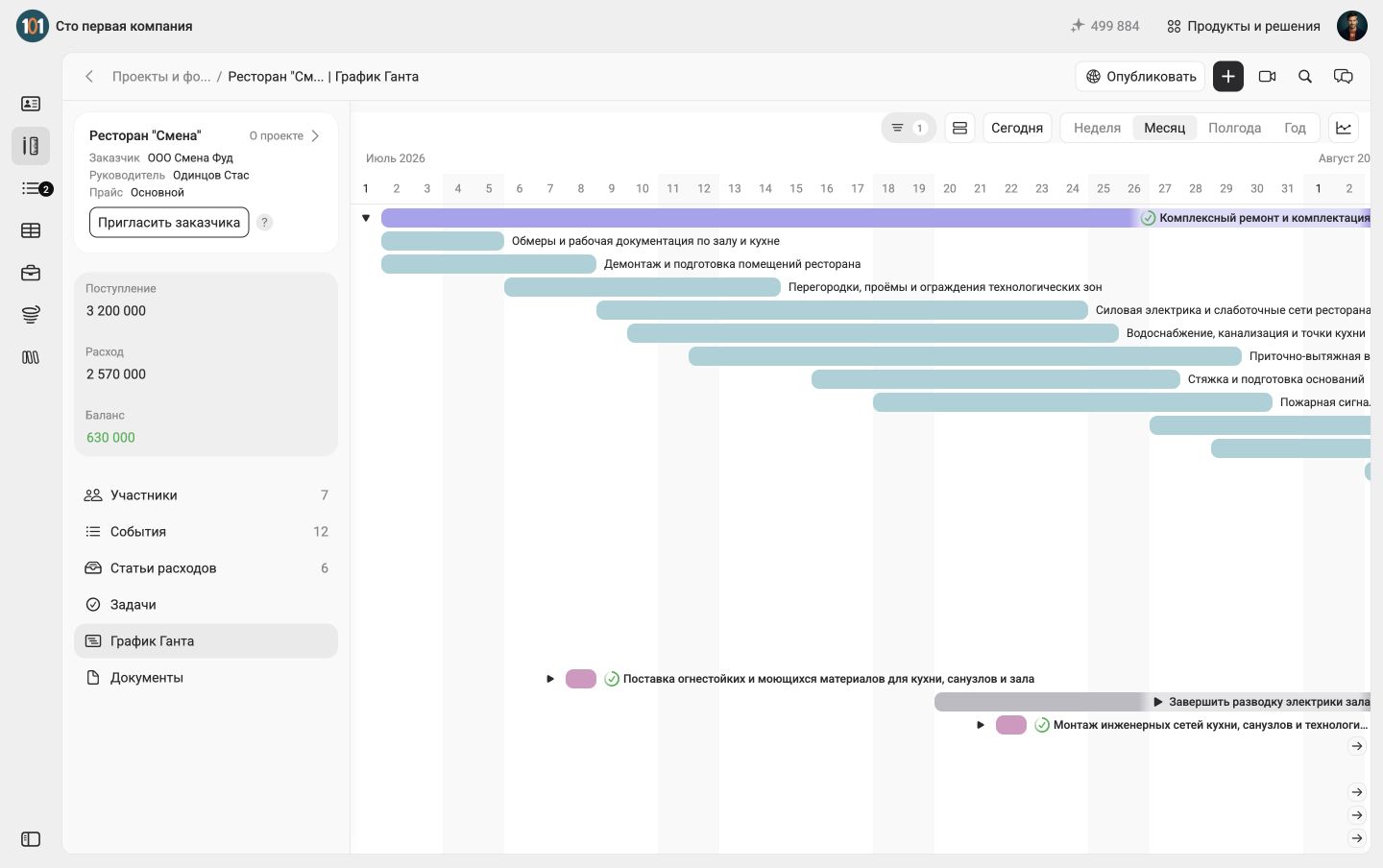
The Gantt chart of a demonstration project in 101: planned phases by date. The interface is in Russian.
A schedule can be presented in several formats:
- tables, for example in Excel;
- Gantt charts, available in tools such as 101 or Gectaro;
- kanban boards, for example in Trello or Jira: without dates, they show task statuses. For calendar planning, add start and finish dates and a timeline;
- interactive calendars: Google offers this option, although we find it a fairly complex choice for construction projects.
When does a site supervisor need a schedule, and when can established methods still be used?
Many construction and renovation businesses still manage part of their work manually. Common barriers to adopting digital tools include established habits and the effort required to bring the whole team into a new process.
Moving to a digital scheduling tool requires a few basic conditions:
- the team's willingness to record and track work consistently;
- the ability of all participants to understand the chosen tool;
- time to enter data and keep it accurate.
Maintaining tables and task statuses takes discipline, but it becomes valuable when your company plans to grow. A well-maintained interactive schedule helps the team identify and address many site issues from the office.
A construction schedule helps the site supervisor to:
- organize the construction site;
- plan crews and resources such as equipment and materials;
- agree on project dates with the client: the schedule can help answer their questions;
- measure delays or progress against the plan;
- simplify progress reporting.
Without a schedule, tasks can overlap, crews can sit idle, and materials can arrive too early or too late. With a shared plan, each participant knows what to do and when to do it.
Key principles for creating a construction schedule
Follow several practical principles to make the schedule useful as a management tool.
1. Break the work into logical phases
Divide the project into major blocks:
- preparatory work;
- earthworks;
- foundations;
- structural work;
- building services;
- finishes and other work.
You can define these phases in advance, divide them into individual work items, and store a reusable list of standard work in a price list in 101. Select estimate items from the price list; the estimate for a phase will appear on the Gantt chart.
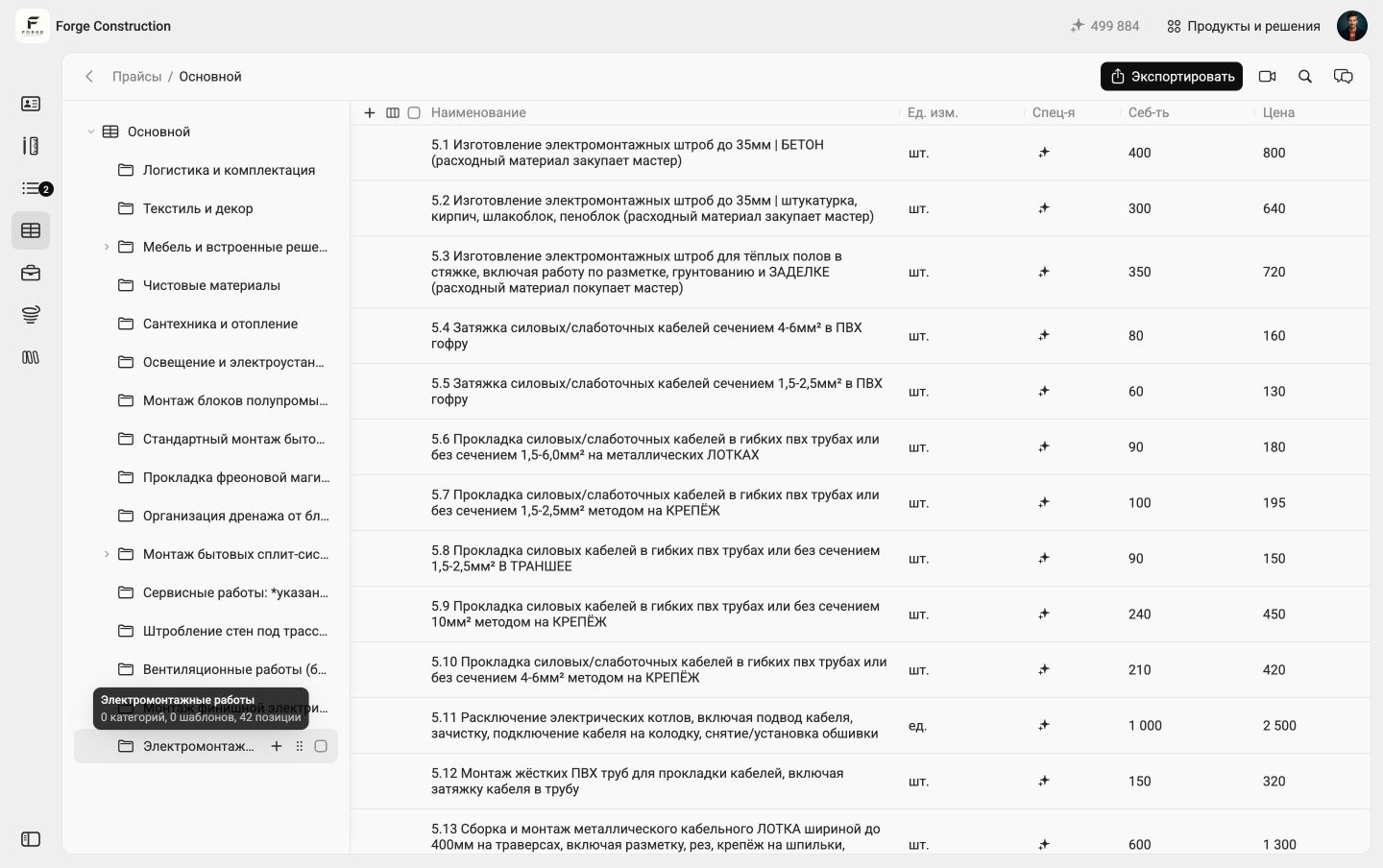
The price list of a demonstration project in 101: electrical installation work. The interface is in Russian.
2. Define task dependencies
For example, electrical work cannot begin before the walls are in place. Recording this dependency helps prevent conflicts and incompatible tasks from being planned at the same time. In 101, indicate the sequence with dates on the chart and record the condition for starting the next work item in the task description. This entry does not create an automatic block or reschedule work.
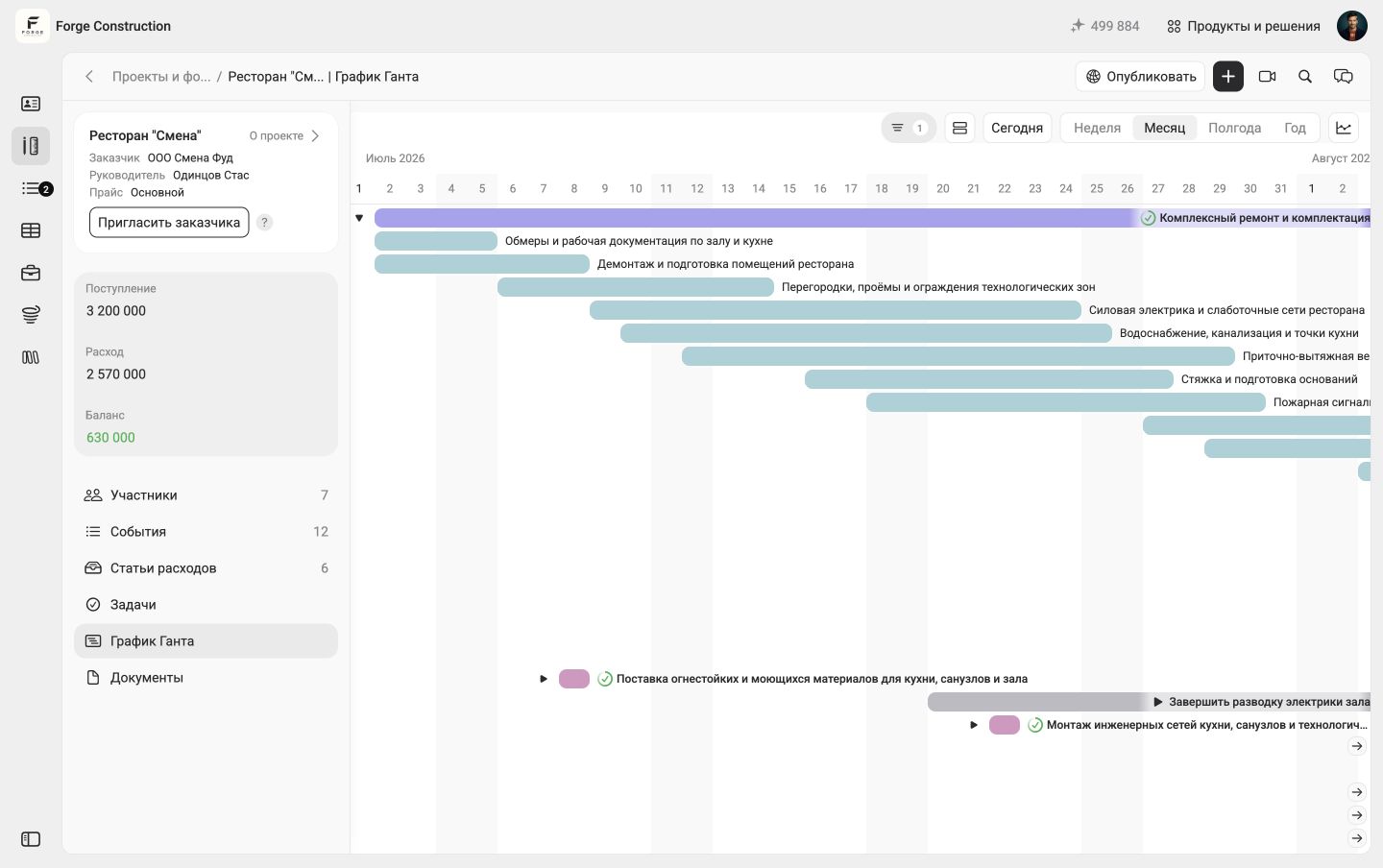
The sequence of phases on the 101 timeline is set by dates. The interface is in Russian.
3. Assign task owners
Every task should have an owner. Even when a schedule is created for internal use, the team needs to know who is responsible for each piece of work.
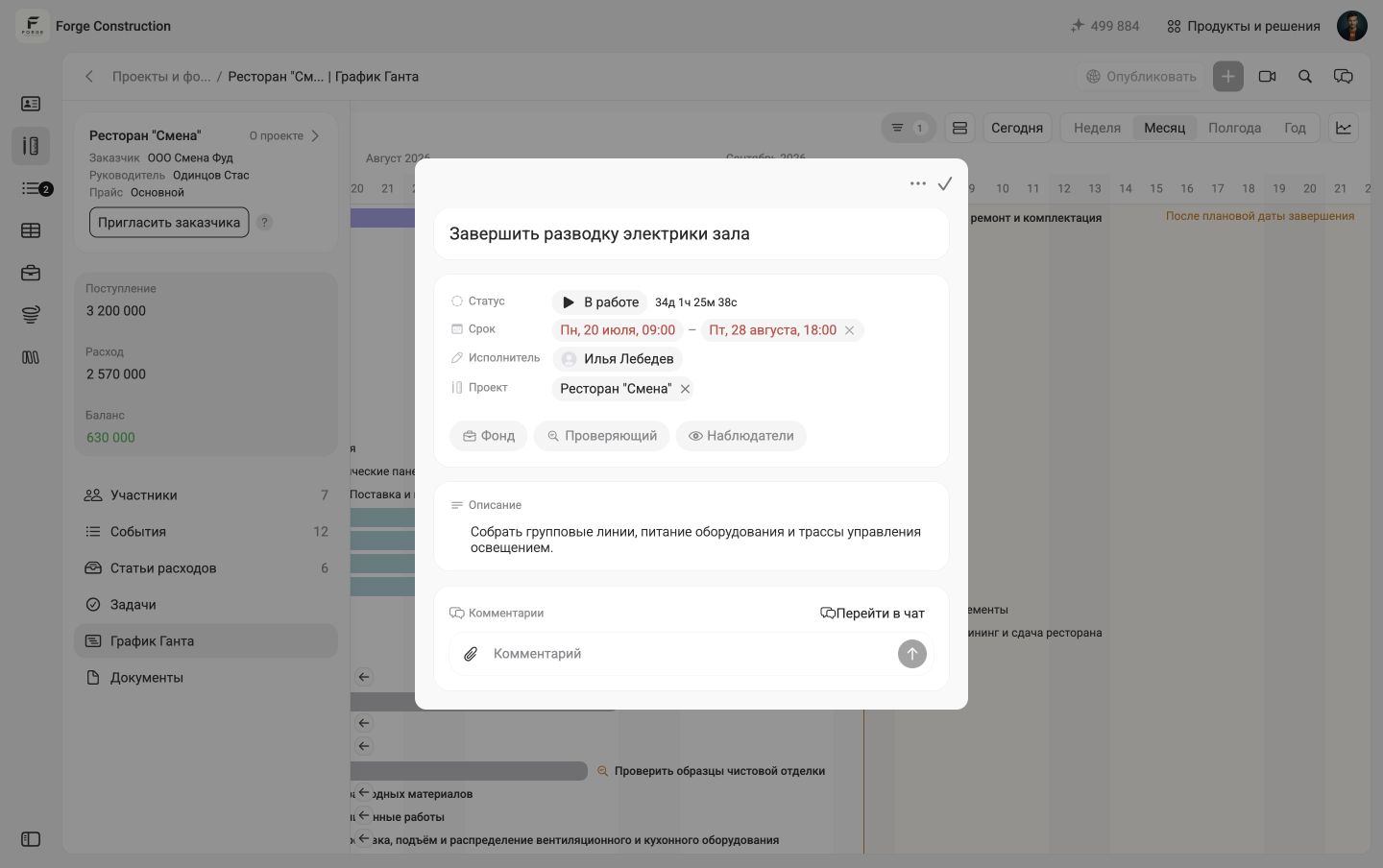
A task card: deadline, assignee, project, and description. The interface is in Russian.
4. Add schedule buffers
Allow extra time for weather risks, delivery delays, and unexpected events. For example, an instructional schedule can allow 5–10% of a phase's duration. In an actual project, the buffer depends on the risks and working conditions. In the 101 demonstration project, connecting kitchen equipment ends on 27 August, and commissioning starts on 30 August: 28–29 August remain free between these activities. This is a gap set by dates, rather than a separate automatic buffer feature.
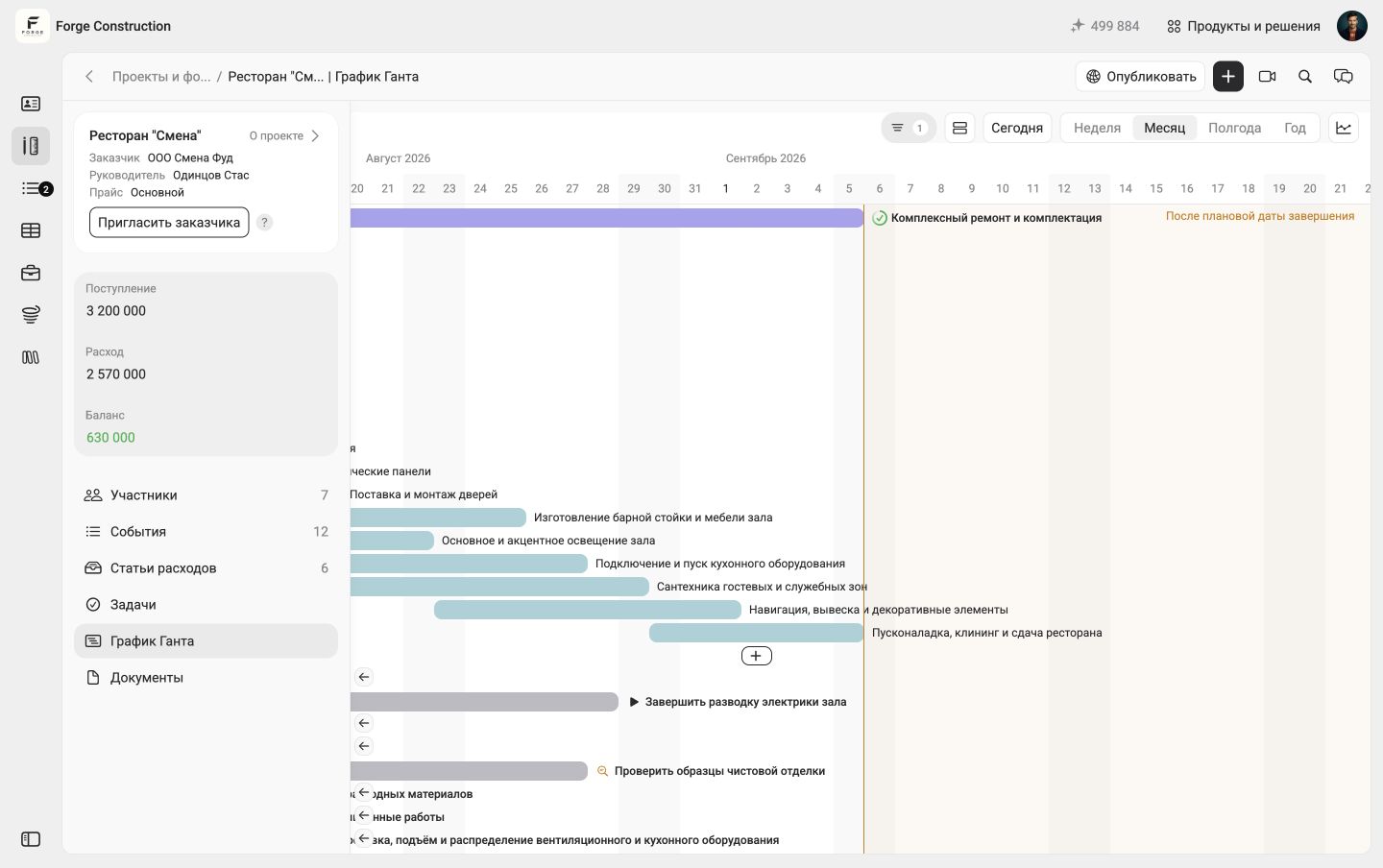
28–29 August are left between connecting equipment and commissioning. The interface is in Russian.
5. Update the schedule regularly
A static schedule quickly becomes outdated. Record actual changes as work progresses so the schedule remains useful for day-to-day management.
Example construction schedule in 101
Take a demonstration project in 101 as an example. On the Gantt chart, planned work is displayed through estimates, and actual work through reports. Assign tasks with dates and assignees separately. Below is an instructional example of setting up this type of schedule.
The basic approach to maintaining a construction schedule is:
1. Create a timeline to place the work on. In 101, open the project and the “Gantt chart” section.
Choose the “Week” or “Month” scale. To plan a phase, create an estimate on the chart: one phase corresponds to one estimate, and its items can be added from the price list.
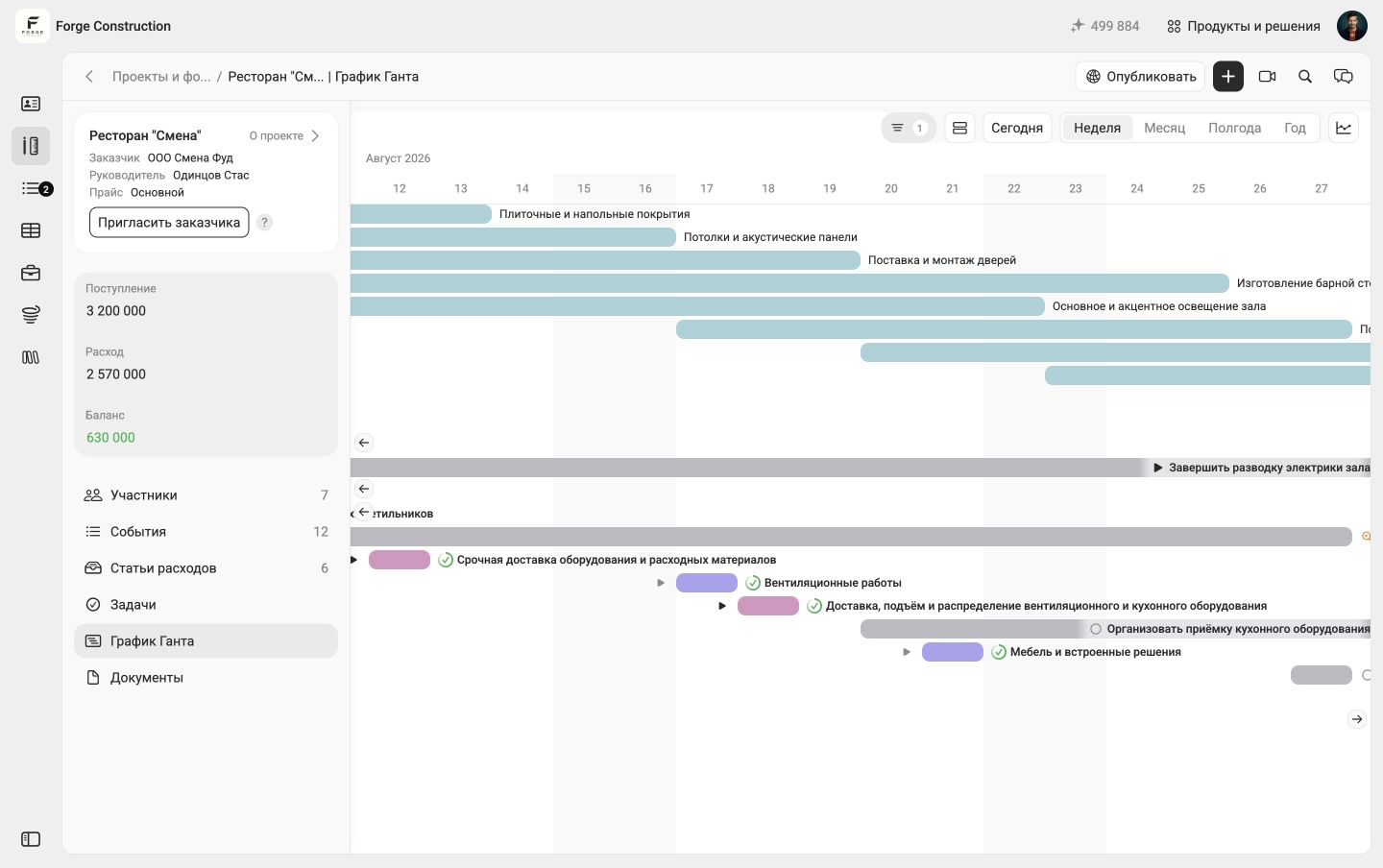
The Gantt chart at the “Week” scale. The Russian interface label is “Неделя”.
2. Add the first task
Open the required project's “Tasks” section, enter a title in the quick-create line, and press Enter. Then open the task and specify its deadline and assignee. The screenshot shows the card fields over the Gantt chart of a demonstration project; the form itself has been left empty and was not saved. See the task creation guide (in Russian).
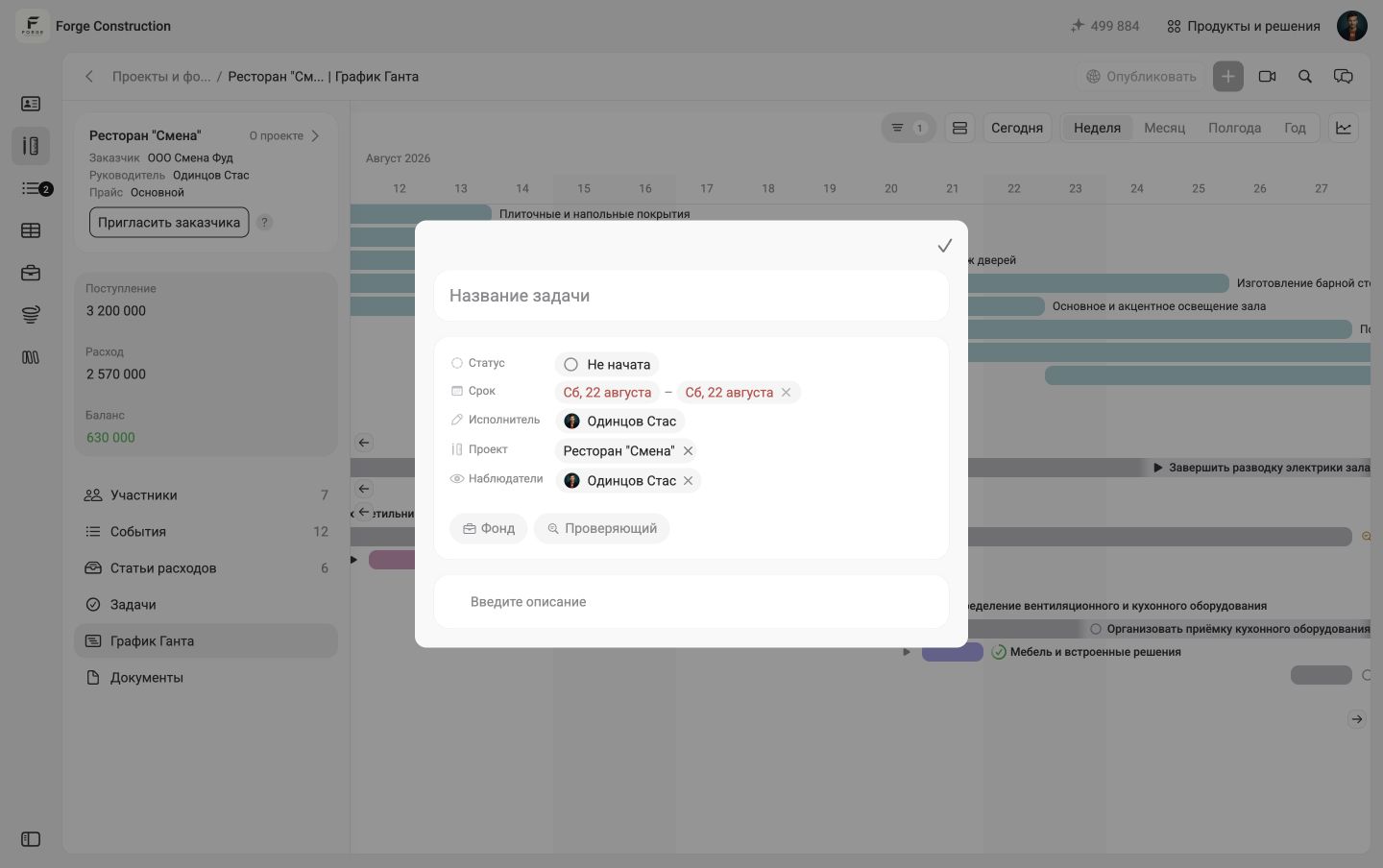
A new task in the demonstration project: the form is open and has not been saved. The interface is in Russian.
For convenience, prepare a price list of standard work in advance and use its items when creating estimates for different projects.
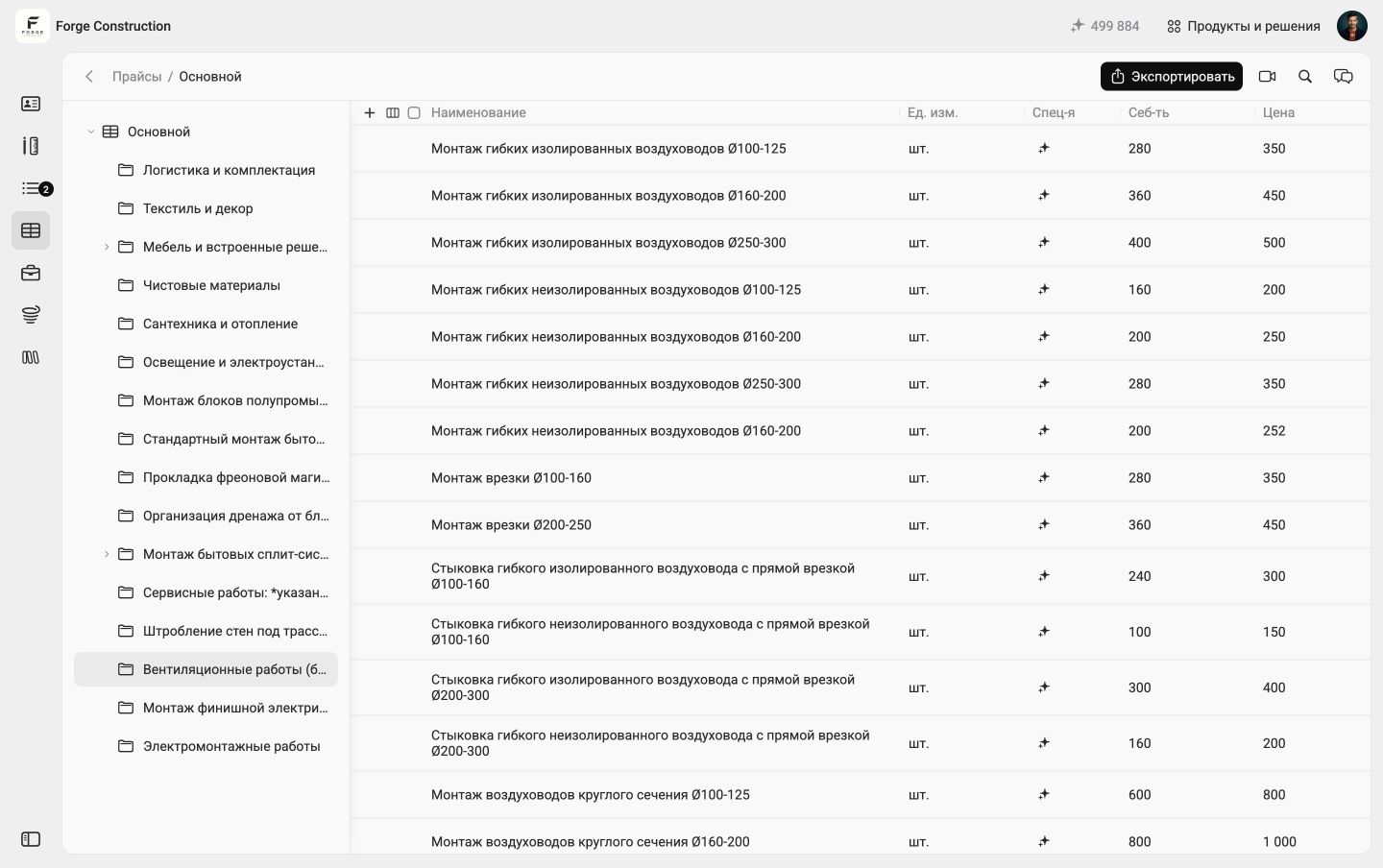
Price list items in the demonstration project: ventilation work. The interface is in Russian.
3. Set task dates and assign owners
The 101 task card shows the selected period, assignee, and project. In the example task, receiving the kitchen equipment is assigned to Anna Orlova for 20 August–1 September.
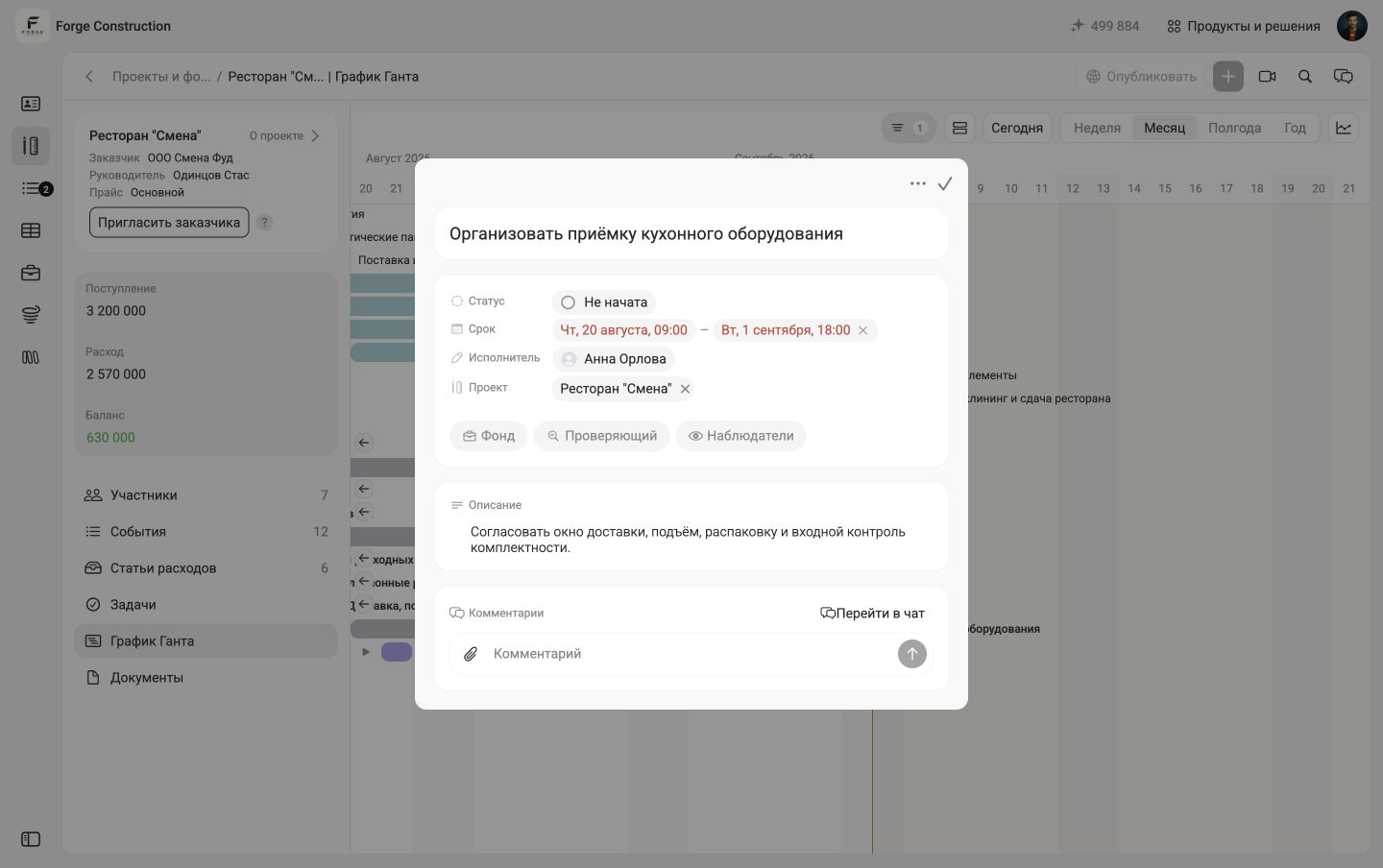
Receiving equipment: dates, assignee, and description in the task card. The interface is in Russian.
4. Track task status and keep the timeline current
Use filters and sorting to show, for example, only the current week or only incomplete tasks. In 101, the “Week” or “Month” chart scale changes the timeline view, while the task card helps you check the task's status and deadline.
To reproduce this example in 101, connect a price list to the project, create an estimate for the first phase on the Gantt chart, and assign tasks to the people responsible.
As work progresses, compare task dates and statuses against the plan and record completed work items in reports.