Contents:
- What is a sales funnel in a CRM system, and why do you need one?
- Funnel stages: a template for construction and renovation
- Which CRM rules and fields make a funnel work?
- How do you set up a sales funnel in the 101 app?
- Which figures should you track?
- Common mistakes that stop a CRM funnel from increasing sales
What is a sales funnel in a CRM system, and why do you need one?
A sales funnel in a CRM system is a sequence of stages that a deal moves through, from the first enquiry to a contract and payment. The idea is simple: each lead has a status, each status has a next step, and each step has a deadline and a person responsible. CRM then turns the process into figures: how many deals are at each stage, where they fall through and where the team is slowing down.
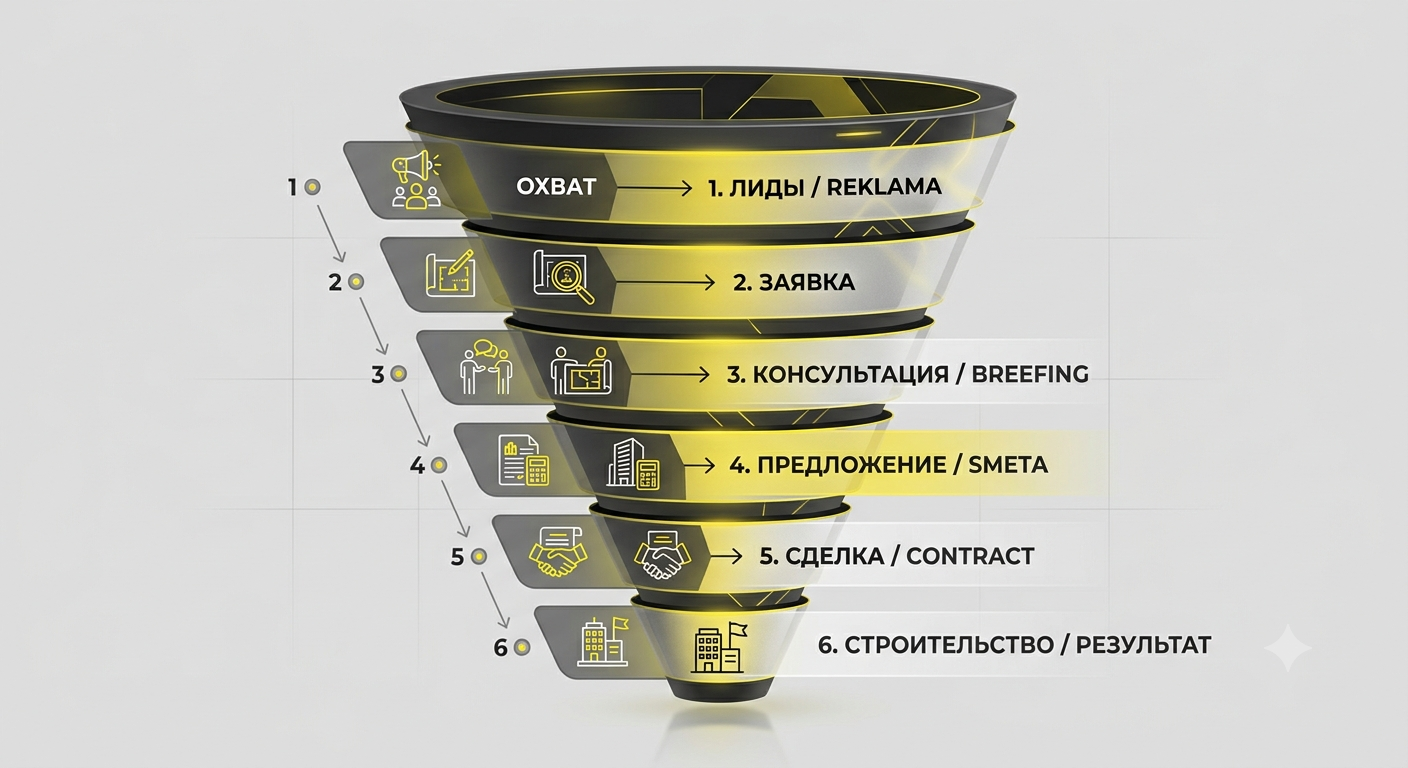
In construction and renovation, a funnel is particularly important because the sales cycle is long. A customer may change their mind after site measurements, after the cost estimate or after discussing the contract. If the stages are not recorded anywhere, sales end up scattered across messages, notes and the memories of the owner and a single sales representative.
A funnel also brings discipline. The sales representative stops “just answering questions” and starts guiding the person towards the next step: a call, a meeting, site measurements or agreement on a sales proposal. This principle is explained in the 101 blog article on why sales departments lose leads (in Russian).
Funnel stages: a template for construction and renovation
Every company has its own particular needs, but the basic funnel structure in construction is usually similar. The 101 blog has a separate guide to what a sales funnel looks like for construction and renovation. Below is a practical template that you can adapt to your process.
| Funnel stage | Stage objective | What to record in CRM |
|---|---|---|
| New enquiry | Keep track of the enquiry | Source, contact, person responsible, deadline for the first response |
| Qualification | Understand the task and rule out enquiries that are not a good fit | Type of property, floor area, timeframe, budget range, comments |
| Meeting / site measurements | Gather the initial information and build trust | Date, who will attend, what needs to be prepared, meeting outcome |
| Estimate / sales proposal | Present the offer clearly | Version of the cost estimate/proposal, date sent, what was sent |
| Discussion | Address questions and agree on the scope and format | Objections, revisions, next contact, decision deadline |
| Contract | Record the agreed terms | Document status, who needs to approve it, what is needed from the customer |
| Advance payment | Turn the deal into a project | Amount, date, condition for starting work |
Next comes something many people leave out of the sales funnel: repeat sales and referrals. In construction, this is essential because a satisfied customer may recommend the company to another customer.
Which CRM rules and fields make a funnel work?
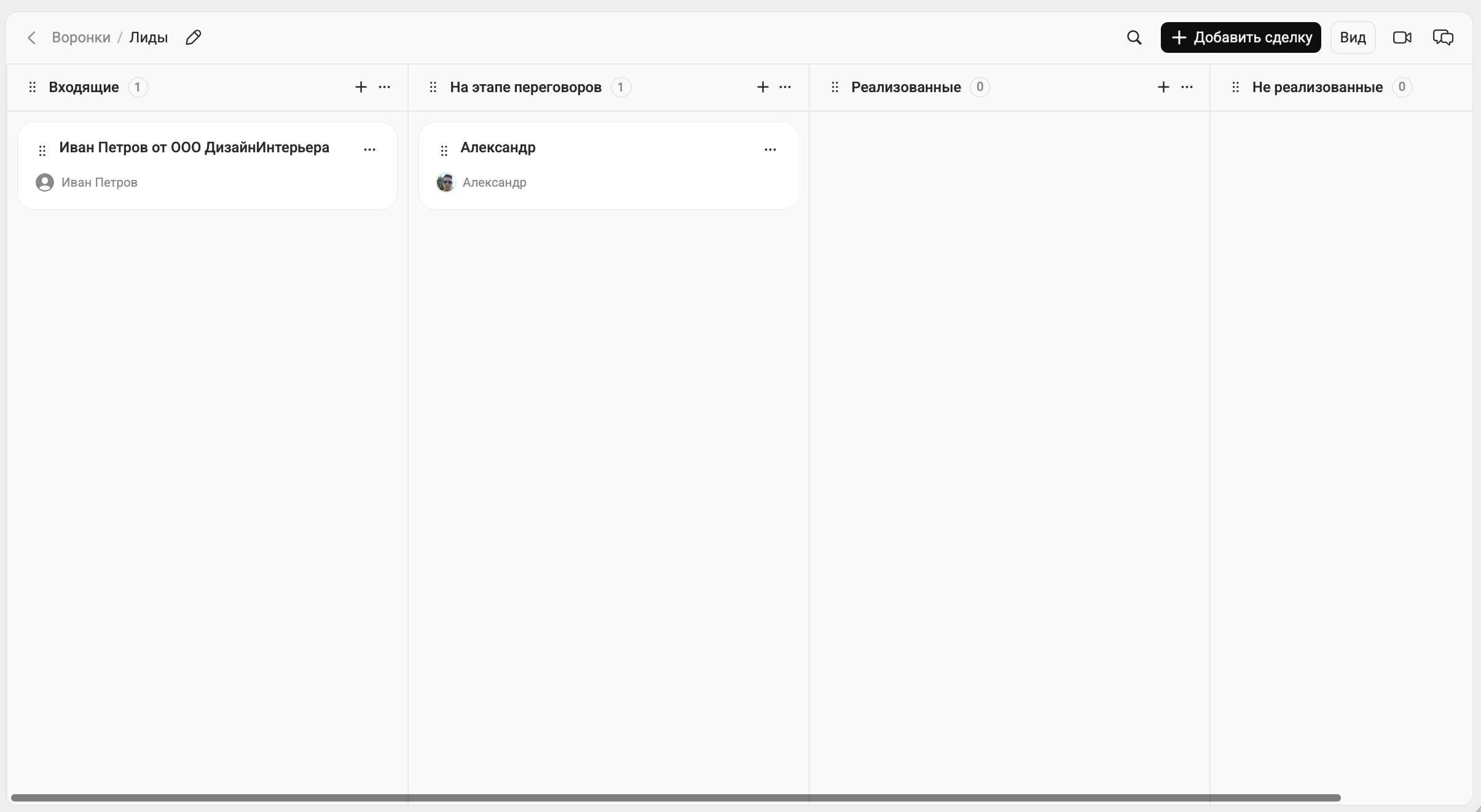
You can draw ten stages and call them a “sales funnel”. That alone will not bring in more sales. A funnel starts working when each stage has clear entry and exit rules.
The first rule is a single place to record enquiries. All channels should lead to one lead or deal card. If some enquiries stay in personal chats, the CRM statistics will be there for show.
The second rule is that every deal has a person responsible and a next step. The next step is an action with a date: “have a call”, “schedule site measurements”, “review the proposal with the manager” or “follow up for a decision on Thursday”. Without this, a sales representative only “manages” the deals that demand the most attention.
- Required fields by stage. At qualification, do not move on without the floor area, location and timeframe.
- A consistent format for naming sites. Customer + address, or city + address. Otherwise, documents get mixed up.
- A required reason for loss when closing a deal. After a month, this will provide a basis for improvements.
How do you set up a sales funnel in the 101 app?
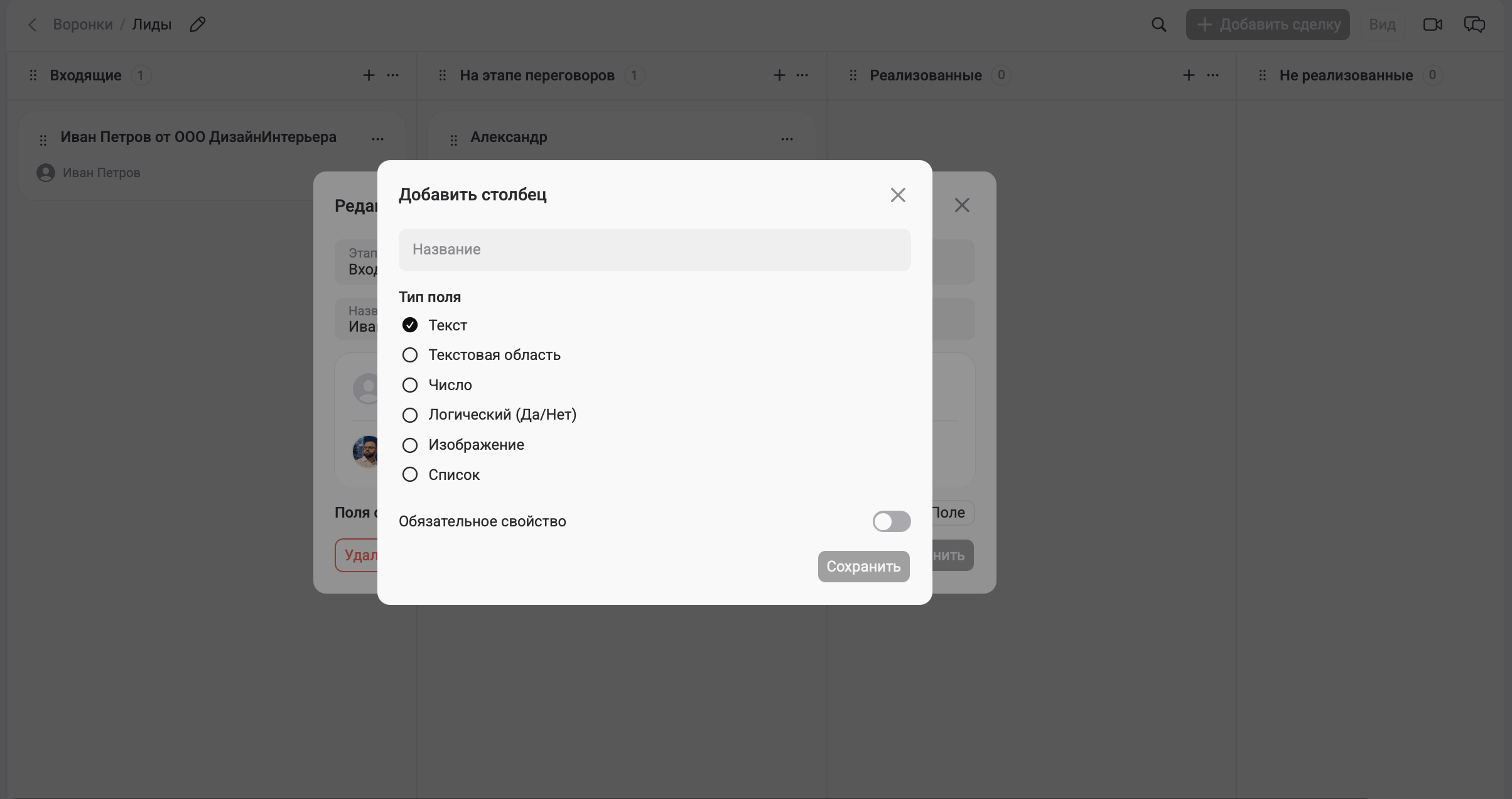
Setting up a sales funnel in the 101 app:
1. Create a funnel. You can have several, for example one for each sales representative or employee. Give it a name.
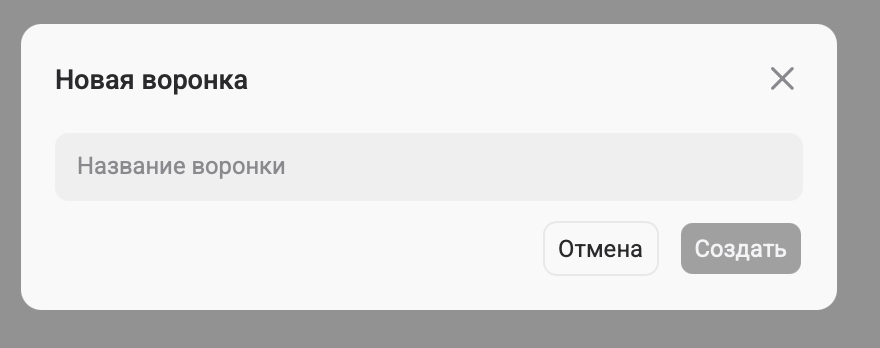
2. We have automatically added a few basic stages, and you can add more manually.
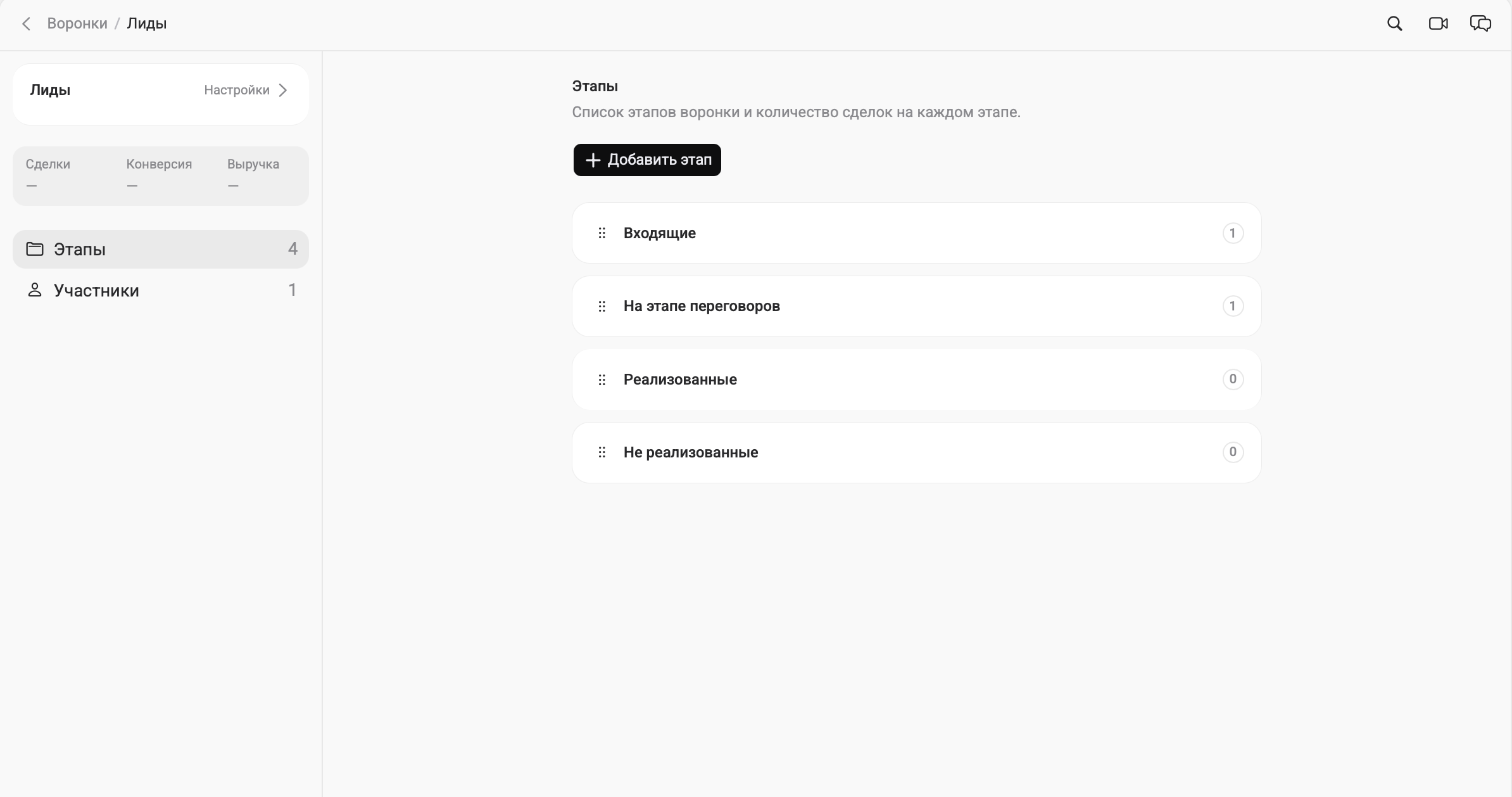
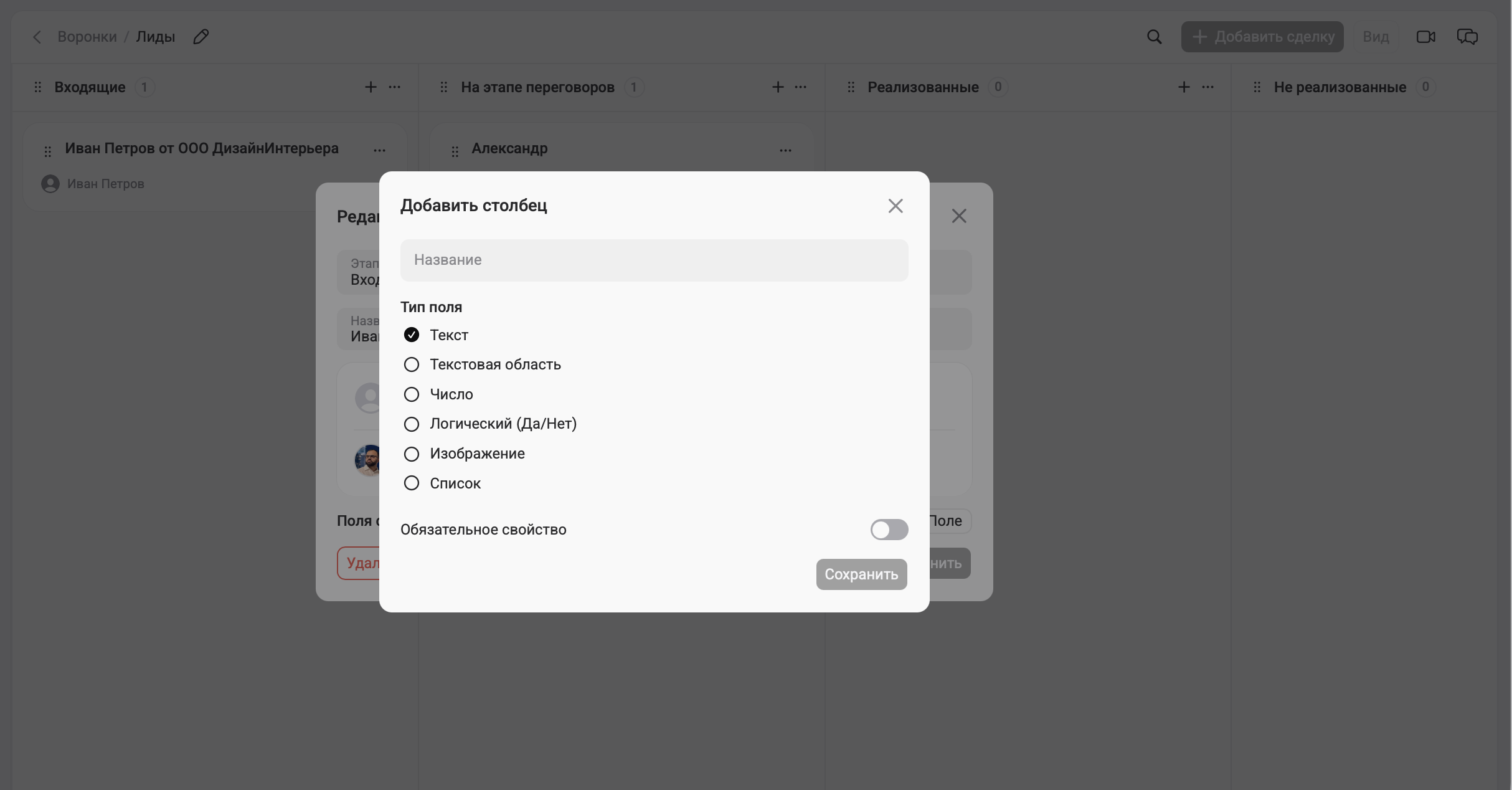
3. Add leads to the funnel stages. You can add contacts directly from the database, enter phone numbers manually and add the information you need to custom fields. For example, a Boolean “Yes/No” field can record whether a sales proposal has been sent.
For more guidance on the logic of stages and long sales cycles, see the 101 article on sales techniques for project-based businesses (in Russian).
Which figures should you track?
The main benefit of a sales funnel in a CRM system is that it turns “sales are not going well” into questions that have answers. Those answers usually fall into three areas.
First: conversion between stages. How many enquiries led to site measurements, how many measurement visits led to proposals, and how many proposals led to contracts? If one part of the process has a drop-off, that is where you should focus your efforts. The 101 article on sales funnels explains how to find weak points in detail.
Second: response speed. In construction, the advantage goes to whoever responds in time and immediately suggests the next step. The relevant metrics are the time until the first response, the time until site measurements are scheduled and the time until the proposal is sent.
Third: reasons for losing deals. This is a part of the funnel that people rarely fill in, then wonder why “customers have become more difficult”. Reasons for loss show what needs fixing: how the proposal is presented, the qualification script, the contract, deadlines or what is included in the offer.
A typical problem in a sales department looks like this: the funnel is in CRM, documents are in one service, cost estimates are in another, and the project finances are in a spreadsheet. The sales representative forwards files, mixes up versions and forgets to attach the contract to the deal. The manager manually reconciles “how much we sold” with “how much we earned”.
If you would like to work through this using your own process and understand what to connect first, join a demonstration of the 101 app.
Common mistakes that stop a CRM funnel from increasing sales
The mistakes are almost always the same; they simply show up differently from one company to another.
First: there are stages, but no rules. A sales representative selects “proposal sent” even though nobody has sent a proposal, simply because “that is how we do it”. The statistics turn into noise.
Second: there is no consistent follow-up. After receiving a proposal, the customer needs a clear sequence: when you will get back to them, what you will clarify and what next step you will suggest. Otherwise, the deal stalls until the customer leaves for someone whose follow-up moves the process forward.
Third: CRM is disconnected from the money. You can close deals in CRM while losing profit on your projects. That is why the connection between CRM and management accounting matters to the owner. The 101 blog has an article that clarifies the boundaries: what CRM does, what management accounting does and where the 101 app fits in (in Russian).