A celebration can quickly turn into a project: contractors, deadlines, advances, receipts, rescheduling and unexpected charges for “one more hour”. Without an event cost estimate, the money trail gets scattered across chats, transfers and notes, and the total only becomes clear after the event.
The 101 app keeps your estimate and actual expenses side by side. First, you put together the plan—what the event should cost. Then you record the actuals—the expenses that have been entered—and see the difference for each expense category.
Below is a practical approach to managing an event estimate in the 101 app, whether you are preparing a company party, a birthday, a wedding or any other event where accurate figures and careful recordkeeping matter.
Contents:
- Your event as a project: what should you record first?
- How do you build an event estimate in the 101 app?
- Planned vs. actual costs: how do you distinguish estimates from money movements?
- Contractors, advances and accountable funds: keeping the records in order
- After the event: a quick review and a starting point for next time
Your event as a project: what should you record first?
The approach in the 101 app is straightforward: one event = one project. This keeps the event’s expenses separate from your work projects and gives gifts a clearly defined expense category.
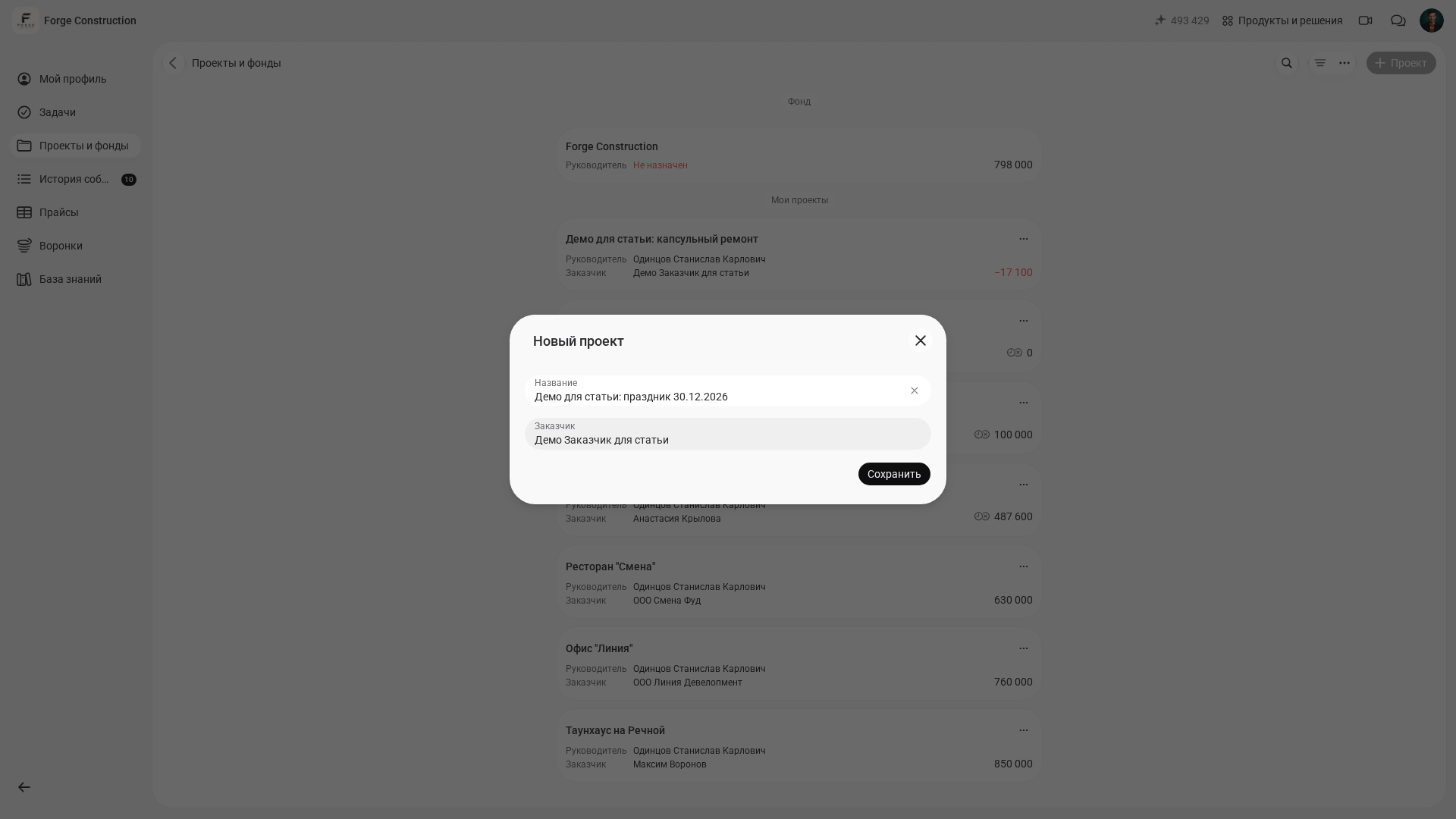
Consider a hypothetical example: HR organizes a company party, a manager pays for the venue, an assistant handles purchases, and a contractor takes care of sound and lighting. Without a shared system, everyone has their own spreadsheet and their own part of the picture. In 101, the celebration sits within a single project, with its estimate, expenses, documents, contacts and balance.
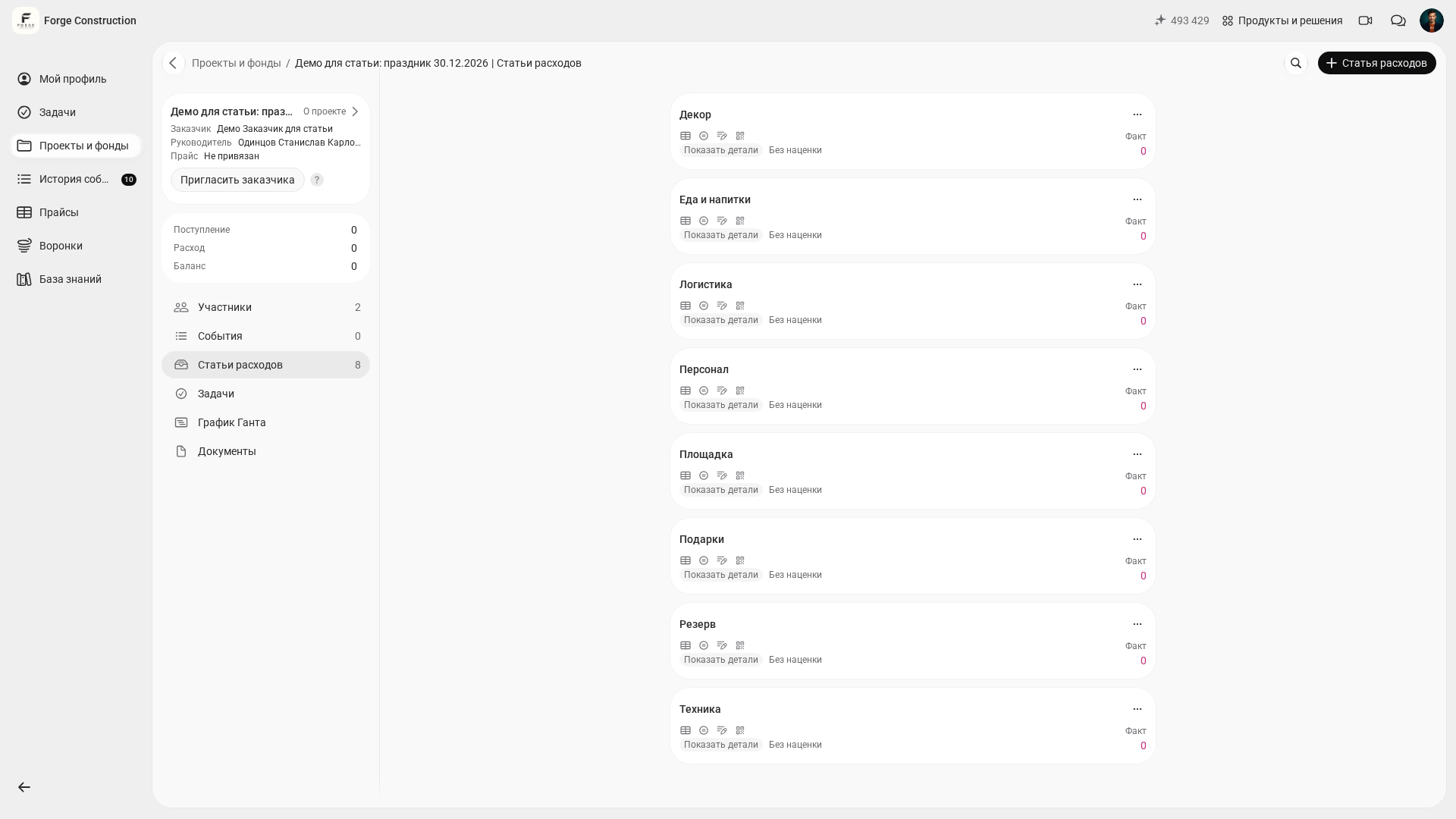
Define your expense structure at the outset. For example, you could start with 8–12 categories and adjust the list to suit your event’s format. You can then compare planned and actual costs by category and gather useful data for future events. The 101 blog explains expense categories and how to allocate costs in “Allocating Expenses by Category” (in Russian).
How do you build an event estimate in the 101 app?
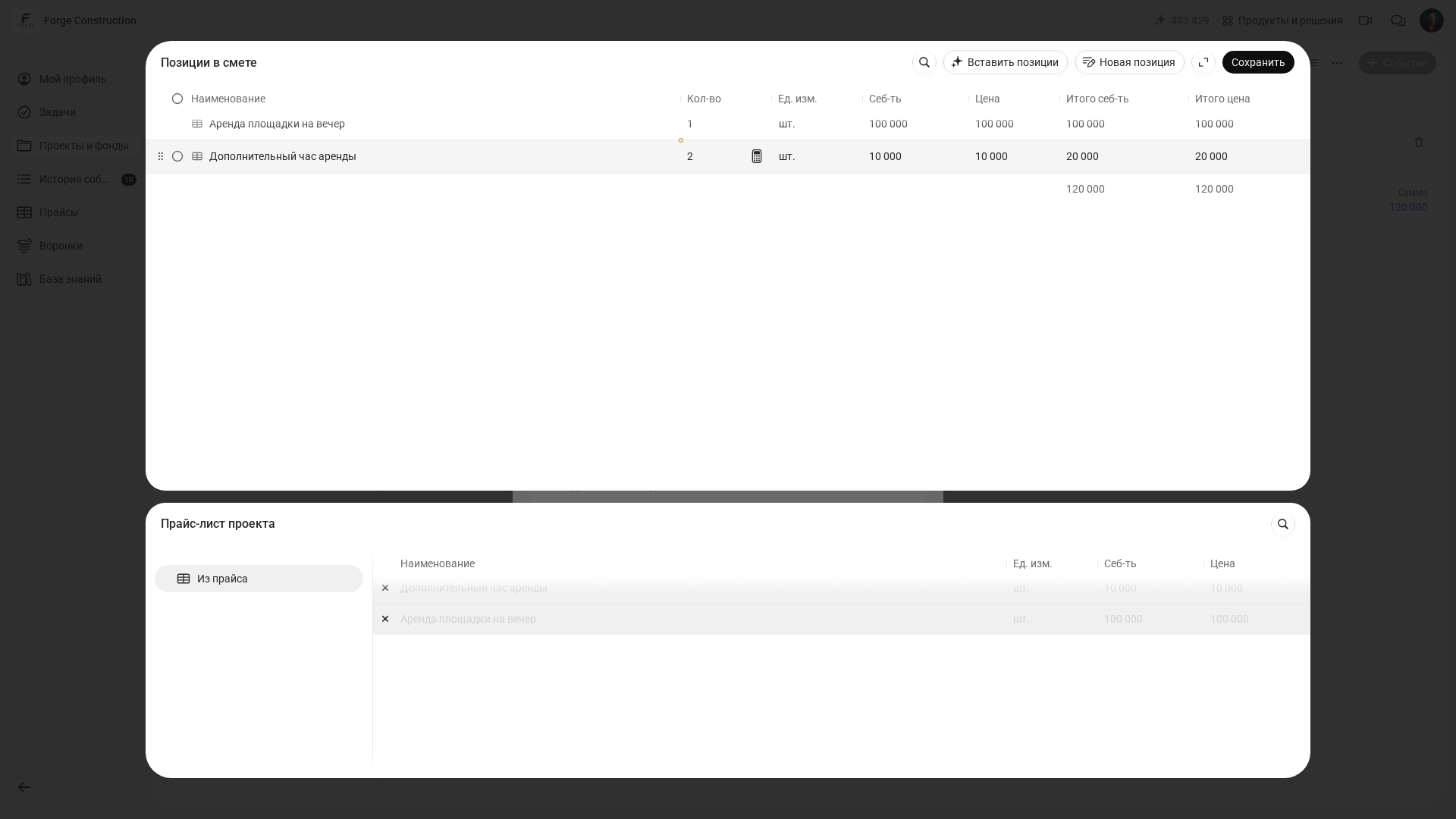
In 101, an Estimate is a project record in which you build up planned costs from individual line items: rental, catering, a host, decorations, transport and gifts. Break the estimate into separate items so that you can revise each one when a contractor’s quote changes. A single line reading “event—500,000” does not show how the total was calculated.
Make it a habit to ask contractors to price their part of the work using the same terms as your estimate. Ask the decorator for decoration items, the technicians for lighting and sound items, and the venue for separate lines covering rental and extra hours. The same approach can be used on a construction project: each contractor estimates their section, and the manager brings the totals together in one document.
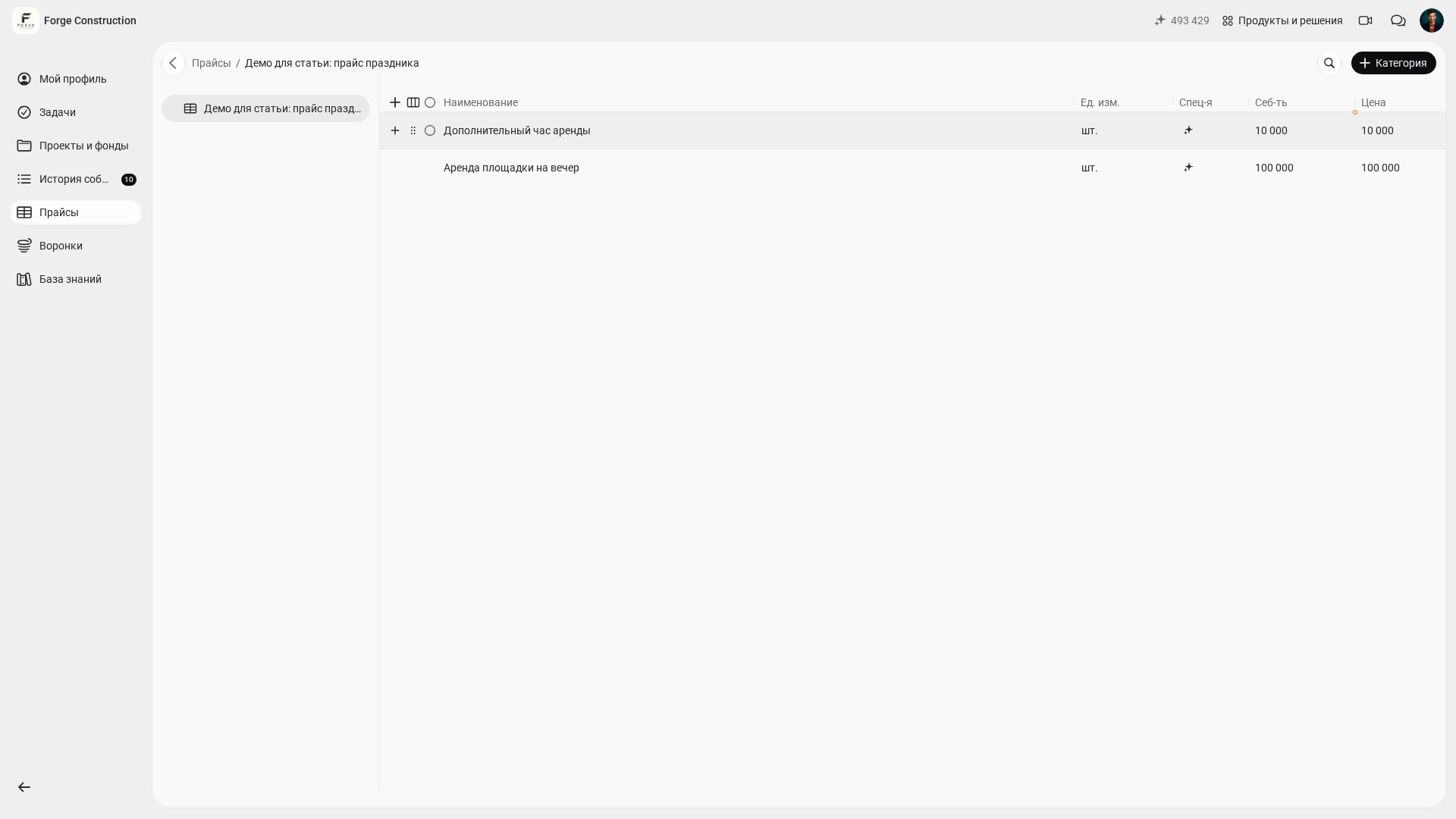
If items recur from project to project—say, “DJ for 5 hours”, “photo area” or “taxis for guests”—create a price list for events. Building an estimate then becomes a matter of choosing existing items, entering quantities and getting the total. If some of your calculations are in spreadsheets, importing them can help. See the 101 blog article “Quickly Importing an Estimate from Excel into the 101 App” (in Russian).
Here is a practical sequence for putting together your event estimate in one sitting.
- Create a separate project for the event. Including the event name and date in the project name makes its history easier to find later.
- Add expense categories to suit the event: venue, food and drinks, decorations, equipment, staff, logistics, gifts and contingency.
- Create an Estimate record—a preliminary cost calculation—for the selected expense category and add the line items. Prepare separate estimates for the other categories, then add their totals together to build the overall event budget.
- Decide on a contingency allowance for your event’s risks. For example, you might set aside 10–15% of planned costs as a separate line for extra hours, urgent delivery or equipment rental. This is an example of an organizer’s decision, not a required standard: the allowance depends on your contracts and how uncertain the costs are.
- Prepare the basic documents: the venue contract, contractor quotes, the schedule, a floor plan and performers’ riders. The relevant project record’s form includes a file attachment area.
Planned vs. actual costs: how do you distinguish estimates from money movements?
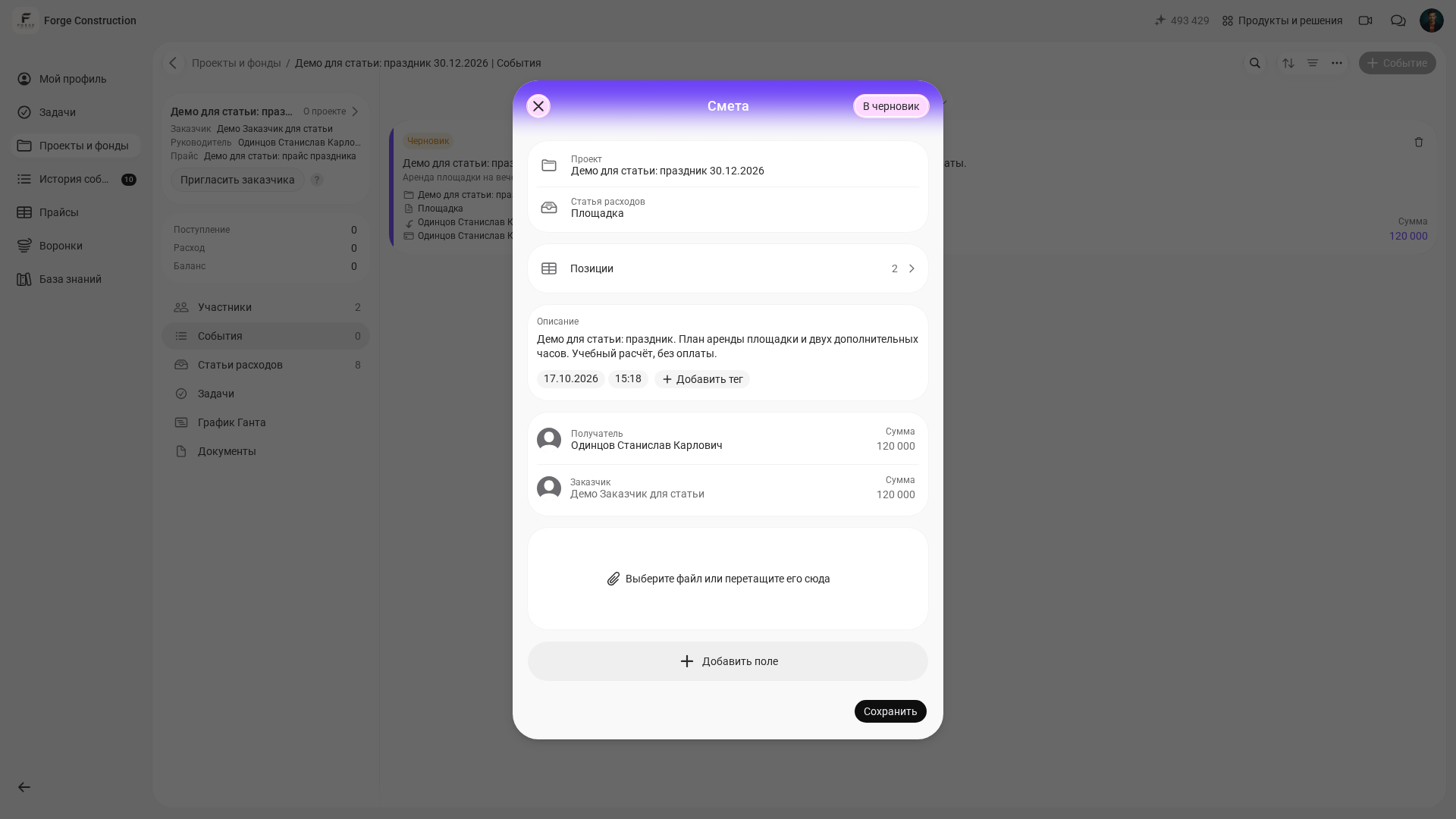
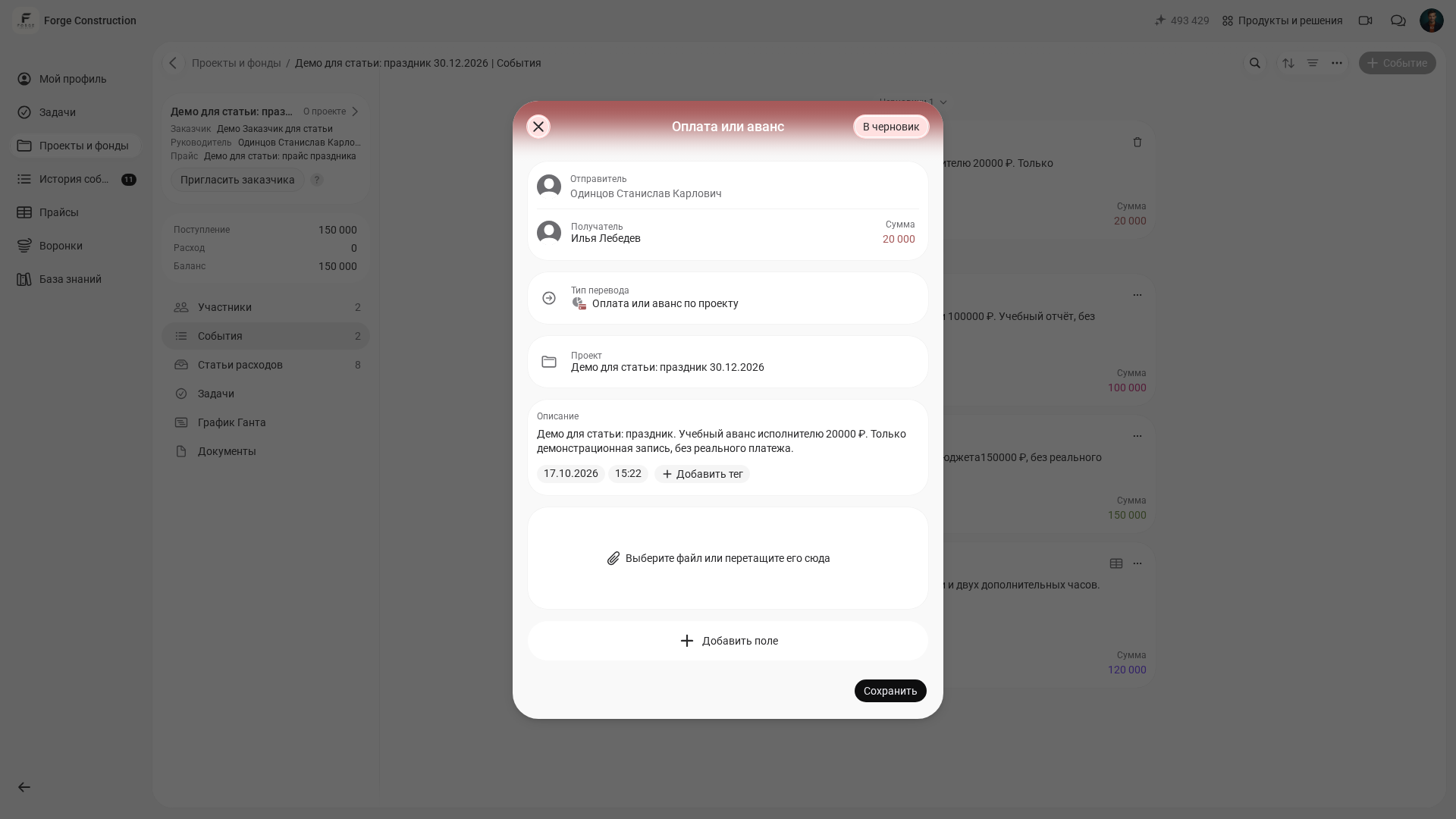
In 101, it is important to distinguish planned costs, actual expenses and transfers of money. An Estimate shows the planned cost. Reports record completed work and purchases; Income records money received, and Transfers record money passed on. An estimate alone confirms neither that work has been completed nor that payment has been made.
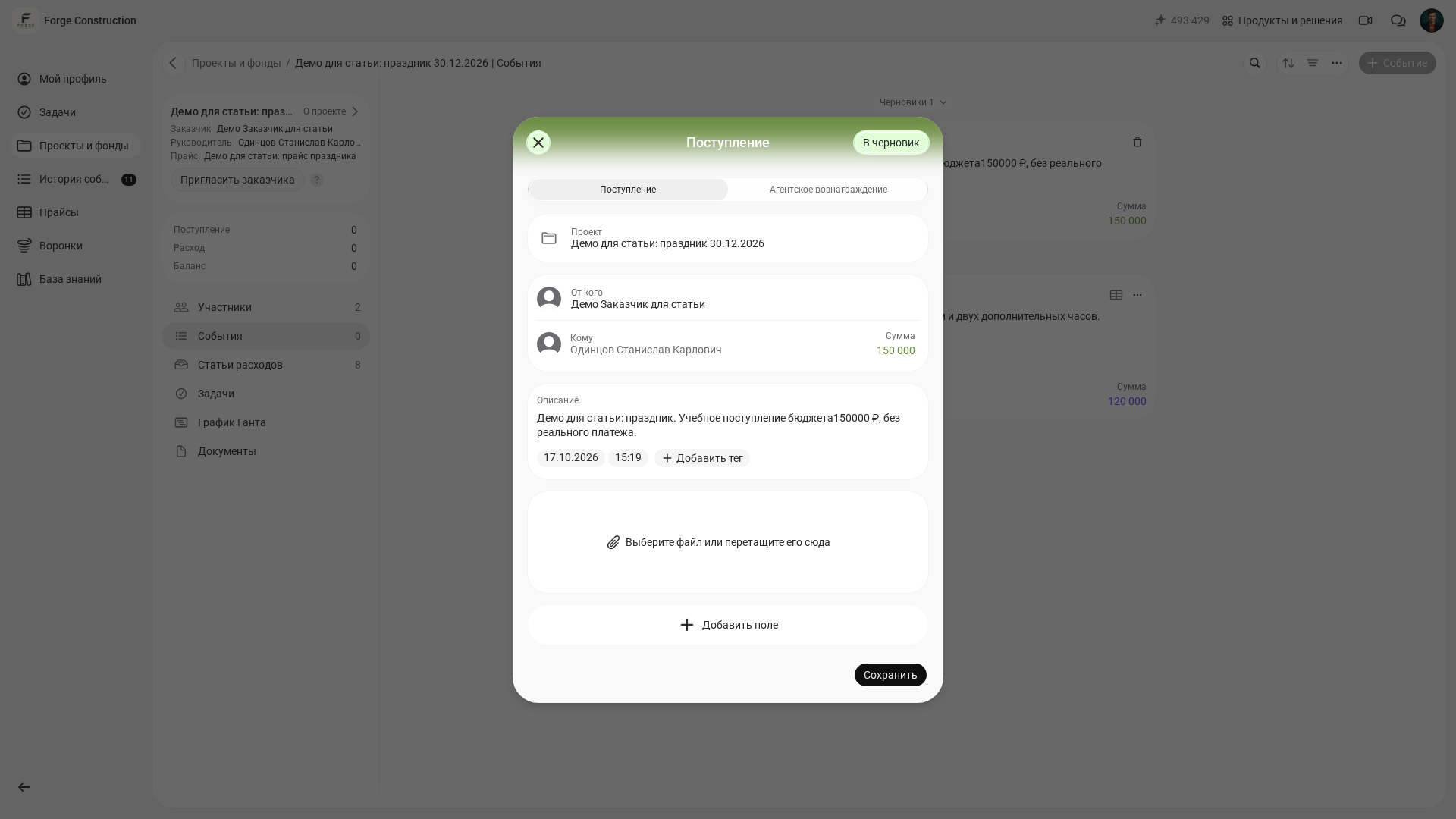
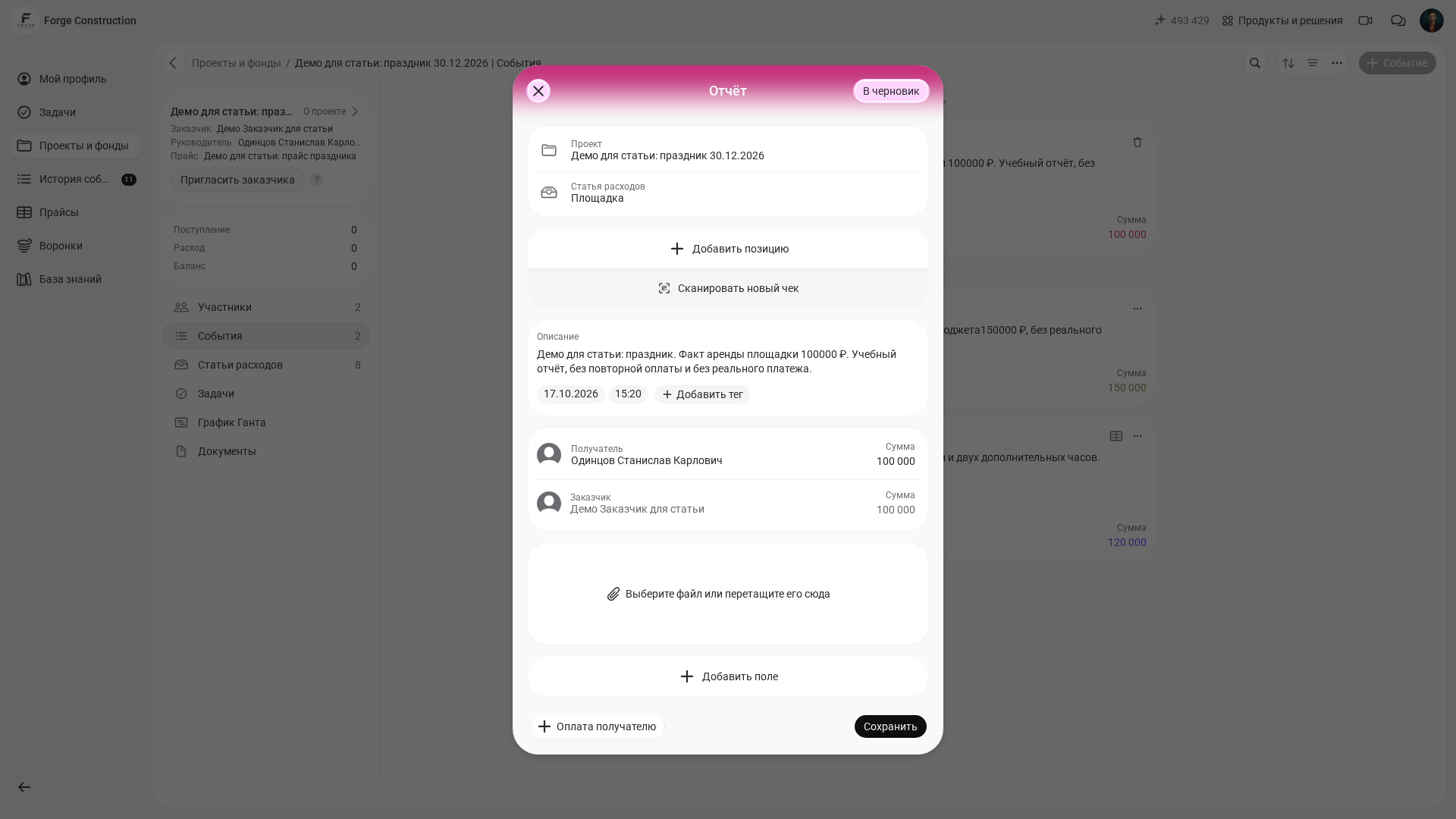
An Estimate shows planned costs and does not change the project balance by itself. Income records money received, while a Report records completed work or materials purchased. The project balance is the difference between income and recorded expenses; it is not the amount held by a particular participant. Read more about this distinction in the project balance help article (in Russian).
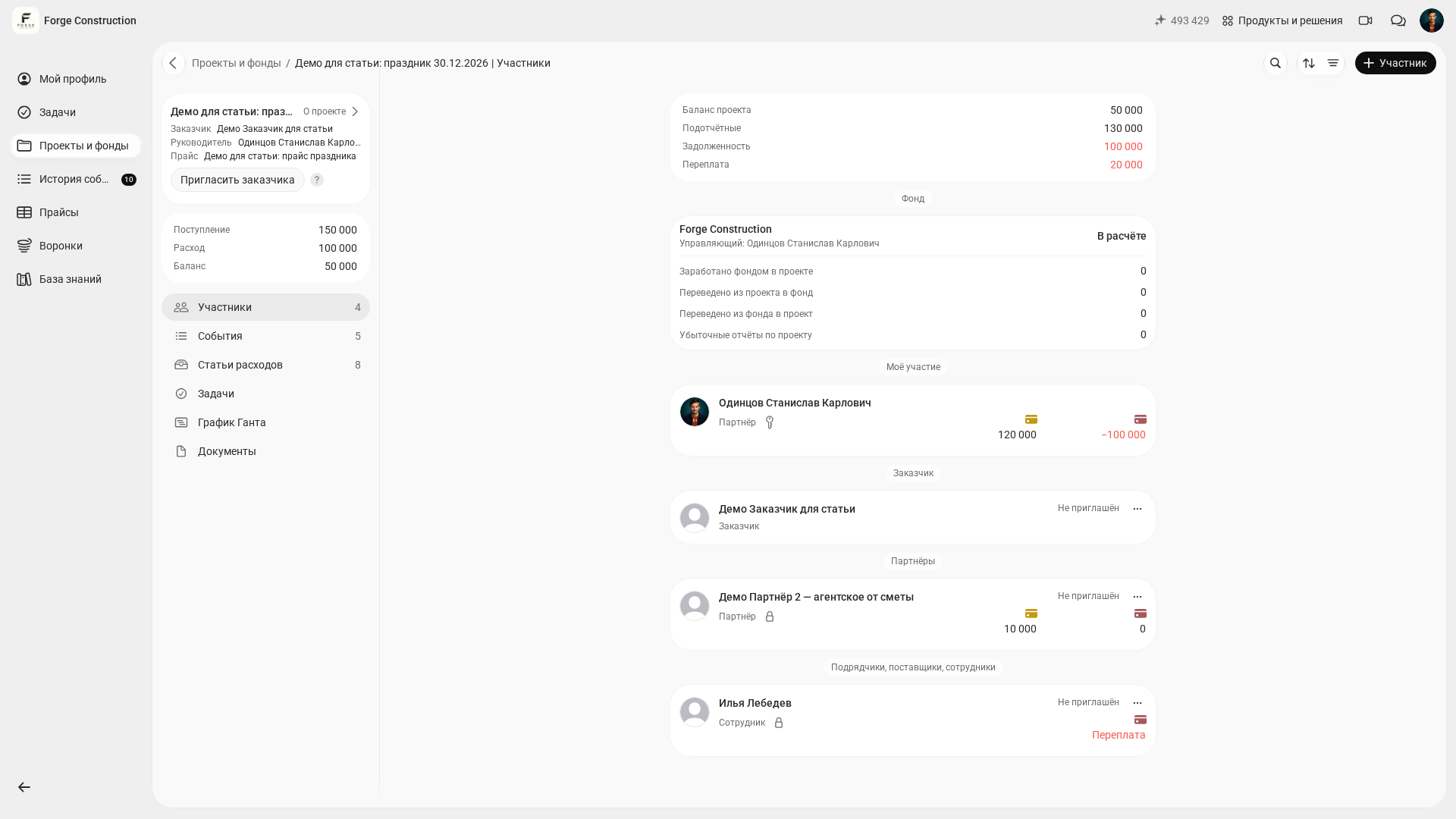
For a company party, for example, record receipt of the budget as Income in the project, and gifts or a cake purchased as a Report. Record money passed to a contractor, including an advance, as a Transfer; record the completed work or purchase in a Report. Do not add an advance that has already been recorded as a new payment a second time. After the records have been confirmed, check the calculated project balance and account for participants’ funds separately. The sequence is explained in the Transfers help article (in Russian) and the Reports help article (in Russian).
For a closer look at managing a budget through a project, read “Project Financial Management: Managing a Budget and Keeping Track of Money in the 101 App”.
Contractors, advances and accountable funds: keeping the records in order
Decide in advance how you will record preparation advances, purchases backed by receipts and extra charges on the day. In the 101 app, this calls for consistent tracking of accountable funds and transparent records of settlements with contractors.
If a team member receives cash or money on their card to make purchases, track it as accountable funds—money entrusted to them for spending. You can then see how much has been issued, how much has been spent, how much remains and who has yet to account for it. The 101 blog covers this in detail in “Accounting for Accountable Funds” (in Russian).
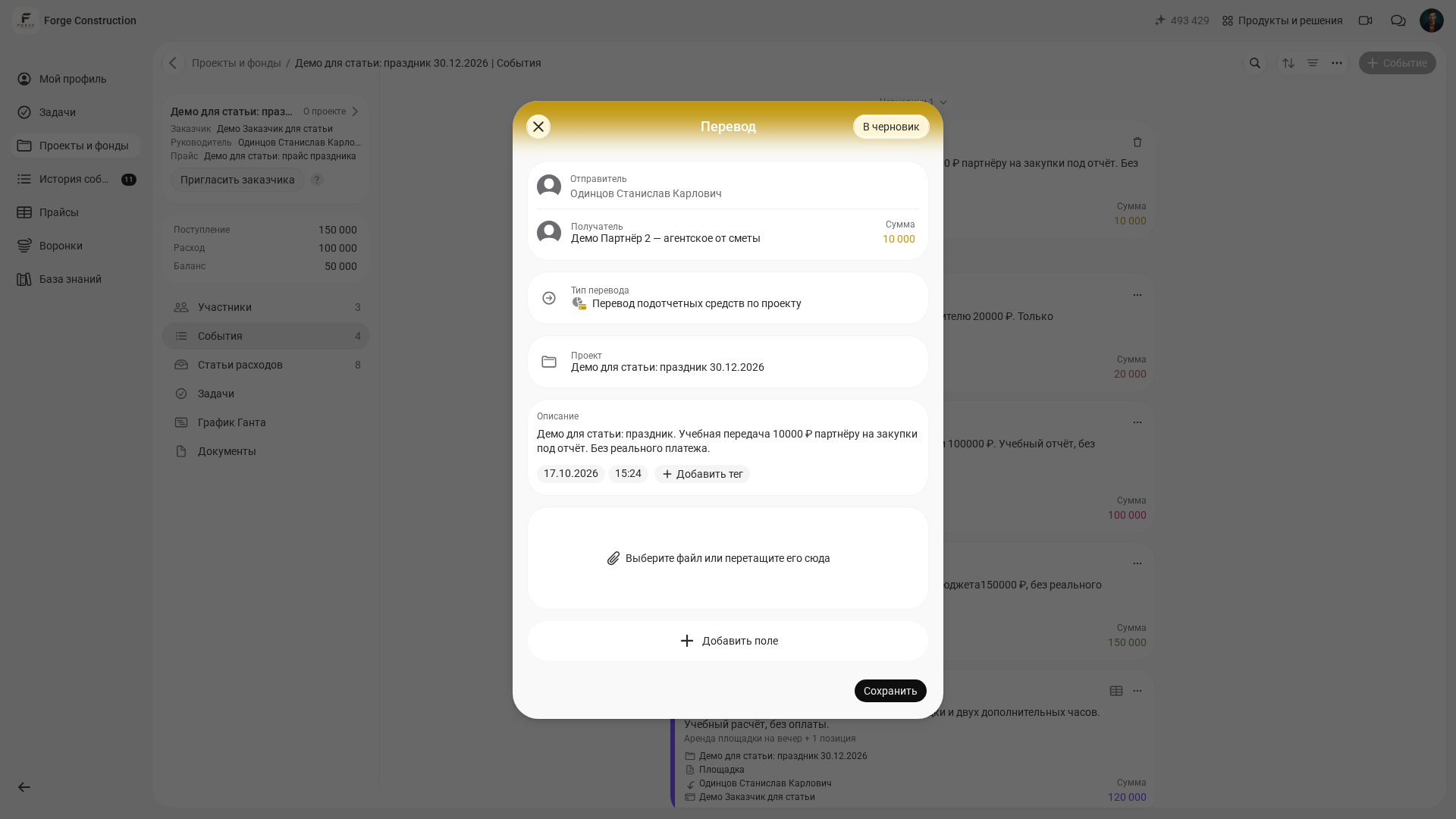
This also makes life easier for contractors. The lighting technician attaches completion documents to their expenses, the decorator attaches receipts for materials, and the coordinator records logistics expenses. The project manager can see the overall balance and outstanding amounts without asking everyone to “send it again”.
If your business regularly holds company parties, marks special occasions or gives gifts, it can be useful to set aside a separate funding source for them. PRO+ includes the Company Fund for recording shared internal expenses. You could consider this approach for recurring events, first defining how the fund will be replenished and what spending rules apply. The mechanism is explained in “A System of Funds for Business” (in Russian).
After the event: a quick review and a starting point for next time
The event is over and your attention has moved on, but some expenses arrive later: final invoices, deliveries, prop repairs and extra shifts. Closing out the project turns “we seem to have stayed within budget” into a clear figure.
In 101, you can review costs by category: where spending exceeded the plan, where you saved money and which items appeared at the last minute. Save the list of categories and items as a starting point for the next event’s budget. Before the next event, review the costs included, the prices and the quantities: the previous calculation is a reference, not a guarantee of future costs.
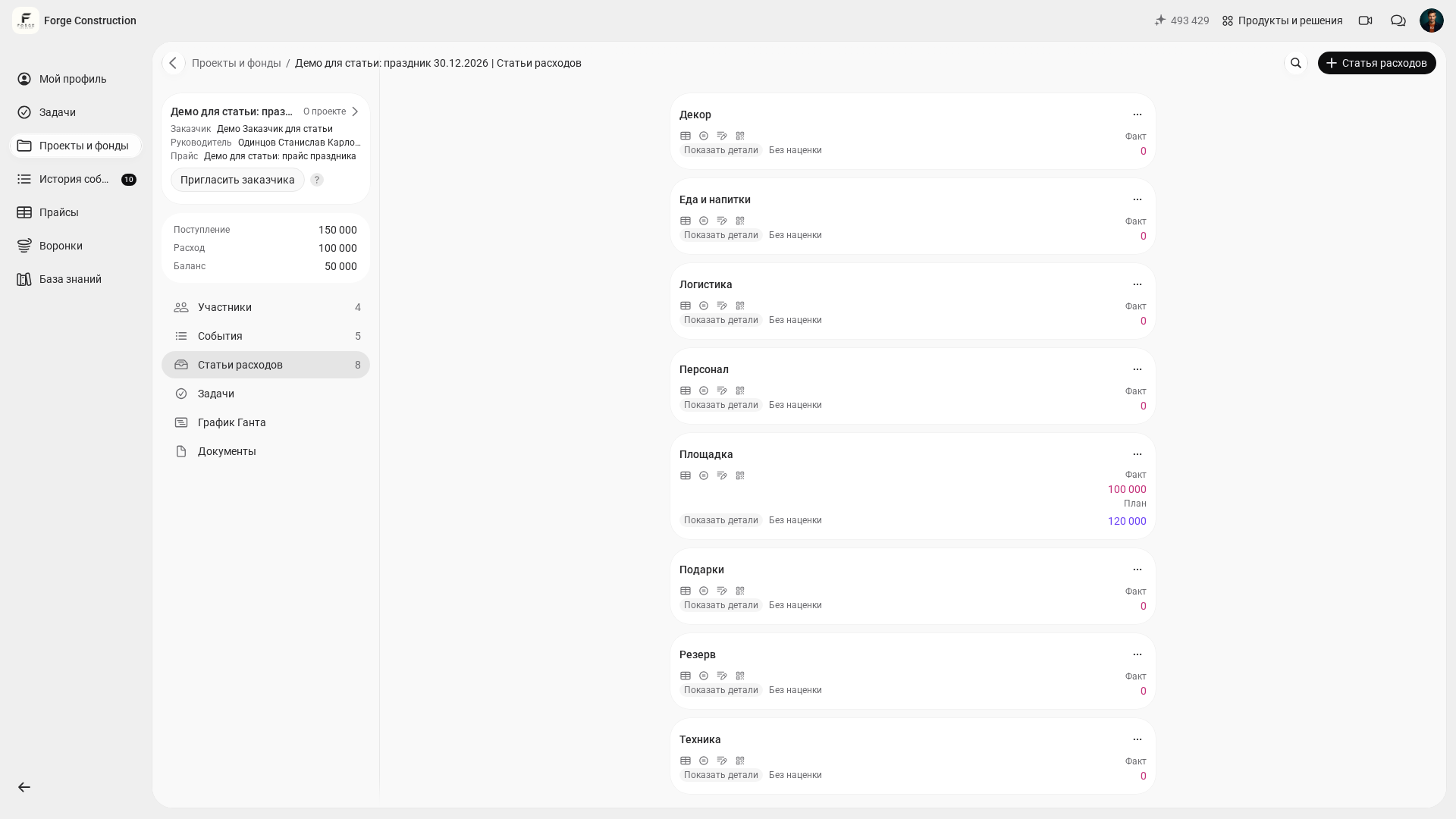
If you organized the event for a client—as an event agency or wedding planner, for example—you can present a clear result after closing out the project: the estimate, actual costs by category and supporting evidence. The 101 blog explores this approach for wedding projects in “Keeping Wedding Agency Finances in Order” (in Russian).