Contents:
What does a trial period mean in 101?
In 101, it is important to distinguish the FREE plan from trial access to the extended version. The free basic tools let you explore estimates and price lists. The trial period for the extended version is defined separately in the licensing terms; check its specific conditions against the current offer.
You can start exploring 101 by creating estimates and working with price lists free of charge. Check access to event recording, confirmations and other operations against your current plan and permissions. Prepare a workflow involving a project, a client and a team, then compare the actions you need with the features available to you.
The license agreement (in Russian) defines the trial period as initial access to the extended version without a license fee, unless the plans provide otherwise. Check the duration and conditions of this access in the current offer for your account. The current agreement does not specify a fixed three-month period.
What is included in the free plan (FREE)?
When exploring 101, it is useful to evaluate the full project workflow: the initial estimate, recording completed work, money movements, confirmations and documents. Before testing, compare the operations you need with the current plan and participants' permissions. This will help you assess how connected records can replace scattered conversations and separate spreadsheets with a clear picture of the project.
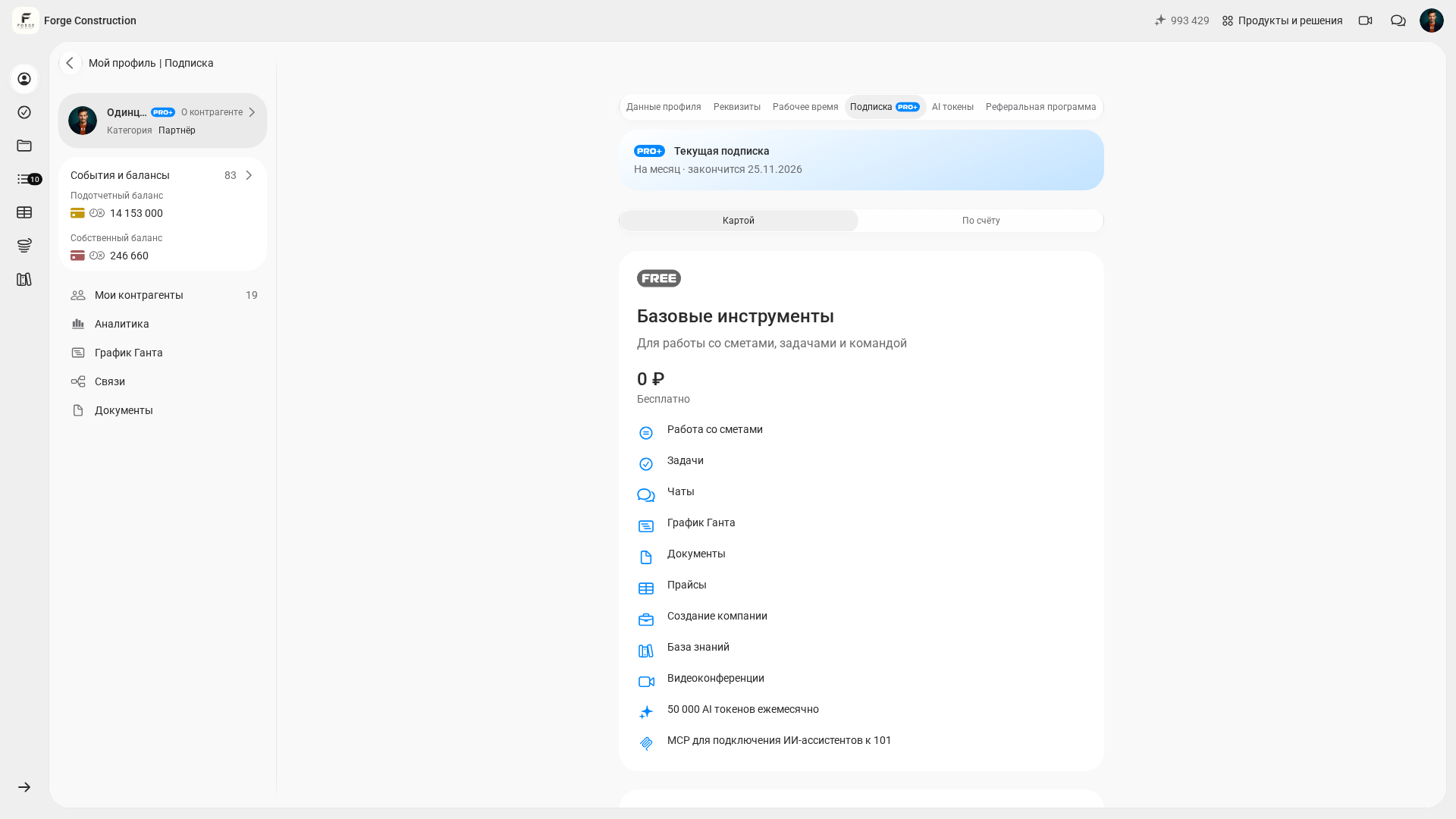
Here are the parts of the workflow worth evaluating as you explore 101:
- Projects and counterparties: prepare the project, team, contractors, suppliers and client, taking account of the available actions and participants' permissions.
- Events are the basic unit of record keeping. «Смета» (Estimate) records an initial calculation, «Отчёт» (Report) records completed work or purchased materials, «Поступление» (Money received) records receipt of money, and «Перевод» (Transfer) records its transfer. There is a separate workflow for agency fees. Check which actions are available under your plan and permissions.
- Event limits: check the current conditions for project events and the company Fund under «Подписка» (Subscription), including the scope of each limit.
- Price lists: the free basic tools help you build estimates from prepared line items and keep prices in one place. The actions available for a particular price list depend on access permissions.
- Client confirmations: check which events you can show and confirm under your plan and participants' permissions, so that a record of agreements is kept within the project.
- Recording expenses with receipts: when the reporting feature is available, record completed work and purchases together with supporting receipts or photos. This helps you record expenses on the day they occur.
If keeping a history of agreements matters to you, understand event confirmations in advance. The article Accepting work without a completion certificate: how digital confirmations can help in a dispute (in Russian) explains this approach and examines its legal conditions in Russia. If you would like to see how events work through a practical example, book a 101 demo below.
Estimates during the trial period (FREE!)
You can create estimates in 101 free of charge. A «Смета» (Estimate) event is an initial calculation linked to a project, used to plan future work and purchases. Reports later record what has been completed, while money received and transfers record money movements. Connecting these records in one system helps you compare the initial estimate with the project's progress.
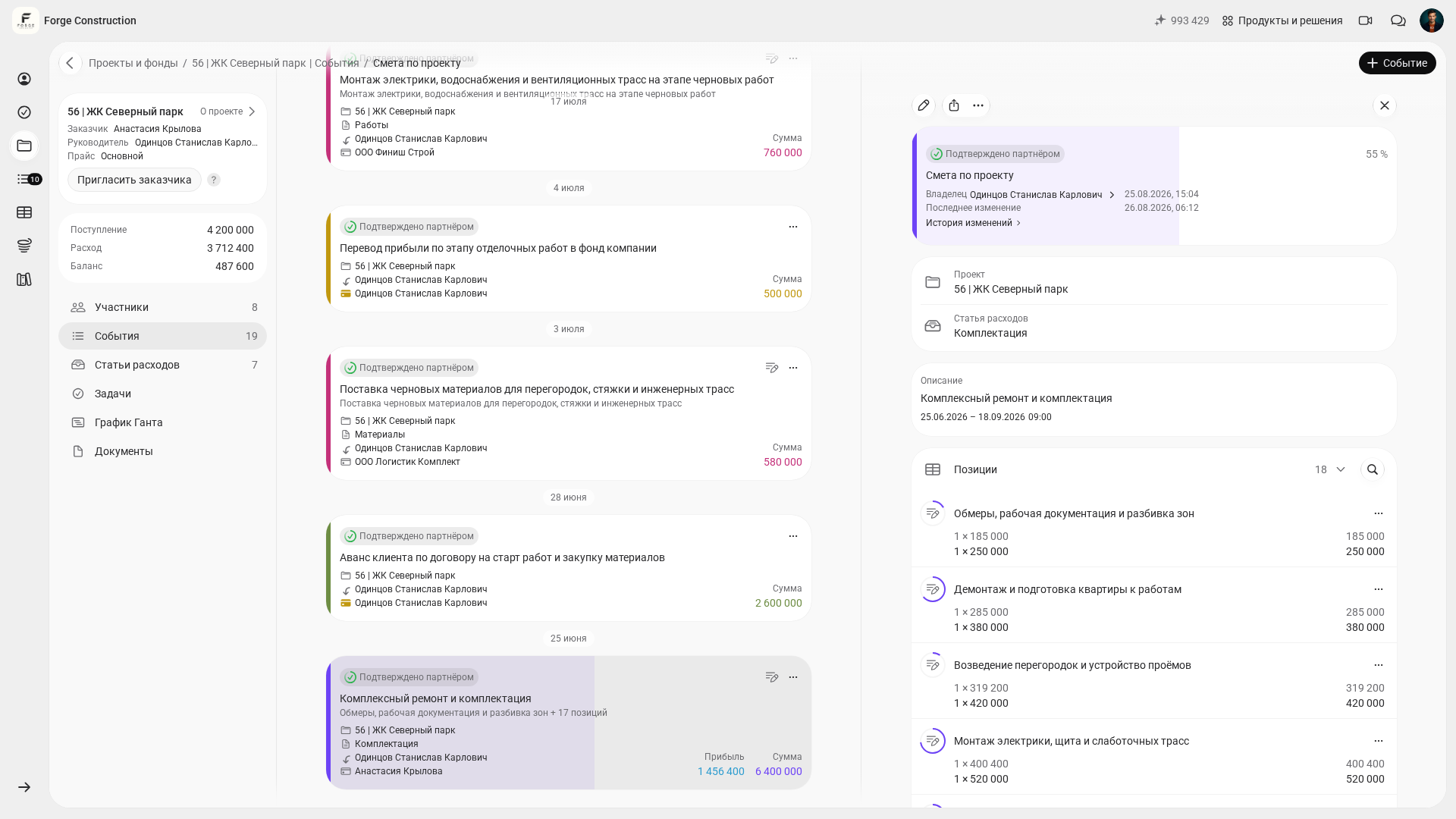
The usual process is to discuss quantities on site, build an initial estimate from a price list and send it to the client. As work progresses, you create reports and compare planned costs with recorded expenses. The receipt and transfer of money are recorded separately. If you do not yet have a price list, you can build one in the app and add to it as the work progresses.
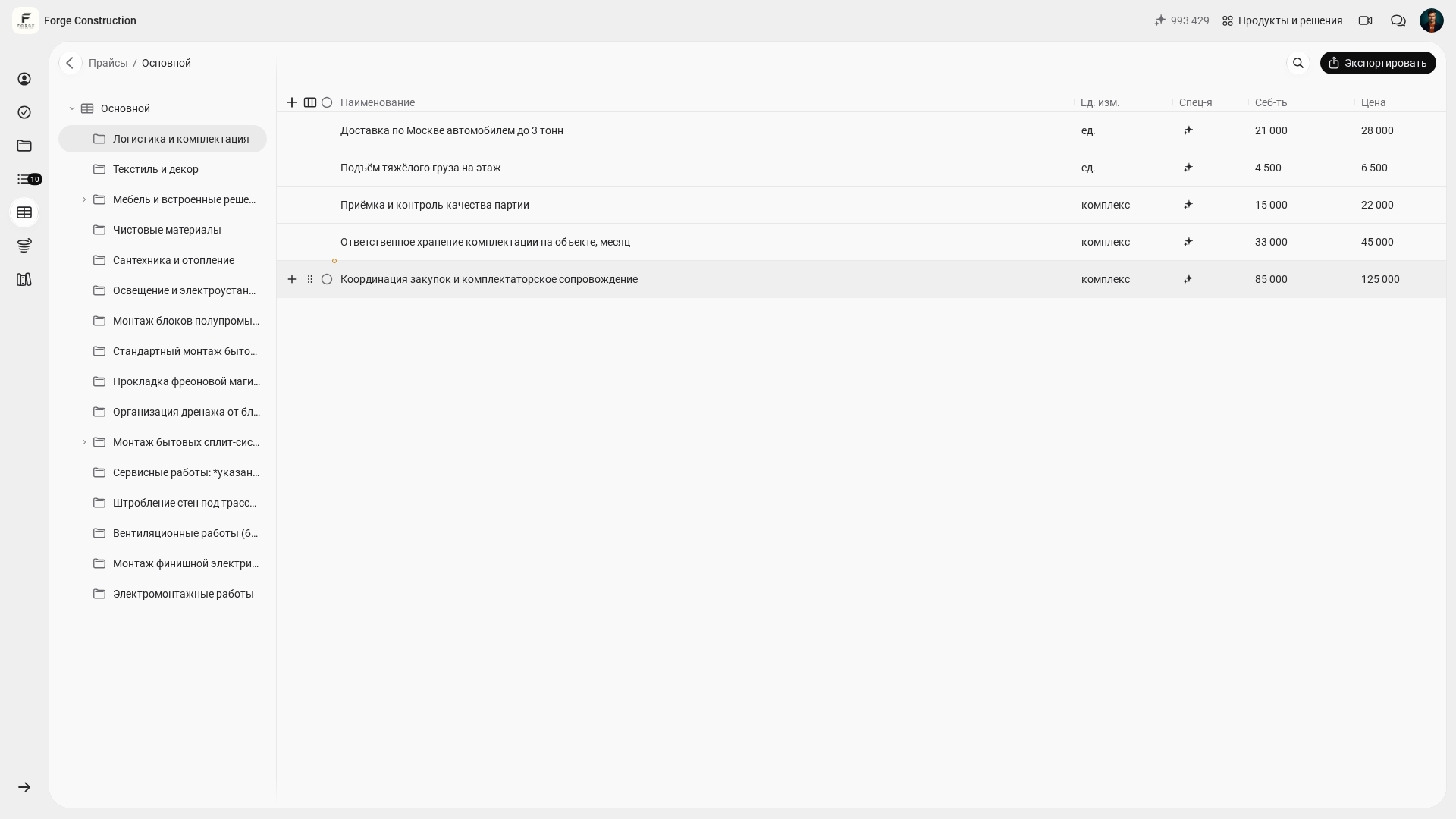
Two articles from the 101 blog explain the basics of estimates during the trial period:
- How to create an estimate in 10 minutes — to move quickly from a price list to a completed estimate.
- Quickly importing an estimate from Excel (in Russian) — when your calculations are already in spreadsheets and you need to transfer them without retyping them manually.
For a closer look at when to stay with Excel and when to bring cost calculations and financial records into a single accounting system, see the comparison Excel or the 101 app for estimates and finances (in Russian). To keep your price list from becoming a jumble of items, read the article on the importance of a well-structured price list.
API access and integrations in 101: what is available?
If you need to exchange event data and automate work, start with the current documentation for the 101 public API, the interface for programmatic access (in Russian). It is available on PRO+, subject to user permissions. The current guide explains JWT authorization (checking access with digital tokens; in Russian). Check methods, parameters and response models against the live OpenAPI specification, the current description of the programmatic interface.
The current connection guides are collected under Integrations (in Russian). It covers amoCRM, Bitrix24, MCP (connecting AI assistants to the service's tools), the public API, Yandex Disk and the ChatGPT plugin (an add-on). If you want to connect 101 to your CRM (customer relationship management system) or internal reporting, first define the task: creating events, exporting data, documents or notifications. Check support for the specific connection and its access conditions in the current guide.
What changes after the trial period: PRO and PRO+?
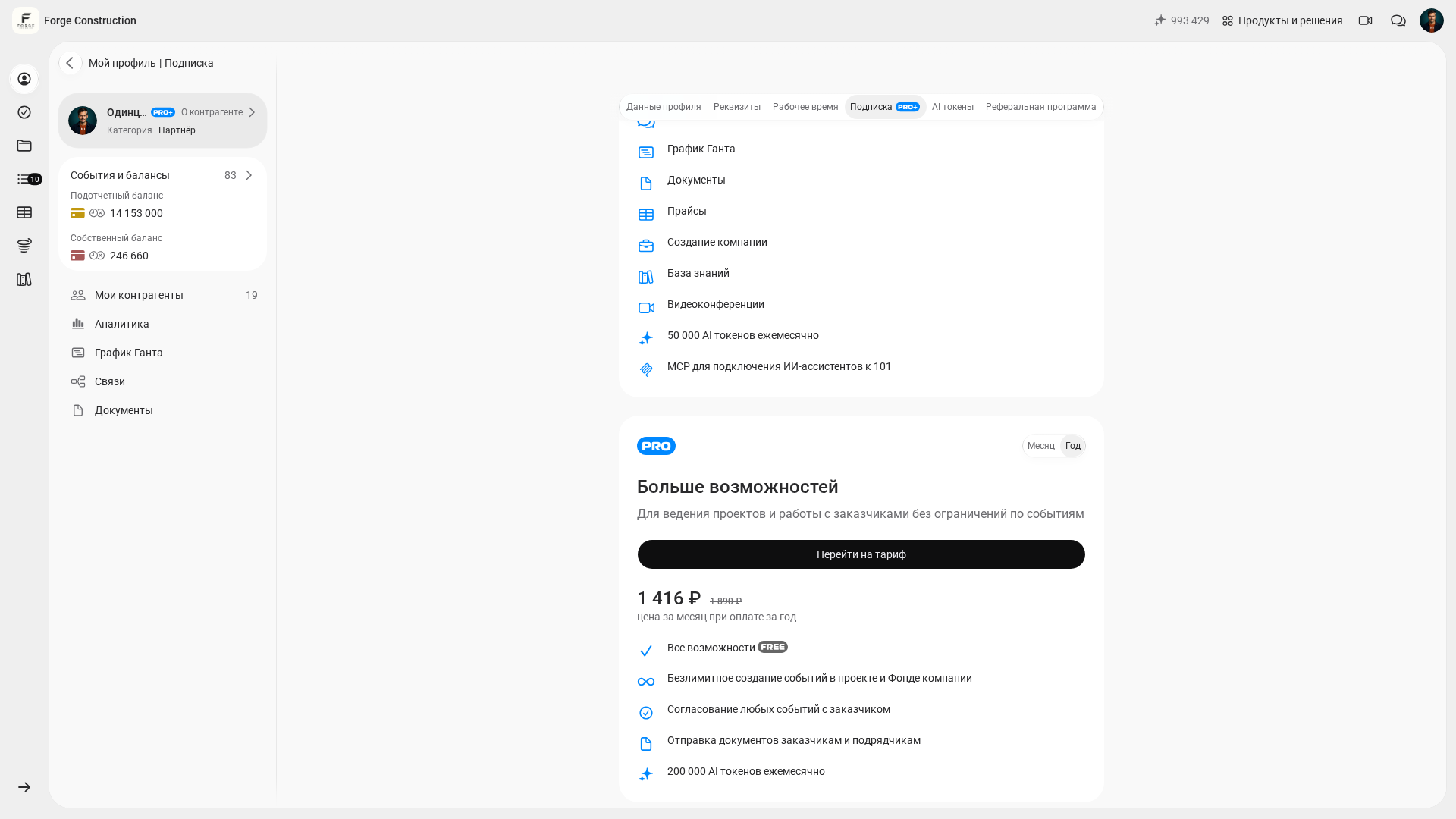
Free estimates and price lists help you explore calculations in 101. For regular record keeping, compare the project's needs with the current PRO and PRO+ terms. Allow for separate reports on work and purchases, money received, transfers and additional expenses: these are different events whose availability and limits you need to check before starting work.
- PRO: the card shown lists all FREE features, unlimited event creation in a project and the company Fund, confirmation of any events with the client, and sending documents to clients and contractors. Check the terms for the selected billing period before you pay.
- PRO+: the public documentation confirms API access. Check which advanced analytics, document preparation and company Fund features are included against the current plan card and your permissions. Before paying, check the selected billing period and the offer in your account.
A 7-day plan: how can you evaluate 101 on a real project?
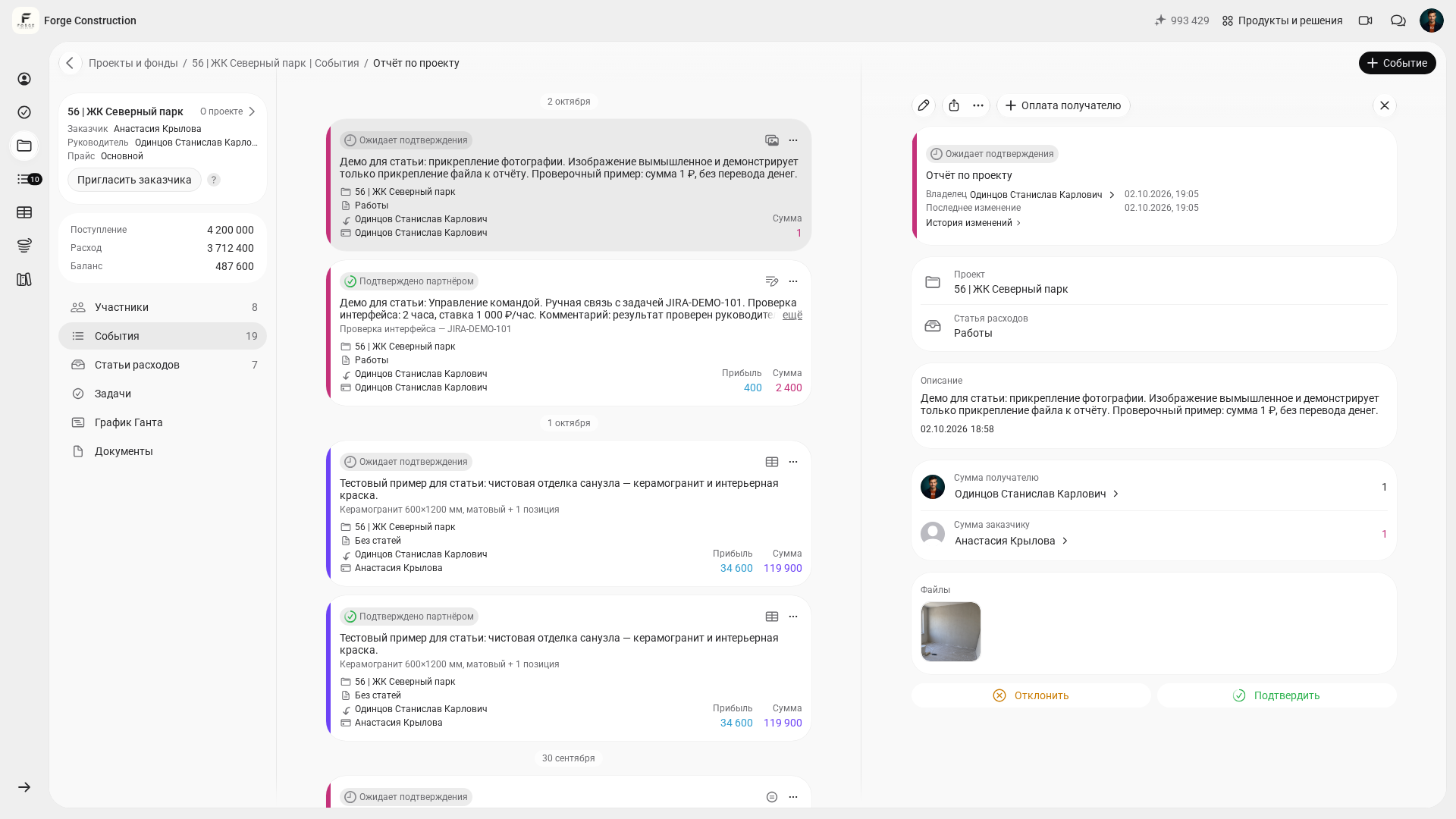
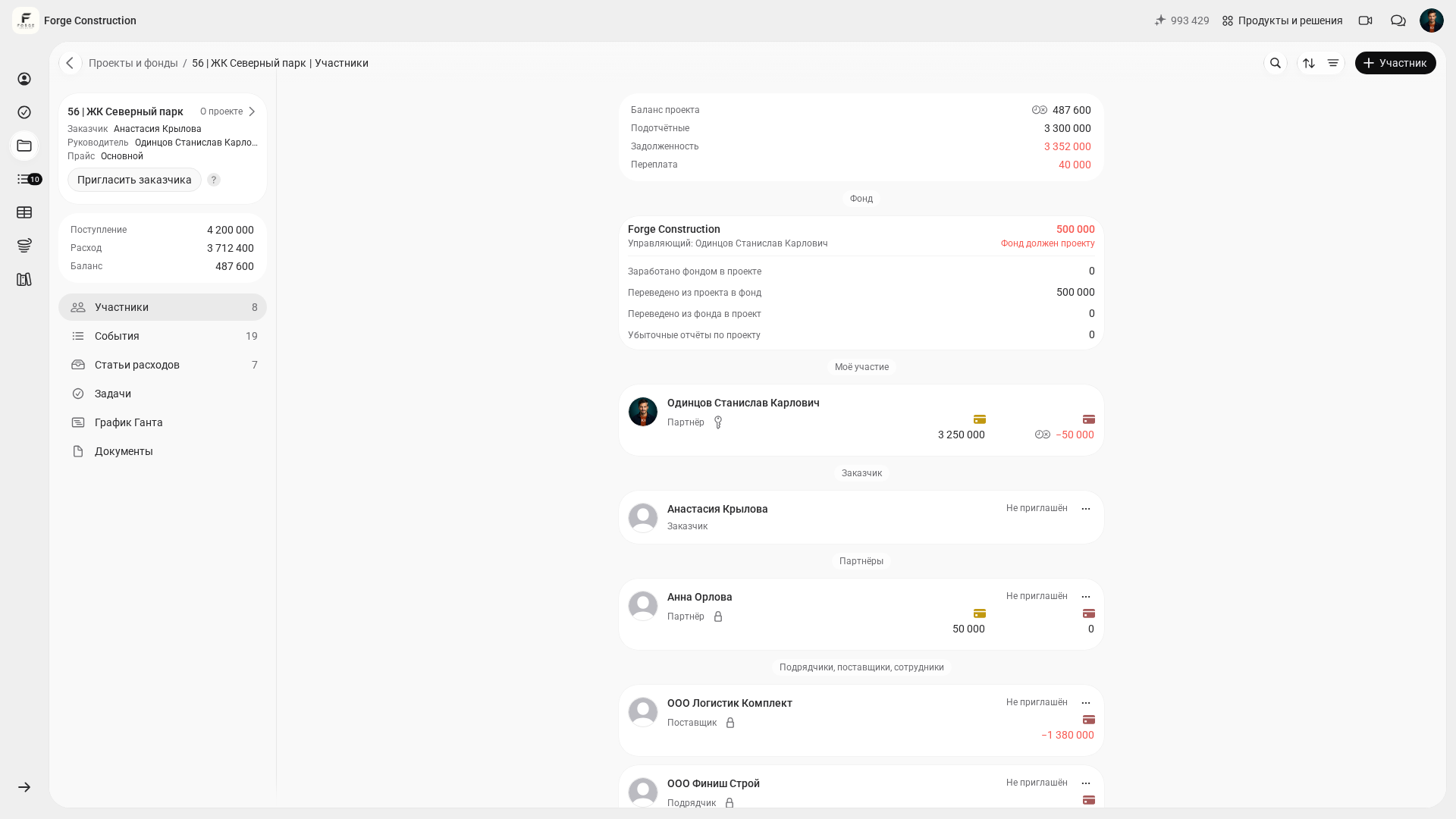
It is useful to explore 101 through a tested working scenario: one project, one team and a week of consistent record keeping. This plan helps you decide whether an event-based approach suits your processes. Seven days is an example of how to organize your evaluation. Check the duration of trial access against the current conditions. The plan below is for your own evaluation. The screenshots illustrate existing demonstration records and their current statuses.
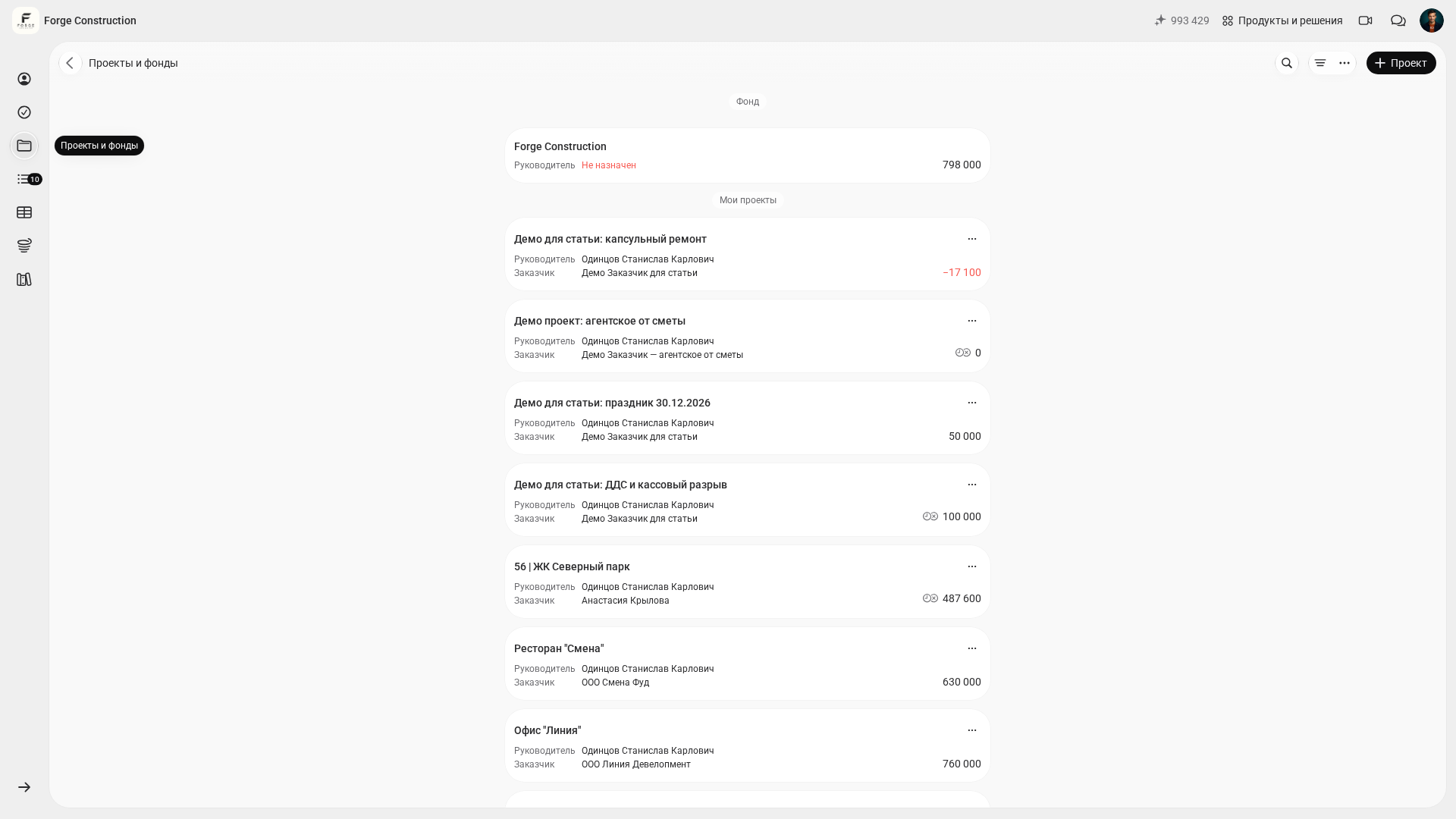
- Choose one current job and create a project in the 101 app, taking account of the actions available to you.
- Add a price list manually or import one so that you can build estimates from prepared line items; check the result after importing.
- Prepare an estimate as an event and check its line items and calculated amounts. Identify the terms you will need to agree with the client.
- During the week, record purchases and completed work on the day they occur: a report, an expense category and a supporting receipt or photo, when the feature is available.
- Check the project participants and the client's invitation status. Clarify the confirmation process under your plan and permissions, and schedule one event confirmation with the client as part of your week-long evaluation.
- At the end of the week, open the project balance and compare money received with recorded expenses. Separately review money transfers, funds held by participants and amounts still to be settled with participants.
If questions about the workflow, roles or permissions remain at the end of the week, work through a specific arrangement: who creates events, who confirms them and who can see the amounts. Your evaluation should leave you with a clear working process and a list of features your team needs.