Accounting for accountable funds on a construction site requires a connection between money issued, expenses and supporting documents. A site manager bought materials but lost the receipt. Cash was handed to a supplier without confirmation. The customer asks for a breakdown, and all you have left is correspondence and bank statements.
In the 101 app, actual transfers of money and expense reports can be recorded as separate events. They remain in the history, while the composition of balances depends on the counterparty category, transaction type and status. By comparing records with documents, you can check who received money, which expenses have been recorded and which amounts still require a report or settlement.
Contents:
- What counts as accountable funds, and why record them in 101?
- How does a counterparty’s accountable funds balance work?
- Events: how are accountable funds received and spent?
- Why is an advance to a tradesperson not yet a project expense?
- Connections and payment checks: what is being paid, and to whom?
- How can you establish an accountable funds procedure with regular settlement checks?
What counts as accountable funds, and why record them in 101?
In management accounting, accountable funds are money given to a participant for specified expenses, with an obligation to report how it was used. A typical construction scenario is that the customer pays an advance, you then pass an amount to the site manager, procurement specialist or crew leader, and that person spends the money on the project.
Checking becomes more difficult when the money has already changed hands but expense details remain in chats. The 101 app uses balances and events for this purpose: you reconcile funds issued, reports and settlements for each participant. The completeness of the figures depends on whether all necessary transactions have been entered and their statuses checked.
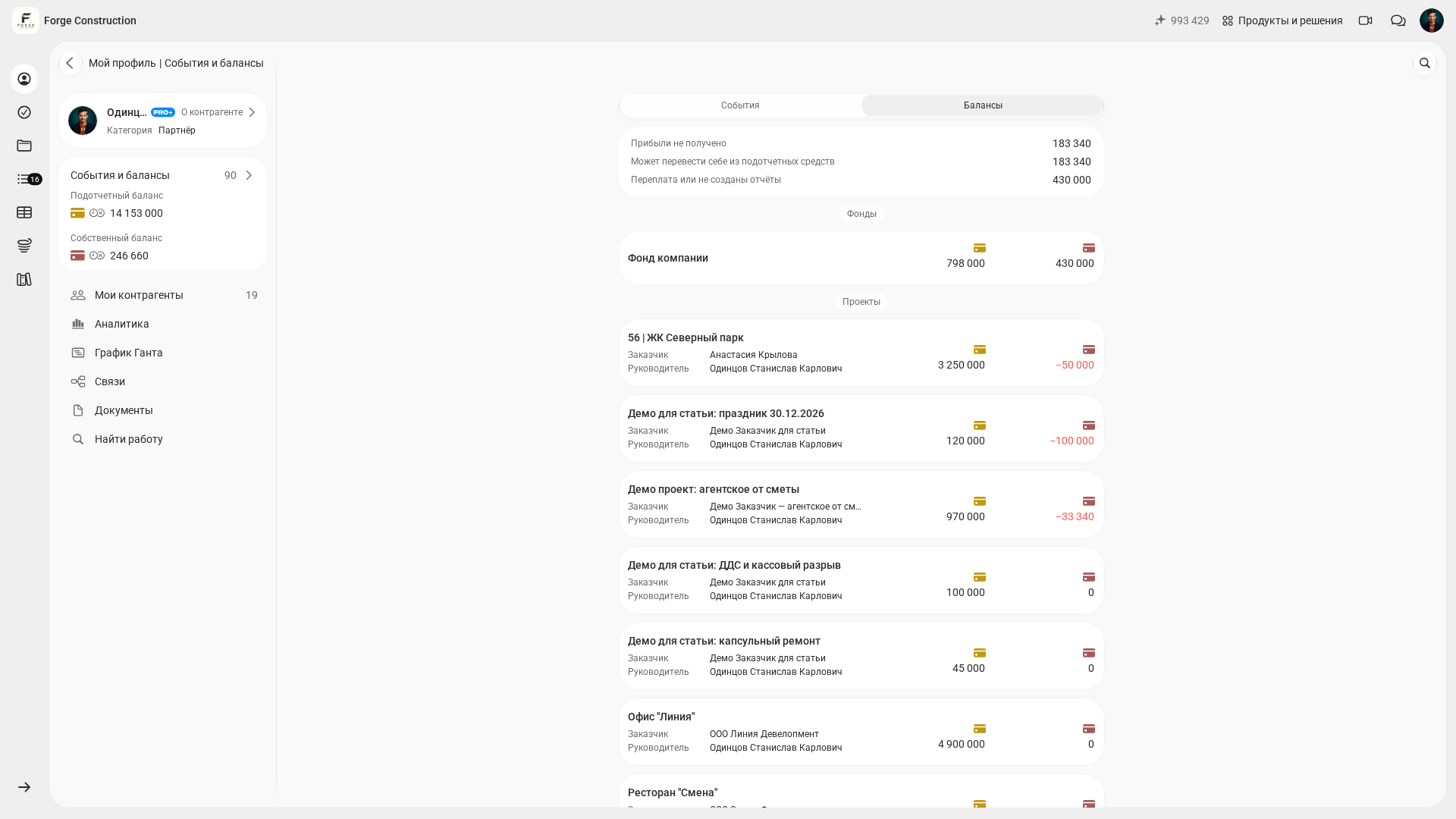
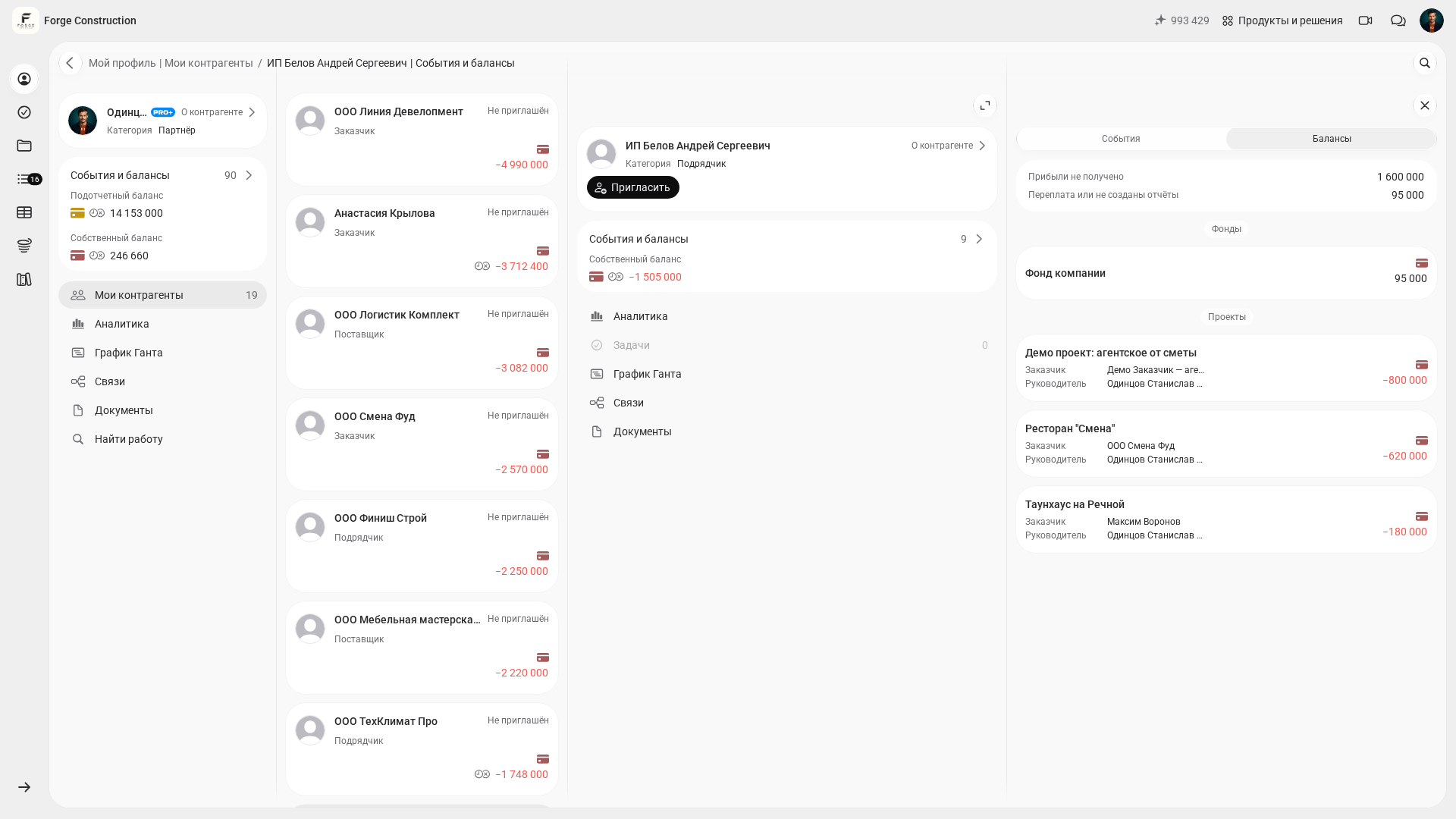
The figures shown in 101 depend on the counterparty category. A “Партнёр” (Partner) has separate own funds and accountable funds balances. Check settlements with an employee, supplier or contractor in their card, taking their category and transfer type into account. In the example below, the selected contractor’s own funds balance is visible.
To explore the underlying approach in more detail, see the separate blog article on how to account for accountable funds (in Russian).
How does a counterparty’s accountable funds balance work?
In 101, a counterparty is a participant in settlements: a customer, partner, employee, tradesperson, supplier or contractor. A partner’s own funds balance relates to earnings and settlements with that partner; the accountable funds balance relates to money for whose use they are responsible. For a partner, the own funds balance is calculated as money received into own funds minus earnings recorded in events. Do not automatically apply this interpretation of the sign to a customer or another figure.
In the web version, open “Мой профиль” (My profile) and the “Балансы” (Balances) tab. To view another participant, open “Мои контрагенты” (My counterparties), select their card and open the “Балансы” (Balances) tab. Check the name, category and relevant project or fund. The screenshots show the Russian interface of 101 in the fictional company Forge Construction, using the company owner’s account; all participants, amounts and transactions are for demonstration purposes.
To issue money for which the recipient must account when making project purchases, select “Перевод подотчётных средств по проекту” (Transfer of accountable funds for a project). For an actual payment or advance to a service provider, use “Оплата или аванс по проекту” (Payment or advance for a project). Specify the actual sender and recipient, project, amount and date. Before saving, check the transaction type and the applicable recipient balance: the purpose of the money matters for later reconciliation.
A real-life scenario: one site manager runs two projects in parallel, while customers send money on different days. Without proper records, the amounts are easy to mix up. The balance broken down by project shows each site separately and helps you notice when money has already been issued but a report is still missing.
Events: how are accountable funds received and spent?
In the 101 app, accountable funds are tracked through events. “Поступление” (Receipt of funds) records money received for a project, while “Отчёт” (Expense report) records an expense. “Перевод” (Transfer) records money passed between participants and does not itself create a project expense.
Reconcile receipts, funds issued and subsequent reports for the same project and participants. Check accountable funds separately from settlements for earnings. The available fields and balance type depend on the selected transaction and recipient category; one overall remainder cannot replace checking each record.
| Event | What changes | Its role in accountable funds |
|---|---|---|
| “Поступление” (Receipt of funds) | After confirmation, the amount is included in project receipts and in the actual recipient’s accountable funds | Records money received; check the sender, recipient, amount and date |
| “Отчёт” (Expense report) | Records a project expense, taking the event status into account | Contains details of purchases or completed work and supporting materials; creating the record alone does not mean the result has been checked |
| “Перевод” (Transfer) | Records money passed between participants; the applicable balances depend on the transfer type and recipient category | Distinguishes funds issued for which the recipient must account from a payment or advance to a service provider; check the project expense against the report |
Why is an advance to a tradesperson not yet a project expense?
Imagine that you have given a tradesperson an advance of 30,000 ₽ for work costing 100,000 ₽. The transfer alone does not create a project expense. A report on completed work records materials actually delivered and quantities of work actually completed. Your decision to issue money in advance does not yet confirm either an expense or a result.
Record the advance actually issued using the transfer type “Оплата или аванс по проекту” (Payment or advance for a project), with the actual recipient, amount and date. For the tradesperson, this is a settlement involving own funds; check the sender’s figures according to their category and project. The transfer itself does not create a project expense. Once the work is complete, create an “Отчёт” (Expense report) with the actual items and quantities. There is no need for another transfer of the 30,000 ₽ already issued. If the full value of completed work is 100,000 ₽, reconcile the remaining 70,000 ₽ separately and record it only when a new payment actually occurs.
What if the customer needs to see the advance immediately?
The main workflow is to record the actual advance through a “Перевод” (Transfer), followed by a report on completed work. If the customer needs a separate advance record before the work is finished, agree in advance on its purpose and how it will be reflected in project expenses. A report recording an advance must describe that fact precisely; it must not list quantities of work that have not been completed. The ability to save a form without line items does not itself establish grounds for recognizing an expense.
- If a separate advance report has been agreed, create one record for the 30,000 ₽ actually transferred, with a clear description such as “Advance to tradesperson; work not yet completed”. Do not add uncompleted work items, and account for the transfer of this amount already entered.
- After the work is complete, compare the original record with the actual items, quantities and documents. Agree with the person responsible on how the report should be updated: before changing it, check its current status, editing permissions and how the previous advance has been recorded.
- Ensure that the expense is recorded only once. A second report for the full 100,000 ₽ on top of the 30,000 ₽ previously recorded, without a corresponding adjustment, will double-count the advance.
- Agree with the customer in advance on how changes will be checked. Access to the record depends on their participation and permissions; an automatic notification is not guaranteed in this scenario. Check that the agreed information has actually been communicated and understood.
- Reconcile the settlement with the tradesperson: with a total cost of 100,000 ₽ and 30,000 ₽ already issued, 70,000 ₽ remains to be paid. Record the new payment as a separate transfer on its actual date, without issuing the original advance again.
| Situation | What to record in 101 | What to check for the project |
|---|---|---|
| You issued an advance on your own initiative | A “Перевод” (Transfer) of the type “Оплата или аванс по проекту” (Payment or advance for a project) to the actual recipient | The money transfer is recorded once; check the work expense against the subsequent report |
| The customer agreed to a separate advance record | The agreed record of the actual advance, with a precise description and no uncompleted quantities of work | The basis and procedure for recording the expense, the record’s status and the absence of a second inclusion of the advance |
| The tradesperson completed the work | Actual items, quantities and documents, with an agreed update to the original record | The full cost is recorded once; the advance already issued is included in the settlement with the tradesperson |
When reconciling records, check the specific event type and status. Confirmation by the person responsible and acceptance by the customer are different actions, available to participants with the appropriate permissions. Saving a record does not yet mean it has been confirmed or that money has actually changed hands. In the practice pair below, the report and payment were saved with the status “Ожидает подтверждения” (Awaiting confirmation); these records must not be presented as a completed payment.
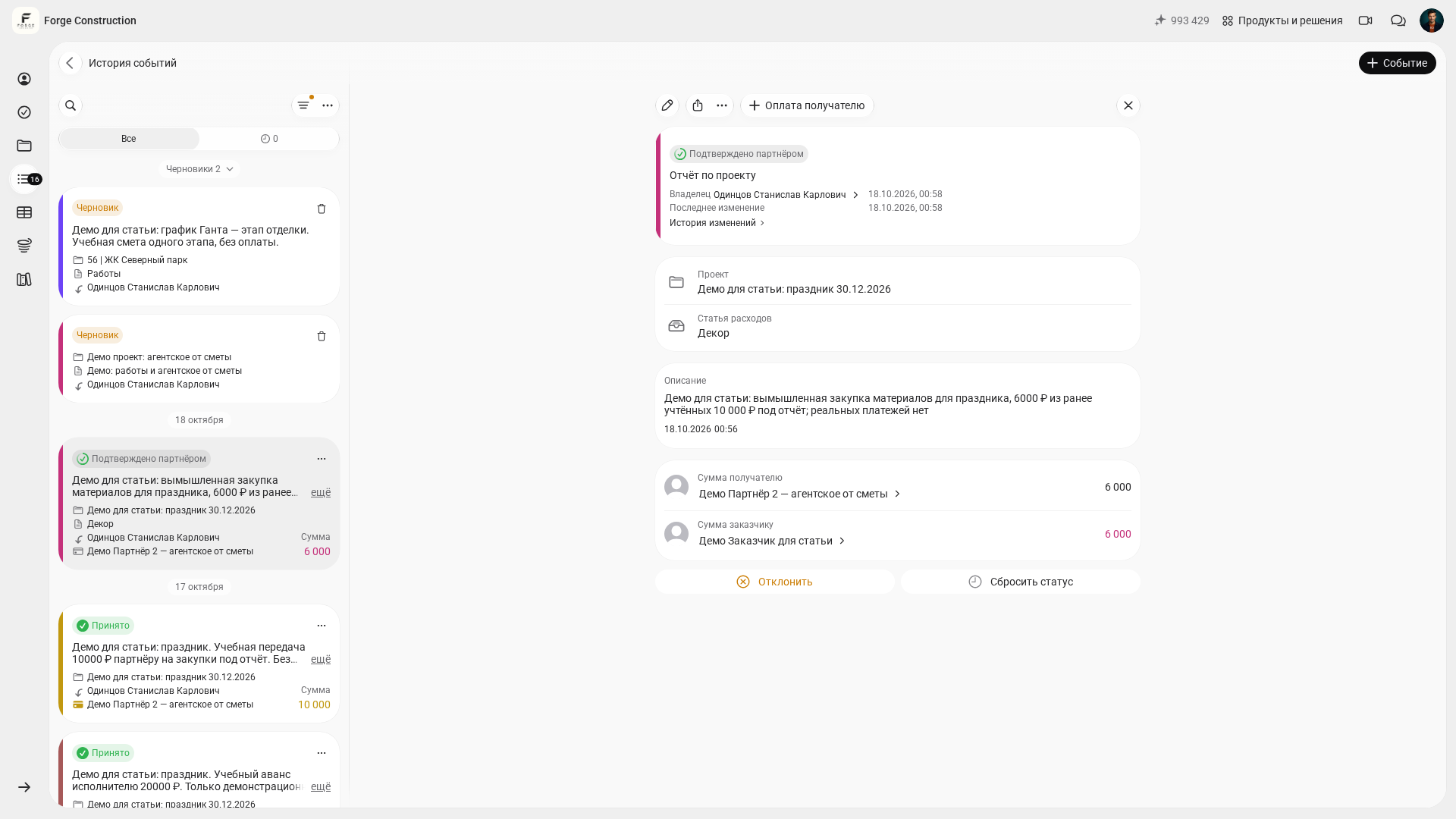
A separate existing demonstration example shows a report for 6,000 ₽ out of 10,000 ₽ previously recorded as accountable funds. Its status “Подтверждено партнёром” (Confirmed by partner) already existed before the check. This example illustrates separate events for issuing funds and recording expenses; check the exact remainder of a particular balance against the events included and their statuses.
Connections and payment checks: what is being paid, and to whom?
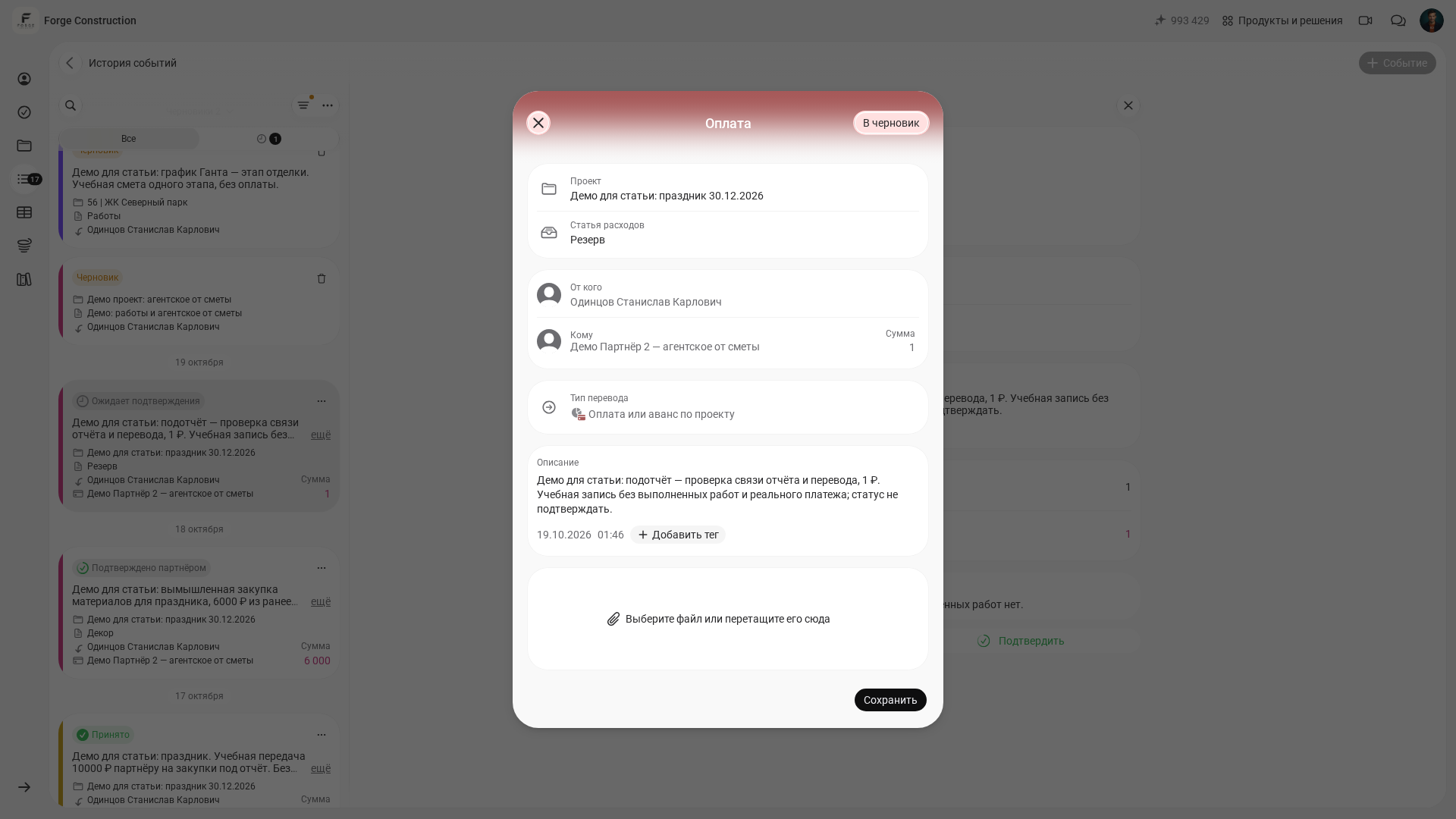
To check an expense and its payment, compare the “Отчёт” (Expense report) and “Перевод” (Transfer). In the report card, the “Оплата получателю” (Payment to recipient) button opens a separate “Оплата” (Payment) form. In the checked example, the project, expense category, sender, recipient, amount, type “Оплата или аванс по проекту” (Payment or advance for a project), description and date were prefilled. Before saving, check these fields and make sure the actual transfer of money has not already been recorded.
The screenshots show a separate practice pair of 1 ₽ each, created solely to check the link between records. It involves no real payment or completed work. After the payment was saved in the usual way, a “с оплатой” (with payment) link appeared on the report; following it opened the “Оплата с отчётом” (Payment with report) record. Both events remained awaiting confirmation.
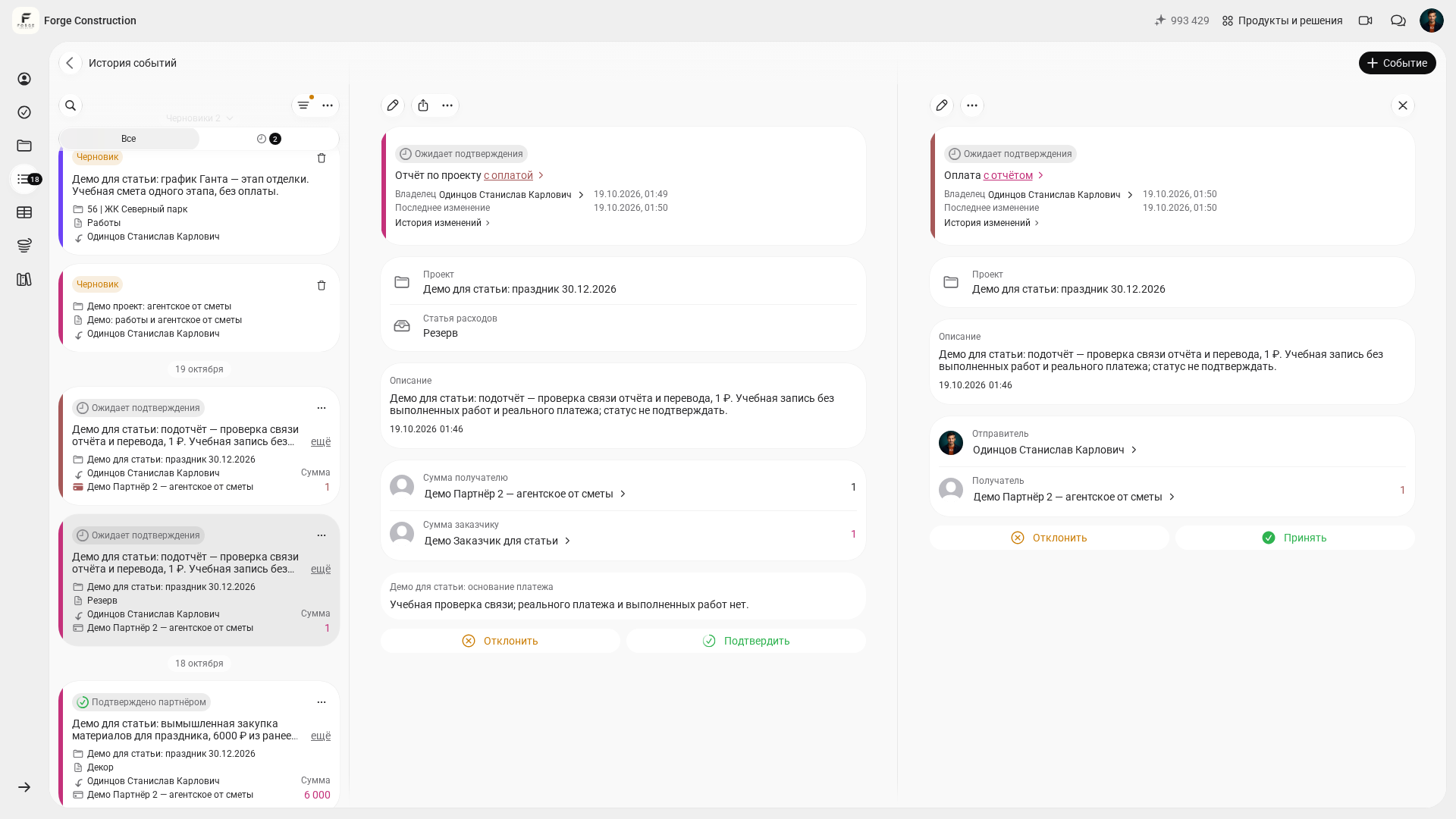
In a linked pair, check the recipient, project, amount, date and statuses of both records. The link itself indicates a connection in the records; an actual payment must be confirmed separately. If money has already been issued as accountable funds or a payment was entered earlier, do not create another transfer just to make the link appear.
The “Связи контрагента” (Counterparty connections) screen opens separately from the participant’s card using the “Связи” (Connections) button. It is a graph of incoming and outgoing connections around the selected counterparty. It helps you navigate participants and transactions; check specific settlements against their underlying events. Graph aggregates and operational balances have different meanings, so do not substitute one figure for the other.
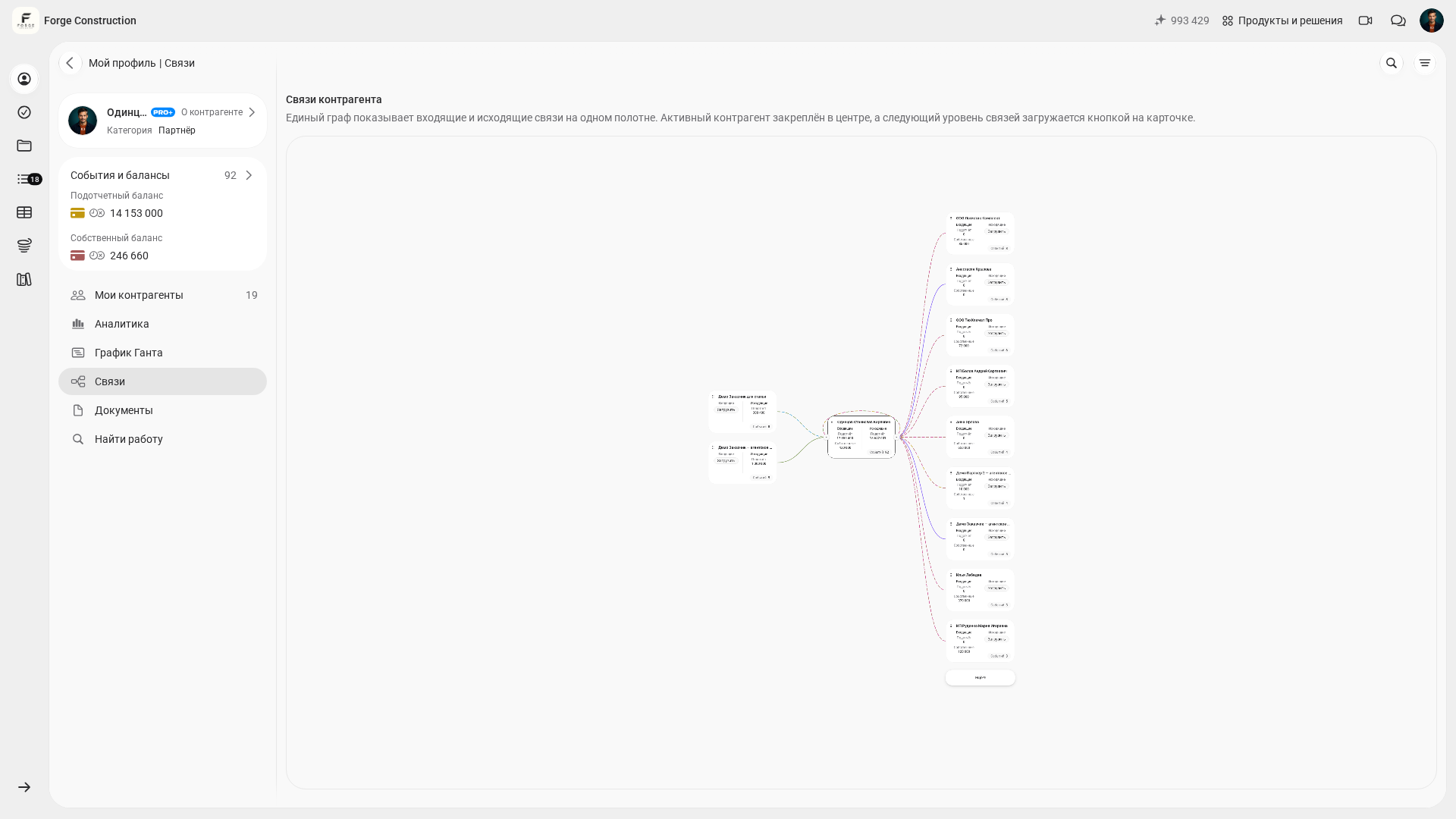
The report and transfer may have been entered separately. Matching projects or amounts do not yet prove that the records form the mutual link shown here. If payment has already been recorded separately, reconcile the existing events and documents while ensuring that the money transfer is recorded only once.
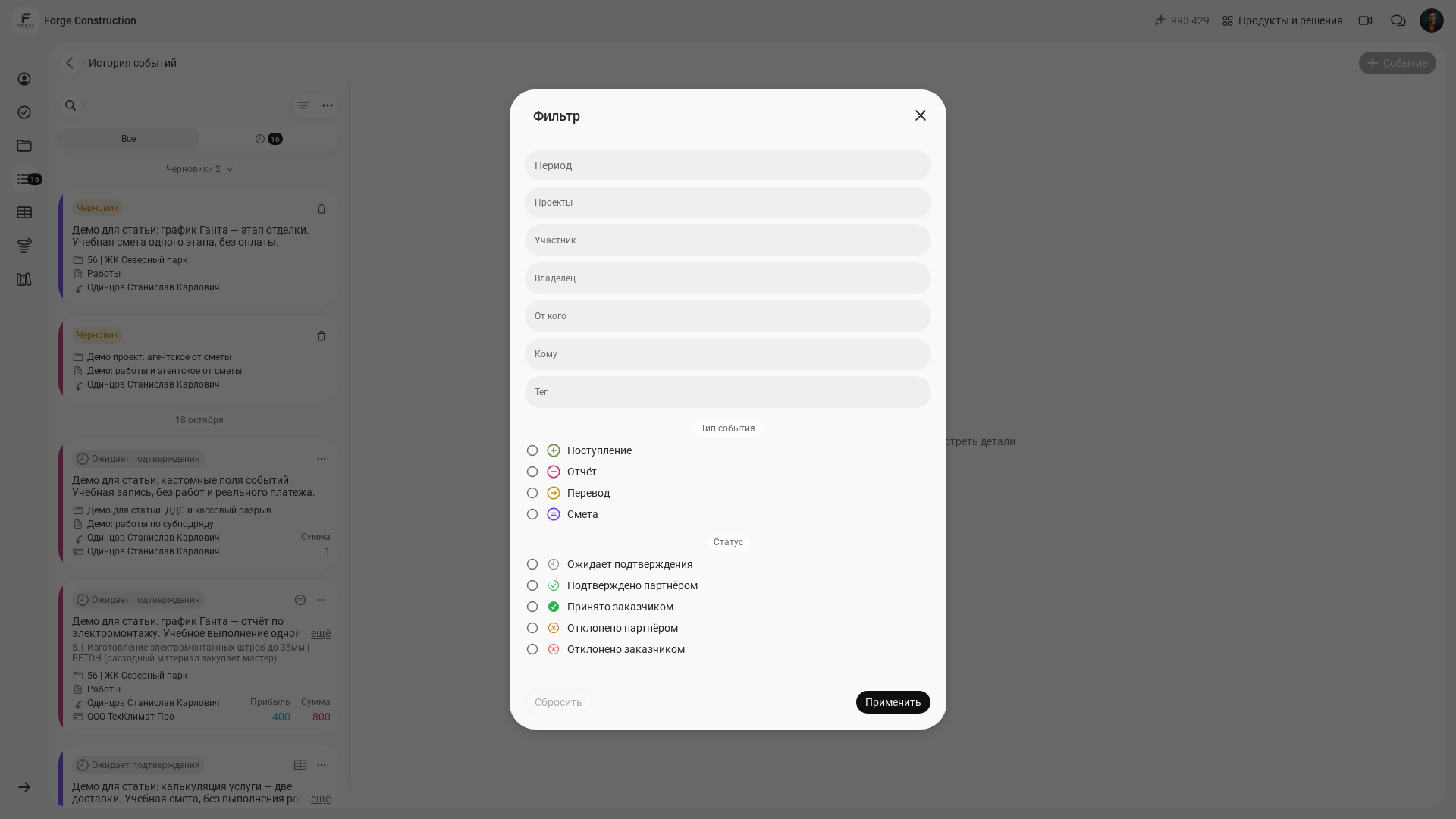
To check the entire company, open “История событий” (Event history) and the “Фильтр” (Filter) button. The form shown offers the period, projects, participant, owner, “От кого” (From), “Кому” (To), tag, event type and status. Select the conditions you need and click “Применить” (Apply). Compare the same data scope: a filtered list for one project and an overall counterparty summary may show different amounts.
How can you establish an accountable funds procedure with regular settlement checks?
Regular tracking of accountable funds in the 101 app requires a short procedure: who records money received and transferred, who collects supporting documents and who checks events.
Consider this situation: you issued money to the site manager, who pays a supplier. In 101, the approach is to create a counterparty and record a transfer with the appropriate type and target balance. The event shows who received the money and must account for its use. Access to the project and available actions depend on the role and permissions granted.
Collect evidence of purchases. The published materials report guide (in Russian) describes scanning a receipt’s QR code in the mobile app. As the help page on loading receipt data (in Russian) explains, obtaining an item list from a Russian fiscal receipt depends on external data from Russia’s Federal Tax Service (FNS); a fixed loading time is not guaranteed. If the code is damaged or the information is unavailable, enter the actual goods and amounts manually, attach a receipt photograph or delivery note, and check the recipient. Do not automatically apply the mobile scanner workflow to the web version.
- Add all participants as counterparties: site managers, procurement specialists and key suppliers.
- The actual recipient records money received from the customer using a “Поступление” (Receipt of funds) event. Check the participants, project, amount and date, then check confirmation by the person responsible with the necessary permissions.
- Issue money for which the recipient must account using a “Перевод” (Transfer) event to the relevant counterparty.
- Require an “Отчёт” (Expense report) event for work and purchases, with photographs and receipts.
- Save a report with a transfer only if payment has actually occurred and has not yet been recorded. If the payment has already been entered, check the existing report and payment records; do not create another transfer.
- Once a week, open counterparty cards and reconcile settlements: balance type, project, period, confirmations, accruals and payments already entered. A negative figure requires checking records and actual payments. Record a new payment when money actually changes hands; do not create a transfer simply to make the figures balance.
For control purposes, remember one more rule: a “Перевод” (Transfer) does not change the project balance, so project figures show its economics—receipts and expenses—while counterparty figures show settlements and debts.
If some of your records are still in spreadsheets, read how to track expenses in Excel (in Russian) and compare it with how the app handles this. For purchasing, there is a practical article on automating construction procurement (in Russian).