

A plan, a schedule, and an estimate are three documents that keep construction and renovation work organized.
In the 101 App, you can build the financial side of a project around the estimate and actual payments. Estimate events also appear on the Gantt chart, so you do not have to maintain a separate work calendar by hand.
This article focuses on a practical “schedule + estimate” workflow: match deadlines with purchases, payments, and actual project progress. For a broader tool overview and instructions for creating a chart from scratch, see the Gantt chart app guide (in Russian).
Contents:
What are the plan and schedule in the 101 App?
The 101 App is designed for management accounting in project-based businesses: money, events, expense categories, and plan-versus-actual project data. The web version also includes a project-management module in a task-tracker format.
The work schedule is a calendar of stages, dependencies, and people. The estimate is the money plan: what will be done, at what price, and how the total is divided among stages, work, and materials. When the estimate lives in the 101 App, actual purchases and payments gather around it. You can see where the project follows the plan and where costs exceed it.
For example, the estimate includes a “floor screed” stage. It automatically appears on the Gantt chart, while the 101 App records the actual purchase of compound and the payment to the installer. These reference points make it easier to answer the customer’s questions and manage cash.
The estimate as the basis of the plan
In the 101 App, an estimate is often called a preliminary calculation. Each specialist can prepare their part, and the project manager combines the sections and shows the customer the result. Electrical, plumbing, and finishing work can be calculated in parallel instead of waiting for access to one file.
A useful estimate for scheduling is organized by stages. You do not need thousands of lines. The stages should match how the team actually works: demolition, rough work, utilities, finishing, logistics, and other real blocks. Then each stage is easy to place on the calendar and close with an acceptance document.
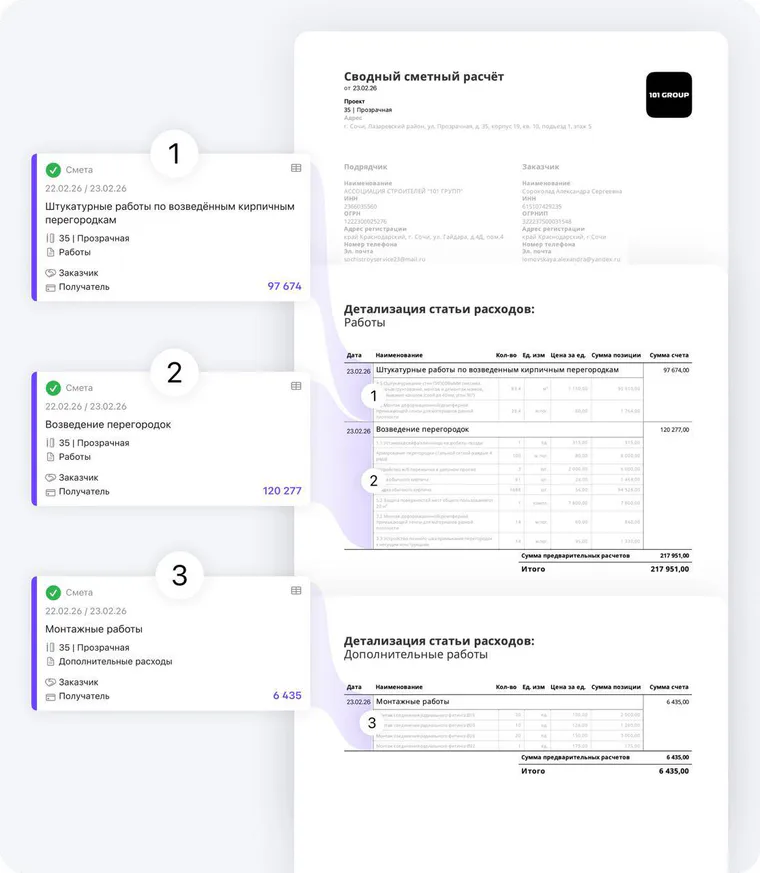
The estimate builder helps you calculate a project from scratch using your own price list, which can be imported. You can also use items from the built-in 101 GROUP price list, adjust all prices by a percentage, and calculate totals for the estimate and expense categories automatically.
For more detail, see Testing the Estimate Builder in the 101 App (in Russian) and Price List Updates (in Russian). They explain the calculation and price-list logic.
How does the work schedule operate in the 101 App?
Teams often build schedules in spreadsheets or planning tools. For renovation work, a calendar with stages and dates is usually enough. The 101 blog explains how to create a construction schedule (in Russian) and what a construction work schedule is (in Russian).
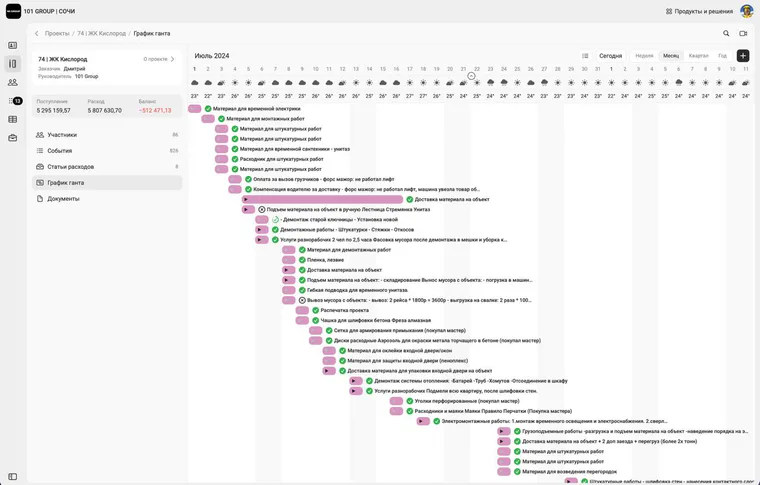
The 101 App now has a Gantt chart that is created automatically from Estimate events in the project. It can include both work and materials.
Plan versus actual for the estimate
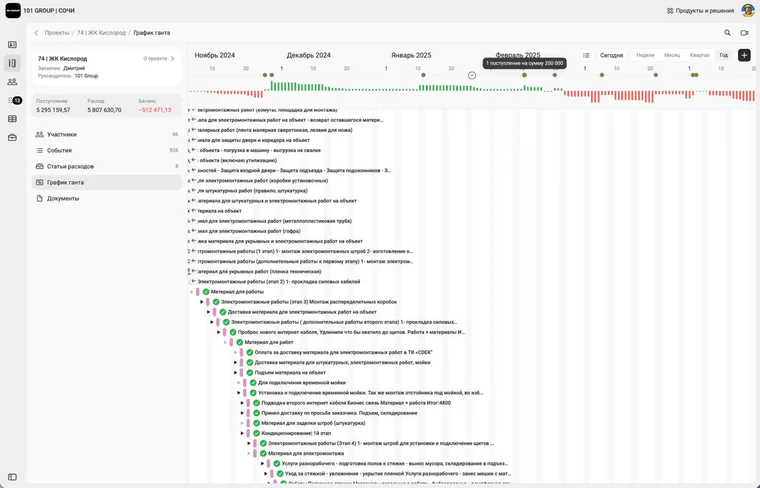
Everything inside a 101 project is organized around events. “Estimate” defines the planned calculation by stages and categories. “Report” records completed work or material purchases. “Transfer” records actual payments. “Income” records money received from the customer. Together, these events provide clean plan-versus-actual data without manual summary spreadsheets.
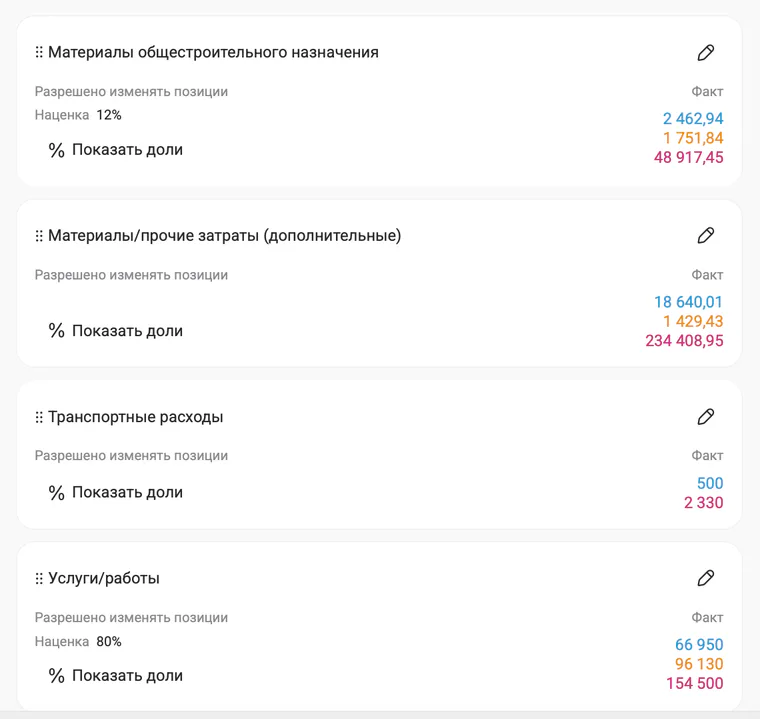
A useful way to communicate calmly with the customer is to show stages and totals externally while keeping the internal detail for every purchase and payment. This reveals actual cost and markup while exposing the material breakdown only where appropriate. The blog discusses this in a capsule-renovation example and links to How to Simplify Construction Materials Accounting (in Russian).
For advanced analytics and control, PRO+ can help. Charts in the app make it possible to compare plan and actual data and review expenses by category.
Practical workflow: estimate → schedule → purchases → completion
Consider an apartment renovation. The customer asks for a schedule and an estimate, while the team needs to know when to purchase materials, whom to pay, and how much margin remains. The following workflow can usually be configured in one evening, with the basic data entered during one working day:
- Build the estimate by stages in the 101 App.
- Let it turn into a work schedule automatically.
- Record each purchase through a Report and each payment through a Transfer.
- Review plan versus actual by category and stage every week.
If you want to configure the process with an expert and get a short presentation tailored to your work, a focused session is faster than rebuilding the workflow through chat messages.
After setup, the connection works automatically: the schedule covers deadlines, while the 101 App records money and actual progress. It becomes easier to keep promises about dates and amounts without extra manual accounting.