
The 101 App has grown from a mobile record-keeping tool into a business platform: estimates, work planning, cash flow, documents, and management reports now live in one place.
The purpose of these changes is simple: fewer gaps between “calculated,” “agreed,” “completed,” and “paid.” When these parts are kept in different services, estimate versions get lost, deadlines become disconnected from actual events, and documents are addressed only at the end.
Below is a step-by-step overview of the platform’s new capabilities, so you can see the order in which to introduce them and how to build a working process around them.
Contents:
- What does “business platform 101” mean?
- WEB version: why is it needed and what is included in it?
- Free estimates: calculate from your phone or from your computer?
- Price lists
- Gantt chart
- Mind maps and the movement of money between employees
- Documents
- Analytics
- Funnels like in CRM
- How to introduce new features in order?
What does “business platform 101” mean?
A platform means managing the same project across several layers at once: calculations, work, money, documents, and control. In 101, this approach is based on the idea that a project is a site or order with its own balance and event history.
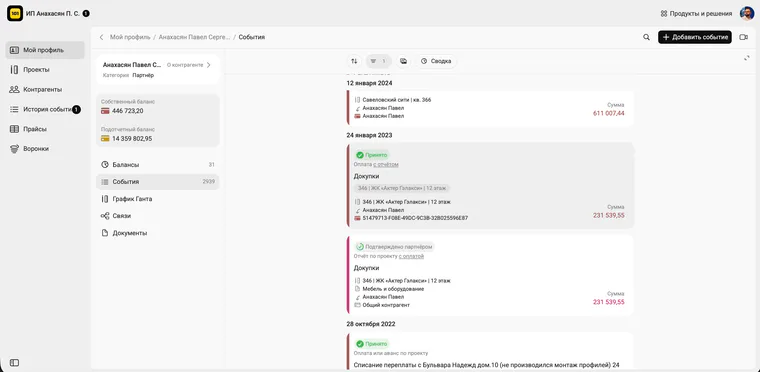
The team records facts as work progresses: an estimate, a work report, a purchase, a transfer to an employee, a payment from the customer, an acceptance record. The manager does not have to piece the picture together from chats and spreadsheets; the project can be traced through its event history.
WEB version: why is it needed and what is included in it?
The web app handles two tasks that are inconvenient on a phone: working with large amounts of data and managing settings. This includes price lists, analytics, exports, and now planning as well.
101 materials often present the web app as the manager’s workstation: importing a price list and monitoring analytics are typical tasks for which opening a laptop makes it easy to put things in order quickly.
Free estimates: calculate from your phone or from your computer?
You can now create estimates in 101 free of charge, without a subscription or linked card. This is convenient when you need to record the scope of work quickly, show the customer the document format, and then decide how to manage the project.
The main value of a free estimate is speed and a consistent workflow. The estimate does not remain a separate PDF in a chat; it becomes part of the project and later supports reports, acceptance, and documents.
For a deeper look, read these two blog articles: “Free Estimates in the 101 App” (in Russian) and “An App for Calculating an Estimate Right from Your Phone” (in Russian).
Price lists
A price list in 101 is not just “a spreadsheet with prices.” It is a dictionary of work and materials that helps the team use the same terms: exactly what is being done, at what price, and in which units. Estimates are created faster, and there are fewer disputed interpretations.
The web app makes it convenient to standardize a price list: import it from Excel, sort categories, and update prices. The blog has separate practical guides on fast estimate import from Excel (in Russian), price-list updates (in Russian), and testing the estimate builder (in Russian).
If your price list is still maintained in a spreadsheet, compare the “Excel or 101” approaches here: https://101-app.com/blog/what-to-use-for-estimate-excel-or-101 (in Russian).
Gantt chart
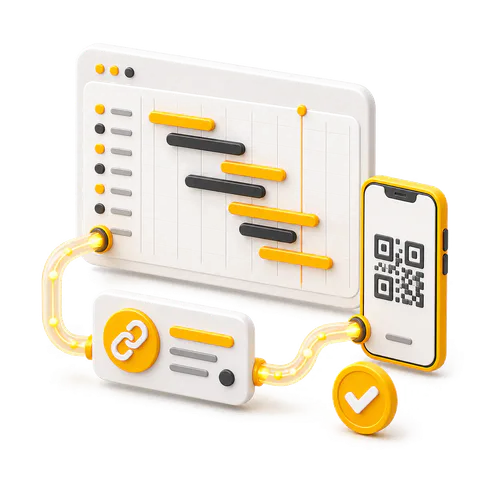
In the 101 web app, a Gantt chart is built from price-list items: they are placed on a timeline to create a work plan connected to the estimate and project events.
The strength of this approach is that the building blocks match. The same price-list items go into the estimate, then appear in reports, and later move into acceptance and documents. The plan stops being a separate entity that nobody updates.
The Gantt article highlights details useful in construction and renovation: the chart shows weather, including past dates; events have amounts and responsible people; and schedule changes are recorded through reports.
A detailed explanation of how to build it is available in the blog: “Gantt Chart in the 101 App” (in Russian).
Mind maps and the movement of money between employees
When a company has several tradespeople and site supervisors, money starts moving through a network: an accountable advance is issued, the remainder is returned, funds are transferred for purchases or between people, and payroll is settled. It may sound controlled, but a month later nobody remembers why one person is holding a balance, another is asking for a top-up, and a third submits receipts once every two weeks.
Here, mind maps show the movement of funds between employees and projects as a diagram: who transferred money to whom, where amounts are stuck without closing events, and where money is moving in circles. This helps a manager assess financial discipline from facts instead of chasing loose ends.
First add roles and counterparties in 101, then establish the rule that every issue and transfer is recorded as an event, and review the map and accountable balances by person once a week. 101 uses the same logic for transparent control of accountable funds and management-accounting audits.
Documents
An estimate and a plan are expectations; a project ends with documents and accepted stages. That is why the document section in 101 sits alongside record keeping: project events generate acceptance records, reports, customer files, and a history of changes.
The 101 blog has a detailed workflow for accepting work and services through events, comments, and closing documents: “Accepting Work and Services through the 101 App” (in Russian).
Analytics
When estimates, events, and documents are recorded regularly, you get the management answers that motivated the whole effort: margin by site, where overspending occurs, which expense categories are growing, how much money is tied up in accountable advances, and how profit changes month by month.
The web app is the most convenient place for analytics, with charts, tables, and project filters. 101 also supports CSV export so analysis can continue in BI systems. The blog covers this in an article about business analytics and report configuration.
If the company is growing and needs the next level of control, it is worth seeing what PRO+ adds to analytics and documents.
Funnels like in CRM
A CRM manages leads, communications, and deal stages. Management accounting covers project economics: how much was earned, how much was spent, and what profit remained after salaries, materials, and subcontracting. Connecting these layers lets the manager see the chain “deal → agreement → project → money → result.”
In 101, this connection is supported through documents and integrations. For example, documents can be generated directly in a deal card and attached to the chat, so the communication history and file version are not lost.
To understand where CRM ends and accounting begins, read these two core articles: “Do You Need a CRM, or Accounting First?” (in Russian) and “CRM and Management Accounting in 101” (in Russian).
How to introduce new features in order?
Order matters if the platform is to produce results. If you begin with analytics while facts are entered only once a week, the charts will not match reality. If you begin with Gantt without a price list, the plan will quickly fall apart.
Below is a practical sequence for project teams in renovation, construction, procurement, and service work.
- Go to the WEB version and check the roles: who counts, who approves, who leads the project.
- Download or organize your price list: categories, units and prices.
- Create a project and add basic expense items so that events immediately get to the right place.
- Collect the first free estimate and send it to the customer in PDF to record the scope and cost.
- Enter a rule: expense, work, transfer and receipt are recorded on the day of the fact - with a photo, receipt or comment.
- Collect a Gantt chart from price list items and assign responsibility for key blocks of work.
- Set up acceptance: events → comments → closing document by stage.
- Connect mind maps to control the movement of money and report on people.
- Check your analytics once a week: plan/actual, margin, reporting and payment dynamics.
- If sales are conducted in CRM, link transactions and documents through integrations so as not to lose version and context.
If you want to apply this process to your own site and configure the structure in one meeting, the easiest option is to attend a presentation: in 30 minutes, you can see how your processes fit 101 and which sections to introduce first.